Stripe Payment Analytics Automation
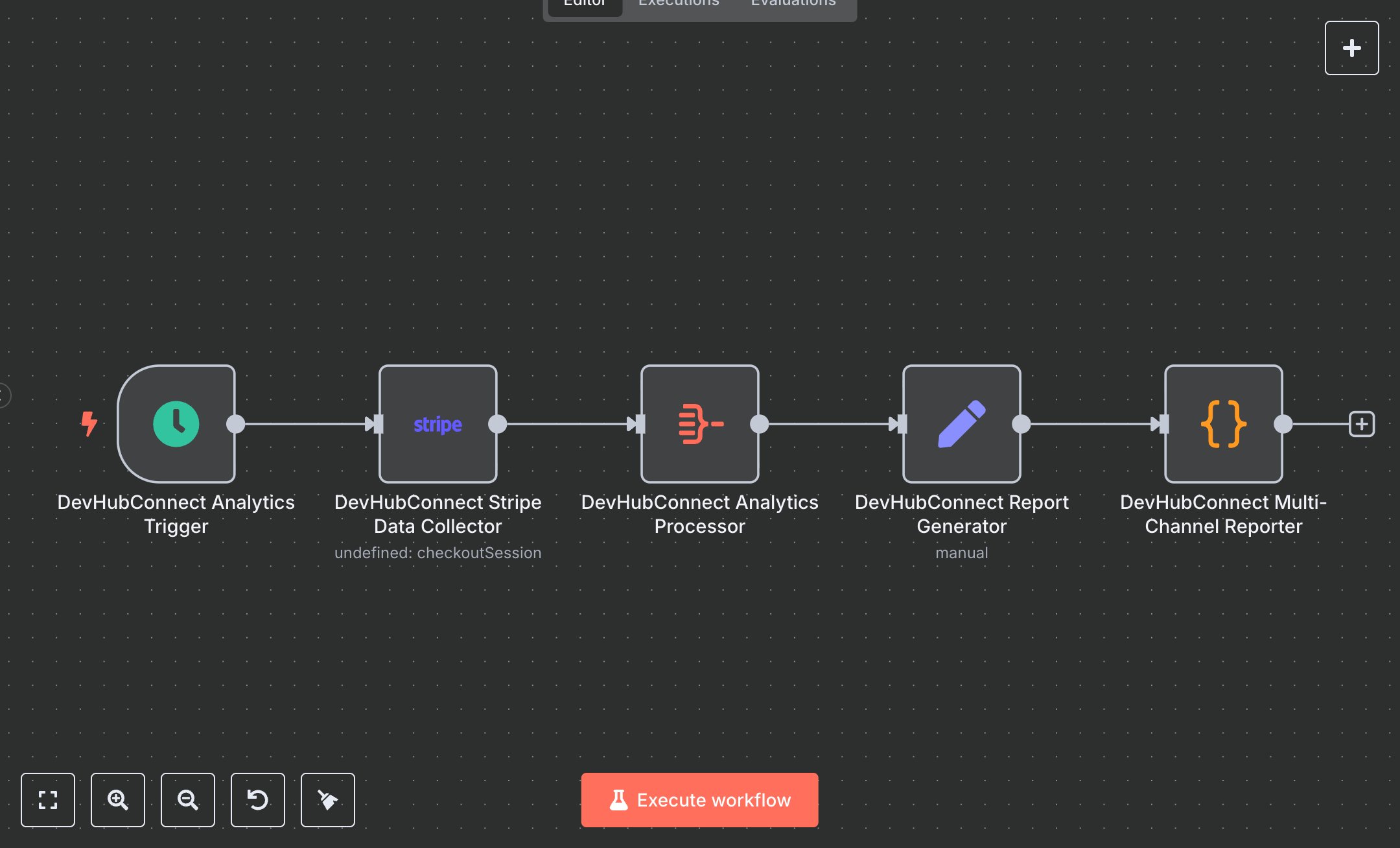
This workflow automates manual payment analysis, replacing spreadsheet-based tracking or custom scripts for Stripe data. It generates daily reports on total revenue, transaction count, and average order value, saving hours of financial reconciliation. E-commerce businesses or SaaS companies processing 100+ transactions weekly benefit most. The Schedule Trigger node runs daily at 9 AM, the Stripe node fetches paid checkout sessions from the last 7 days, the Aggregate node calculates key metrics, the Set node formats reports with currency, and the Code node sends outputs to Slack, Google Sheets, and API responses, streamlining financial insights for decision-making. The workflow saves ~5 hours weekly by automating 100+ transaction reports. Ideal for e-commerce or SaaS finance teams, it requires n8n, Stripe (transaction fees apply), Google Sheets, and Slack (free tier sufficient). Scalability is limited by Stripe API quotas; basic technical skills are needed. Install n8n from n8n.io or use cloud.n8n.io. Obtain Stripe API key from dashboard.stripe.com (Account > API Keys), Google Sheets OAuth2 credentials from Google Cloud Console, and Slack webhook URL from Slack’s app settings. Configure Schedule Trigger for 9 AM UTC and Stripe node with API credentials and filters for paid sessions. Test with a manual trigger to fetch recent Stripe data. Activate in n8n. Monitor for errors like invalid API keys or rate limits in logs. Optimize by adjusting the schedule to business hours and rotating credentials quarterly for security.", "businessValue": "Saves 5 hours/week automating 100+ transaction reports", "setupTime": "30-45 minutes", "difficulty": "Beginner", "requirements": [ "n8n (free/community or cloud), Stripe, Google Sheets, Slack", "Stripe API key, Google Sheets OAuth2, Slack webhook", "Stable internet, modern browser, no coding required" ], "useCase": "Automating payment analytics for e-commerce or SaaS finance teams"
$5.49
Workflow steps: 5
Integrated apps: scheduleTrigger, stripe, aggregate