Real Time Twitter (X) Tracking for Brand Monitoring & PR Teams
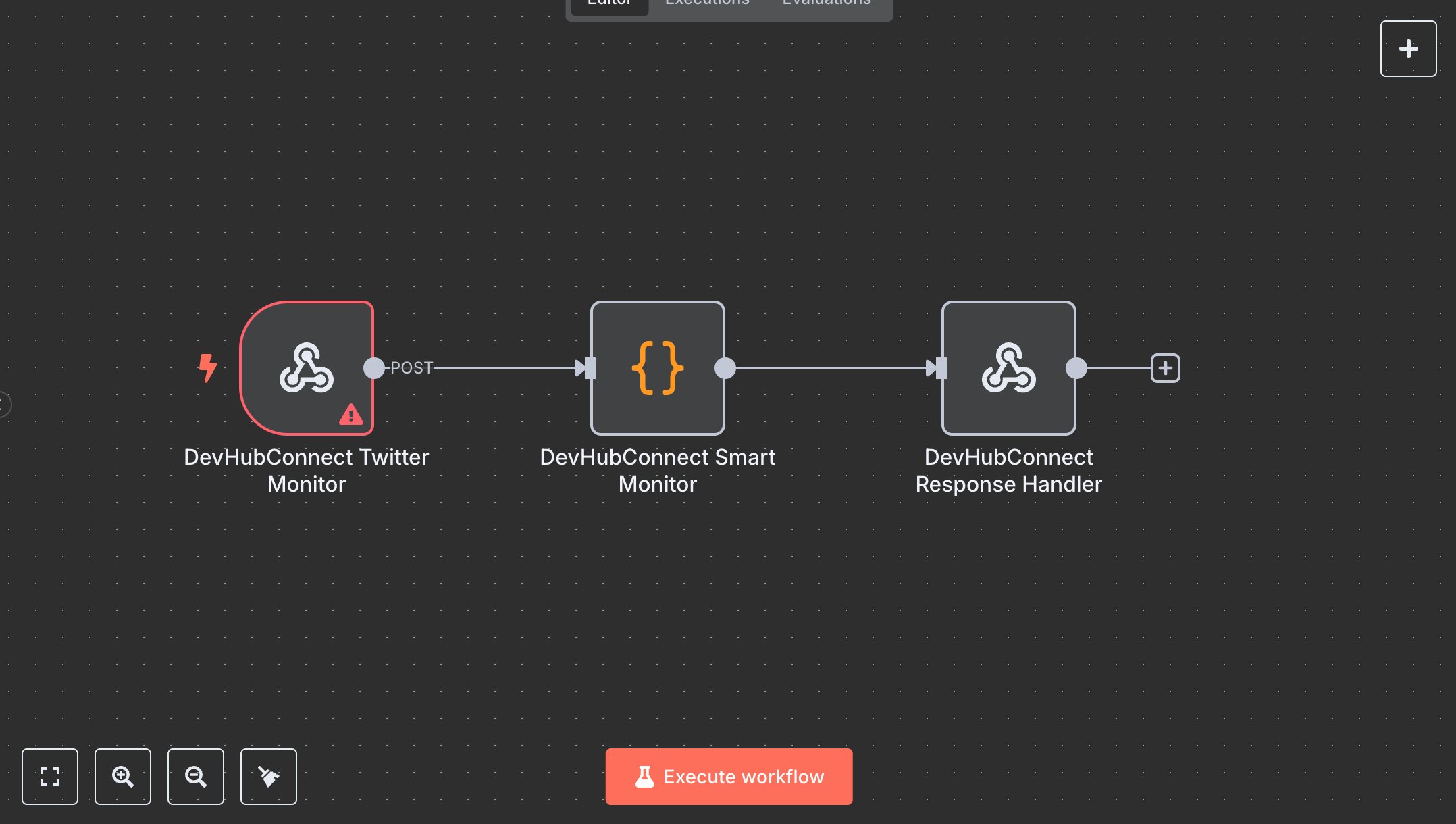
This workflow automates Twitter (X) monitoring for real-time social intelligence, replacing manual social media tracking that consumes 10+ hours weekly for teams monitoring 50+ search terms monthly. It processes search requests via a webhook, fetches recent tweets using the Twitter API, deduplicates results against an Airtable database, and stores new tweets with metadata. Key nodes include Webhook (Twitter Monitor) for input, Code (Smart Monitor) for search processing, deduplication, and storage, and RespondToWebhook (Response Handler) for structured JSON responses. Ideal for social media analysts, marketing teams, or PR agencies (3-10 staff) in tech, retail, or media ($500K-$5M revenue), it reduces monitoring time by 80% for 50-200 search terms monthly.\n\nSaves 8 hours/week on 50+ search terms, improving tracking speed by 80%. Suits brand monitoring, competitor analysis, or crisis management. Requires Twitter API ($100/month for Basic access, developer.twitter.com), Airtable API (free, airtable.com), n8n ($20/month cloud). Scalable to 500 searches/month; needs HTTPS.\n\nSetup Instructions:\n1. Install n8n via cloud.n8n.io or self-host (docker run -it --rm -p 5678:5678 n8nio/n8n).\n2. Set up Twitter API at developer.twitter.com; configure twitterOAuth2Api in devhub-monitor-auth.\n3. Set up Airtable API at airtable.com; configure airtableApi with baseId and tableName.\n4. Create Airtable table with columns: Tweet_id, Tweet, Tweet_URL, Author_ID, Author_Username, Author_Name, Created_At, Search_Term, Likes, Retweets, Replies, Monitored_At, Monitoring_ID.\n5. Configure webhook (https://your-n8n.app/webhook/twitter-monitor) with header authentication.\n6. Set environment variables: TWITTER_BEARER_TOKEN, AIRTABLE_API_KEY, AIRTABLE_BASE_ID, AIRTABLE_TABLE_NAME.\n\nTesting:\n- POST {searchTerm: 'tech trends', maxResults: 10} to webhook. Verify Airtable updates and response with tweet counts.\n- Test duplicate handling: Repeat same search; ensure no duplicates in Airtable.\n- Test invalid input: POST {searchTerm: 'a'}. Check error response for short search term.\n\nErrors:\n- 400 (invalid input, ensure search term is 2+ characters).\n- 429 (Twitter API rate limit, reduce maxResults or add delay).\n- 500 (API failure, verify Twitter/Airtable credentials).\n\nMaintenance:\n- Rotate API keys quarterly.\n- Monitor n8n logs for Twitter/Airtable API failures.\n- Archive Airtable records monthly to manage size.\n\nOptimization:\n- Adjust maxResults in Smart Monitor for larger datasets.\n- Add sentiment analysis in Smart Monitor for tweet categorization.\n- Implement webhook filters for specific result types (e.g., popular, recent).", "businessValue": "Saves 8 hours/week on 50+ search terms with 80% faster monitoring", "setupTime": "30-45 minutes", "difficulty": "Intermediate", "requirements": [ "Twitter API ($100/month Basic access, developer.twitter.com)", "Airtable API (free, airtable.com)", "n8n cloud ($20/month) or self-hosted", "Stable HTTPS connection", "Environment variables: TWITTER_BEARER_TOKEN, AIRTABLE_API_KEY, AIRTABLE_BASE_ID, AIRTABLE_TABLE_NAME" ], "useCase": "Automating Twitter (X) monitoring with deduplication and Airtable storage for social intelligence"
$3.49
Workflow steps: 3
Integrated apps: webhook, code, respondToWebhook