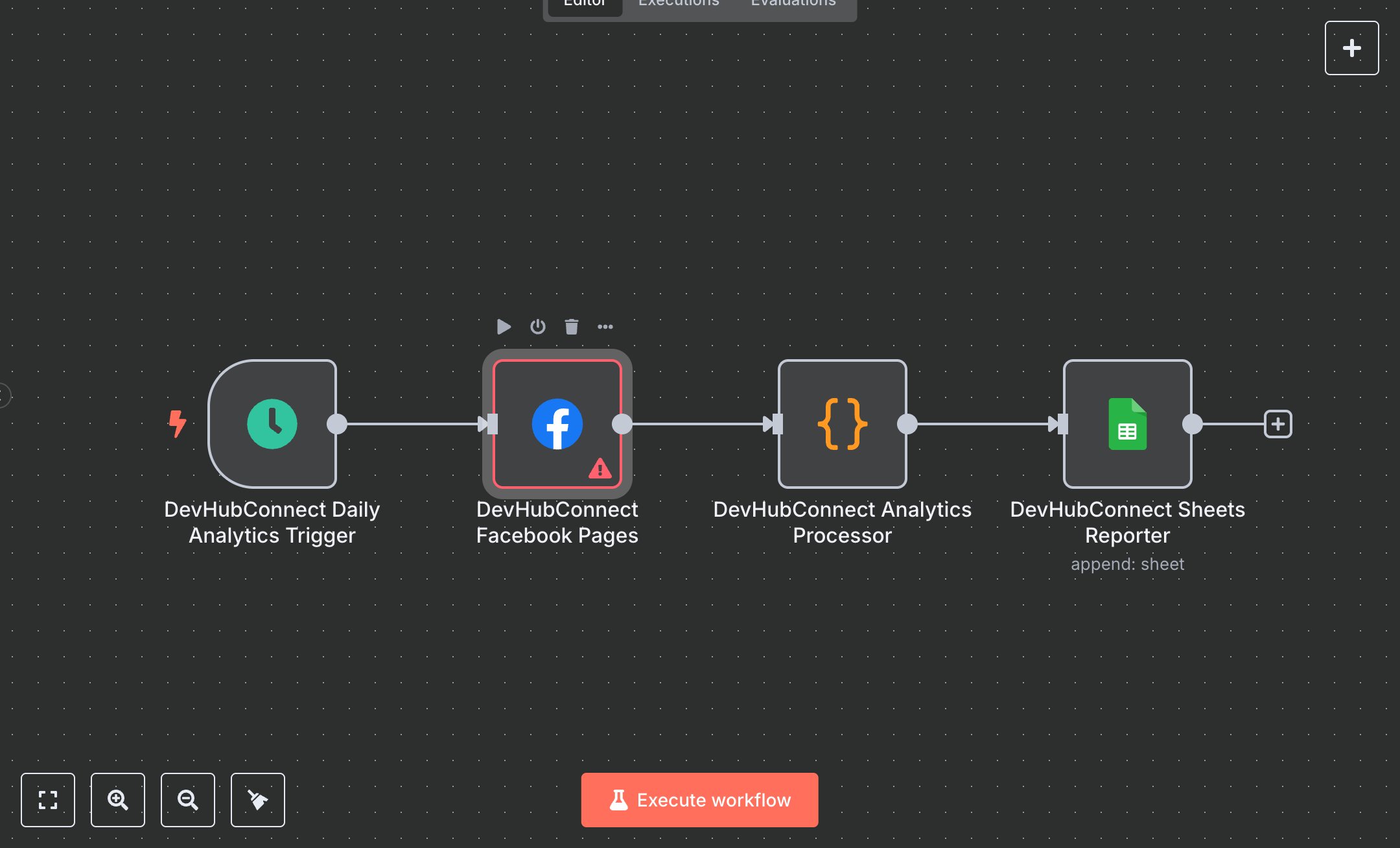
Daily Facebook Insights to Google Sheets
This workflow automates daily Facebook page analytics collection and reporting, replacing manual data aggregation that consumes 10+ hours weekly for social media teams managing 5+ pages. It triggers daily at 8 AM, retrieves page data and insights (impressions, reach, engaged users, post engagements) via the Facebook Graph API, processes metrics with engagement rate calculations, and logs results to Google Sheets. Key nodes include Cron (Daily Analytics Trigger) for scheduling, FacebookGraphApi (Facebook Pages) for page data, Function (Analytics Processor) for insights retrieval and formatting, and GoogleSheets (Sheets Reporter) for data storage. Ideal for social media managers or marketing teams (3-10 staff) in agencies or e-commerce ($500K-$5M revenue), it reduces reporting time by 80% for 5-50 pages.\n\nSaves 8 hours/week on 5+ pages, improving reporting speed by 80%. Suits marketing agencies, e-commerce, or content creators. Requires Facebook Graph API (free, business account), Google Sheets API (free), n8n ($20/month cloud). Scalable to 100 pages; needs HTTPS.\n\nSetup Instructions:\n1. Install n8n via cloud.n8n.io or self-host (docker run -it --rm -p 5678:5678 n8nio/n8n).\n2. Set up Facebook Graph API at developers.facebook.com; configure devhub-facebook-api with access token.\n3. Set up Google Sheets API at console.developers.google.com; configure devhub-google-sheets and set YOUR_SPREADSHEET_ID.\n4. Create Google Sheet named 'Facebook Analytics' with columns: Date, Page Name, Category, Followers, Impressions, Reach, Engaged Users, Post Engagements, Engagement Rate, Status.\n5. Set environment variables: FACEBOOK_ACCESS_TOKEN, GOOGLE_SHEETS_CLIENT_EMAIL, GOOGLE_SHEETS_PRIVATE_KEY, YOUR_SPREADSHEET_ID.\n\nTesting:\n- Trigger workflow manually or wait for 8 AM cron. Verify Google Sheet updates with page metrics and engagement rates.\n- Test error handling: Temporarily revoke Facebook API access; check error logging in Google Sheet.\n\nErrors:\n- 400 (invalid API token, verify FACEBOOK_ACCESS_TOKEN).\n- 429 (Facebook API rate limit, adjust cron to less frequent).\n- No data (page access issue, check permissions in Facebook app).\n\nMaintenance:\n- Rotate API tokens quarterly.\n- Monitor n8n logs for Facebook/Google API failures.\n- Archive Google Sheet data monthly to avoid size limits.\n\nOptimization:\n- Adjust cron schedule (expression) for different timezones.\n- Add metrics (e.g., page_likes, page_views) in Facebook Pages node.\n- Include trend analysis in Analytics Processor for week-over-week comparisons.", "businessValue": "Saves 8 hours/week on 5+ pages with 80% faster reporting", "setupTime": "30-45 minutes", "difficulty": "Intermediate", "requirements": [ "Facebook Graph API (free, business account, developers.facebook.com)", "Google Sheets API (free, console.developers.google.com)", "n8n cloud ($20/month) or self-hosted", "Stable HTTPS connection", "Environment variables: FACEBOOK_ACCESS_TOKEN, GOOGLE_SHEETS_CLIENT_EMAIL, GOOGLE_SHEETS_PRIVATE_KEY, YOUR_SPREADSHEET_ID" ], "useCase": "Automating daily Facebook page analytics collection and Google Sheets reporting"
$3.49
Workflow steps: 4
Integrated apps: scheduleTrigger, facebookGraphApi, code