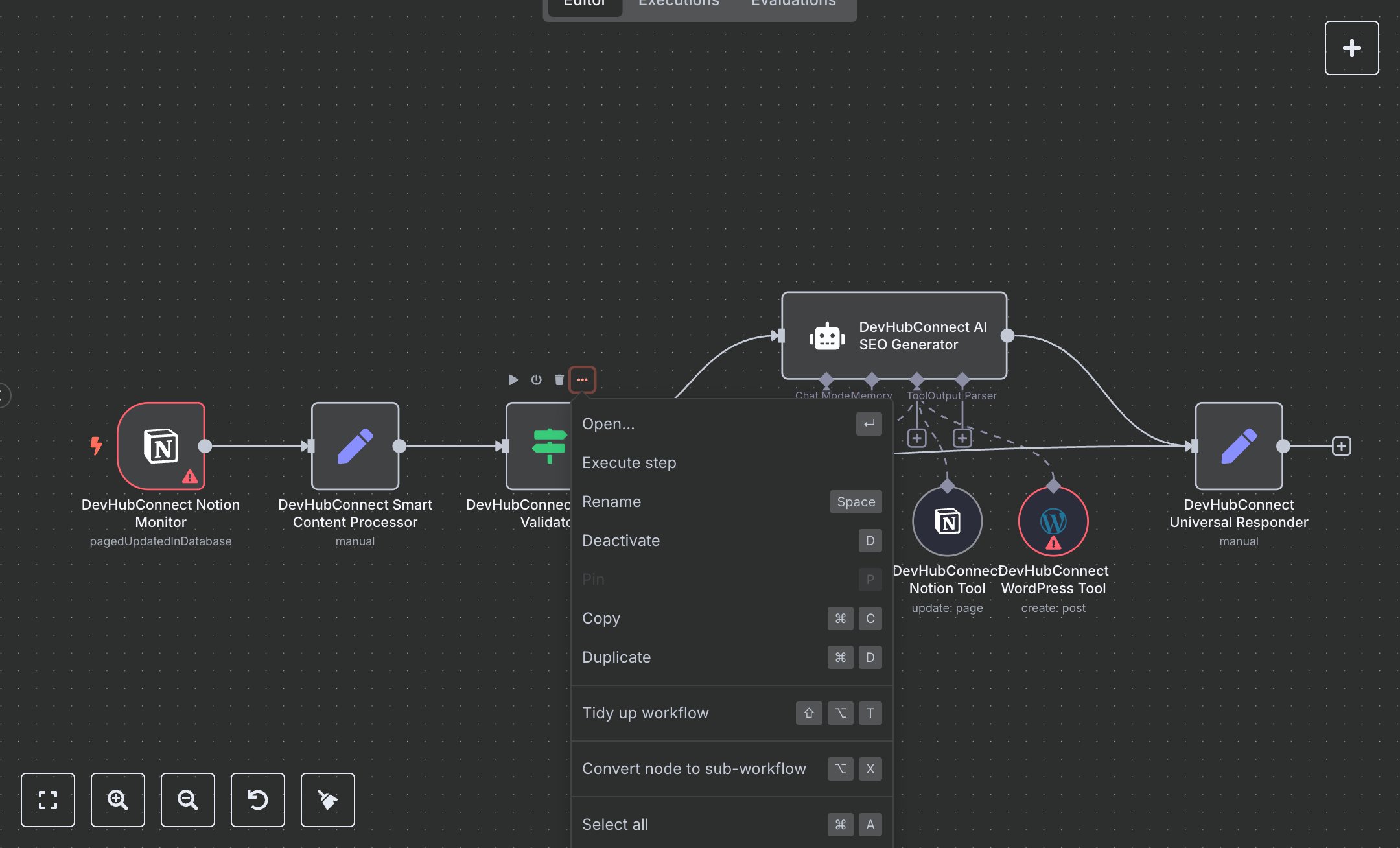
SEO Blog Content Creation from Notion to WordPress with AI
This workflow automates SEO content creation and publishing, replacing manual content workflows that consume 10+ hours weekly for teams managing 20+ posts monthly. It monitors a Notion database for updates, validates content, generates SEO-optimized articles using AI, publishes drafts to WordPress, sends email notifications, and updates Notion with publication status. Key nodes include NotionTrigger (Notion Monitor) for hourly database checks, Set (Smart Content Processor) for validation and sanitization, IF (Content Validator) for quality checks, LangChain Agent (AI SEO Generator) with OpenAI (AI Model) for content creation, WordPressTool (WordPress Tool) for publishing, GmailTool (Gmail Tool) for notifications, NotionTool (Notion Tool) for status updates, and Set (Universal Responder) for response formatting. Ideal for content teams or digital marketers (3-10 staff) in agencies or businesses ($500K-$5M revenue), it reduces content creation time by 80% for 20-100 posts monthly.\n\nSaves 8 hours/week on 20+ posts, improving publishing speed by 80%. Suits blogs, e-commerce, or marketing agencies. Requires Notion API (free), WordPress API (free), Gmail OAuth2 (free), OpenAI API ($0.01-$0.10/1K tokens), n8n ($20/month cloud). Scalable to 200 posts/month; needs HTTPS.\n\nSetup Instructions:\n1. Install n8n via cloud.n8n.io or self-host (docker run -it --rm -p 5678:5678 n8nio/n8n).\n2. Set up Notion API at notion.com; configure devhubconnect-notion-creds and set NOTION_DATABASE_ID.\n3. Configure WordPress API (JWT or Application Passwords) at your WordPress site; set in devhubconnect-wordpress-creds.\n4. Set up Gmail OAuth2 at console.developers.google.com; configure devhubconnect-gmail-creds.\n5. Obtain OpenAI API key at platform.openai.com; set in devhubconnect-openai-creds.\n6. Set environment variables: OPENAI_API_KEY for AI access, NOTION_DATABASE_ID for database, NOTIFICATION_EMAIL (e.g., 'admin@example.com'), NOTION_PAGE_ID for updates.\n\nTesting:\n- Add a Notion database entry with a Name field (e.g., 'Best Tech Trends 2025'). Verify AI-generated WordPress draft, email notification, and Notion status update.\n- Test invalid entry (e.g., empty Name). Check error response from Universal Responder.\n\nErrors:\n- 400 (invalid content, ensure Name field has 3+ characters).\n- 429 (API rate limit, adjust maxTokens or add delay).\n- No response (AI failure, check prompt or credentials).\n\nMaintenance:\n- Rotate API keys quarterly.\n- Monitor n8n logs for Notion/WordPress API failures.\n- Backup Notion database monthly.\n\nOptimization:\n- Add SEO_KEYWORDS to AI prompt for targeted optimization.\n- Adjust pollTimes in Notion Monitor for frequent updates.\n- Customize WordPress categories in WordPress Tool for better organization.", "businessValue": "Saves 8 hours/week on 20+ posts with 80% faster publishing", "setupTime": "45-60 minutes", "difficulty": "Intermediate", "requirements": [ "Notion API (free, notion.com)", "WordPress API (free, JWT or Application Passwords)", "Gmail OAuth2 (free, console.developers.google.com)", "OpenAI API ($0.01-$0.10/1K tokens, platform.openai.com)", "n8n cloud ($20/month) or self-hosted", "Stable HTTPS connection", "Environment variables: OPENAI_API_KEY, NOTION_DATABASE_ID, NOTIFICATION_EMAIL (e.g., 'admin@example.com'), NOTION_PAGE_ID" ], "useCase": "Automating SEO content creation and publishing from Notion to WordPress with notifications"
$5.49
Workflow steps: 9
Integrated apps: notionTrigger, set, if