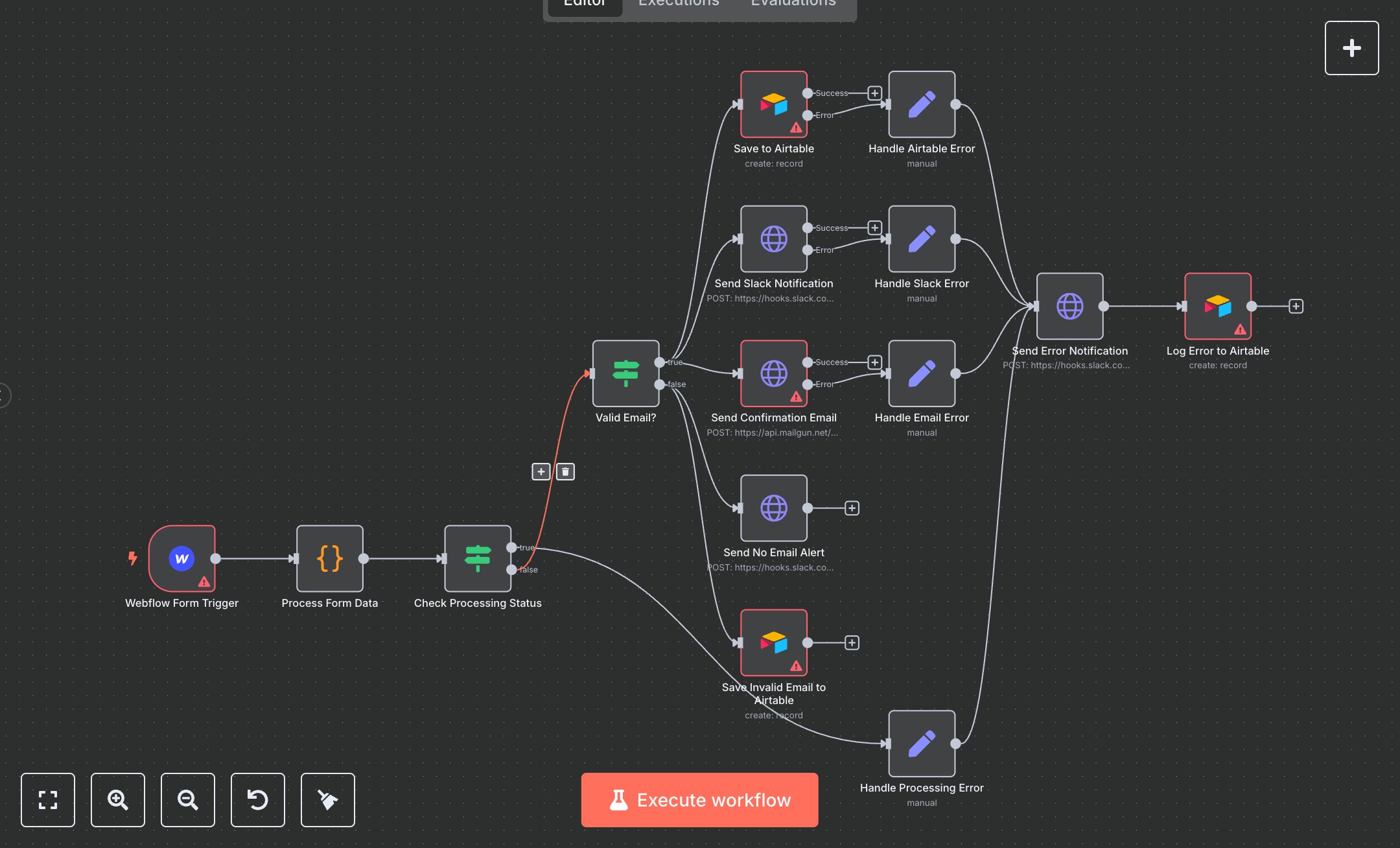
Webflow Form Submission Handler
This workflow processes Webflow form submissions, saves data to Airtable, sends confirmation emails via Mailgun, and notifies via Slack. Key nodes include Webflow Form Trigger (captures submissions), Process Form Data (standardizes inputs), Valid Email? (checks email presence), Save to Airtable (stores data), Send Confirmation Email (sends email via Mailgun), Send Slack Notification (notifies success), and Send No Email Alert (notifies missing email). It uses Webflow, Airtable, Mailgun, and Slack APIs.\n\nSetup Requirements: Install n8n from n8n.io or sign up at cloud.n8n.io. Import the JSON into n8n’s workflow editor. Get Webflow Site ID and OAuth2 credentials from webflow.com (Settings > Integrations > OAuth). Create an Airtable base at airtable.com with a Form Submissions table; obtain API key and Base ID from Account settings. Get Mailgun API key and domain from mailgun.com (Domains > API Keys). Obtain Slack Webhook URL from slack.com (Apps > Incoming Webhooks, create in #form-alerts). In n8n, configure credentials: Webflow (OAuth2), Airtable (Token API), Mailgun (HTTP Basic Auth), Slack (Webhook URL). Set Webflow Form Trigger with your Site ID. Handle errors like missing email (No email provided) or invalid API key (401: Unauthorized). Update noreply@yourdomain.com in Send Confirmation Email with your domain.\n\nTesting and Deployment: Import the JSON into n8n. In Webflow, add a form and configure its webhook to n8n’s Webflow Form Trigger URL (from node settings). Submit a test form with name, email, and message. Verify Process Form Data extracts fields and Valid Email? routes correctly. Confirm Save to Airtable logs data, Send Confirmation Email delivered via Mailgun, and Send Slack Notification posts to Slack. Test with a missing email to trigger Send No Email Alert. Check for errors like invalid webhook (400: Invalid webhook data) or Airtable issues (404: Table not found). If notifications fail, verify Slack URL and Mailgun credentials. Monitor logs for rate limits (429). Activate the workflow in n8n and ensure Webflow’s webhook is live. Deploy for automated form handling, data storage, and notifications.
$6.99
Workflow steps: 15
Integrated apps: webflowTrigger, code, if