Google Task Management: Priority and Due Date Assignment + More
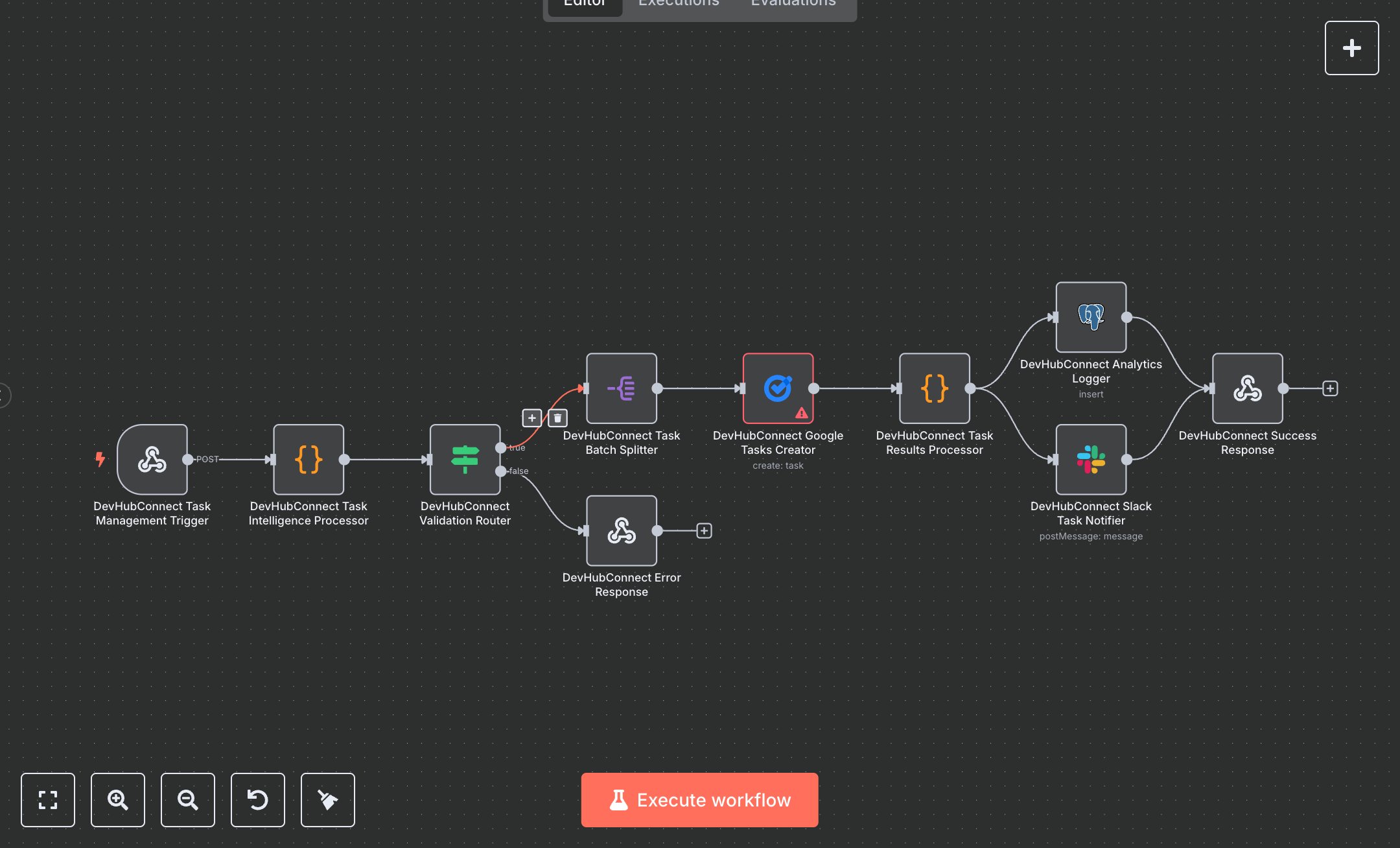
This workflow automates task management by creating tasks in Google Tasks from webhook inputs. It validates tasks, integrates with Google Tasks, logs analytics, and sends notifications. Key nodes include Webhook, Code, Condition, Split Out, Google Tasks, Postgres, Slack, and Webhook Response, streamlining enterprise task management with Google Tasks API integration.\n\nTo set up, download n8n from n8n.io for self-hosting or sign up at cloud.n8n.io for cloud use. Configure credentials for Google Tasks, Postgres, and Slack in n8n. For Google Tasks, create an OAuth2 credential at console.cloud.google.com, enabling the Tasks API and obtaining a client ID and secret. Add Postgres credentials with database connection details and Slack with a bot token from Slack’s App management. Import the workflow JSON via the Workflows menu. Set the Webhook node to accept POST requests at the path 'task-management' with header authentication using a secure key. Verify the Google Tasks node uses the correct taskListId from your Google Tasks account. Ensure the Postgres node targets the 'task_management_analytics' table with proper column mappings. Configure the Slack node to post to a valid channel (e.g., #task-management). Update the Code node’s default task settings if needed.\n\nTest by activating the workflow and sending a POST request to the webhook URL with sample JSON (e.g., 'tasks' array with title, priority, dueDate). Check the Code node for validation errors like missing titles or invalid due dates. Verify task creation in Google Tasks, Postgres logs for analytics, and Slack notifications. Common errors include invalid Google Tasks credentials (re-authenticate in n8n), missing task titles (ensure 3–200 characters), or incorrect taskListId (verify in Google Tasks). If the webhook fails, confirm the URL and authentication header match. For deployment, keep the workflow active, monitor Postgres for quality metrics, and validate Slack notifications for accuracy. Regularly check logs for 'validation_failed' errors and address them by correcting inputs or contacting support with the reference code. Schedule reviews to ensure consistent task creation and Google Tasks sync.
$5.49
Workflow steps: 10
Integrated apps: webhook, code, if