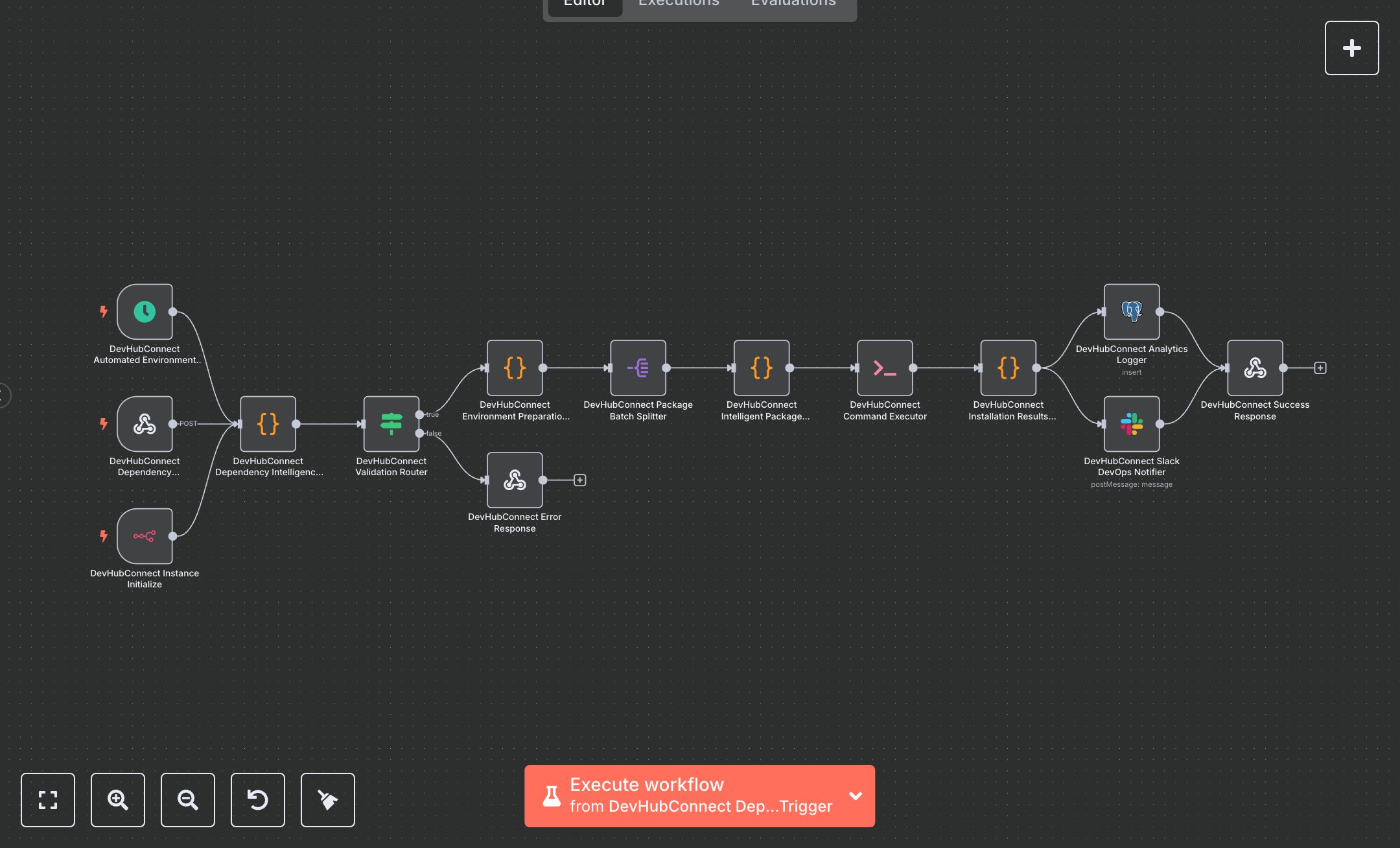
Node.js Dependency Management: Installation, Validation, and Analytics
This workflow automates Node.js dependency management, handling package installations via webhook, scheduled, or instance triggers. It validates packages, sets up environments, installs dependencies, and logs analytics. Key nodes include Webhook, Schedule Trigger, n8n Trigger, Code, Condition, Split Out, Execute Command, Postgres, Slack, and Webhook Response, ensuring secure and optimized dependency management without external APIs.\n\nTo set up, download n8n from n8n.io for self-hosting or sign up at cloud.n8n.io for cloud use. Configure Postgres and Slack credentials in n8n. Go to Credentials, add Postgres with database connection details and Slack with a bot token from Slack’s App management. Import the workflow JSON via the Workflows menu. Configure the Webhook node to accept POST requests at the path 'dependency-management' with header authentication using a secure key. Ensure the Execute Command node runs in an environment with Node.js and npm installed. Verify the Postgres node targets the 'dependency_management_analytics' table with correct column mappings. Set the Slack node to post to a valid channel (e.g., #devops-automation). Update the Code node’s default package list or environment settings if needed.\n\nTest by activating the workflow and sending a POST request to the webhook URL with sample JSON (e.g., 'packages' with required, development, or optional arrays). Alternatively, trigger via the Schedule Trigger (every 24 hours) or n8n Trigger (on instance init). Check the Code node for validation errors like invalid package names or unsupported Node.js versions. Verify installation results in the Execute Command node, Postgres logs for analytics, and Slack for notifications. Common errors include missing npm (install on server), invalid package names (use valid npm package names), or missing Postgres credentials (add in n8n). If the webhook fails, confirm the URL and authentication header match. For deployment, keep the workflow active, monitor Postgres for quality metrics, and validate Slack notifications for accuracy. Regularly check logs for 'validation_failed' errors and address them by correcting inputs or contacting support with the reference code. Schedule reviews to ensure consistent dependency installation and security compliance.
$5.49
Workflow steps: 14
Integrated apps: webhook, scheduleTrigger, n8nTrigger