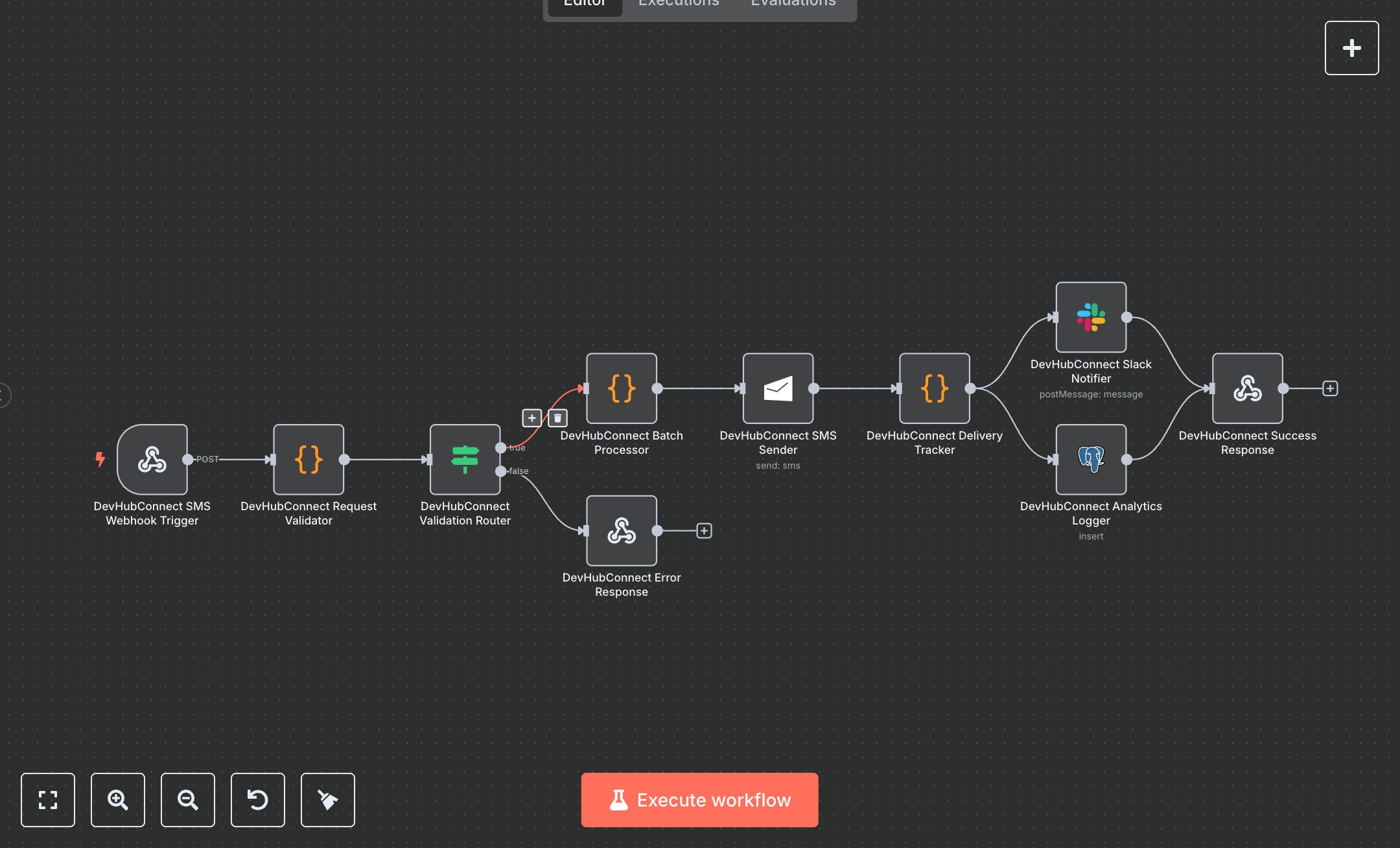
SMS Marketing with MSG91: Automated Messaging, Tracking, and Analytics
This workflow automates SMS campaign management using MSG91. It triggers via webhook, validates recipient data and messages, processes batches, sends SMS, tracks delivery, and logs analytics. Key nodes include Webhook, Code, Condition, MSG91, Slack, Postgres, and Webhook Response, enabling efficient bulk messaging with personalized content and monitoring.\n\nTo set up, download n8n from n8n.io for self-hosting or sign up at cloud.n8n.io for cloud use. Obtain an MSG91 API key from your MSG91 account under Dashboard > API. In n8n, go to Credentials, add MSG91, Slack, and Postgres credentials, entering the API key, Slack token, and database connection details. Import the workflow JSON via the Workflows menu. Configure the Webhook node to accept POST requests at the path 'sms-campaign', setting header authentication with a secure key. Ensure the Postgres node targets the 'sms_campaign_analytics' table with correct column mappings. Set the Slack node to post to a valid channel (e.g., #marketing-campaigns). Verify the MSG91 node uses the correct sender ID and country code (e.g., 91 for India). If no sender ID is specified, MSG91 may use a default.\n\nTest by activating the workflow and sending a POST request to the webhook URL with sample data (e.g., JSON with 'recipients' and 'message'). Check the Code node output for validation errors like missing fields or invalid phone formats. Verify SMS delivery in MSG91’s dashboard and Postgres logs for analytics. Ensure Slack notifications reflect campaign status. Common errors include missing MSG91 credentials (add API key in n8n), invalid phone numbers (use E.164 format, e.g., +1234567890), or message length exceeding 1600 characters (shorten message). If the webhook fails, confirm the URL and authentication header match. For deployment, keep the workflow active, monitor Postgres for analytics, and validate Slack notifications for accuracy. Regularly check logs for errors like 'validation_failed' and address them by correcting input data or contacting support with the provided reference code. Schedule periodic reviews to ensure consistent performance and accurate delivery tracking.
$3.49
Workflow steps: 10
Integrated apps: webhook, code, if