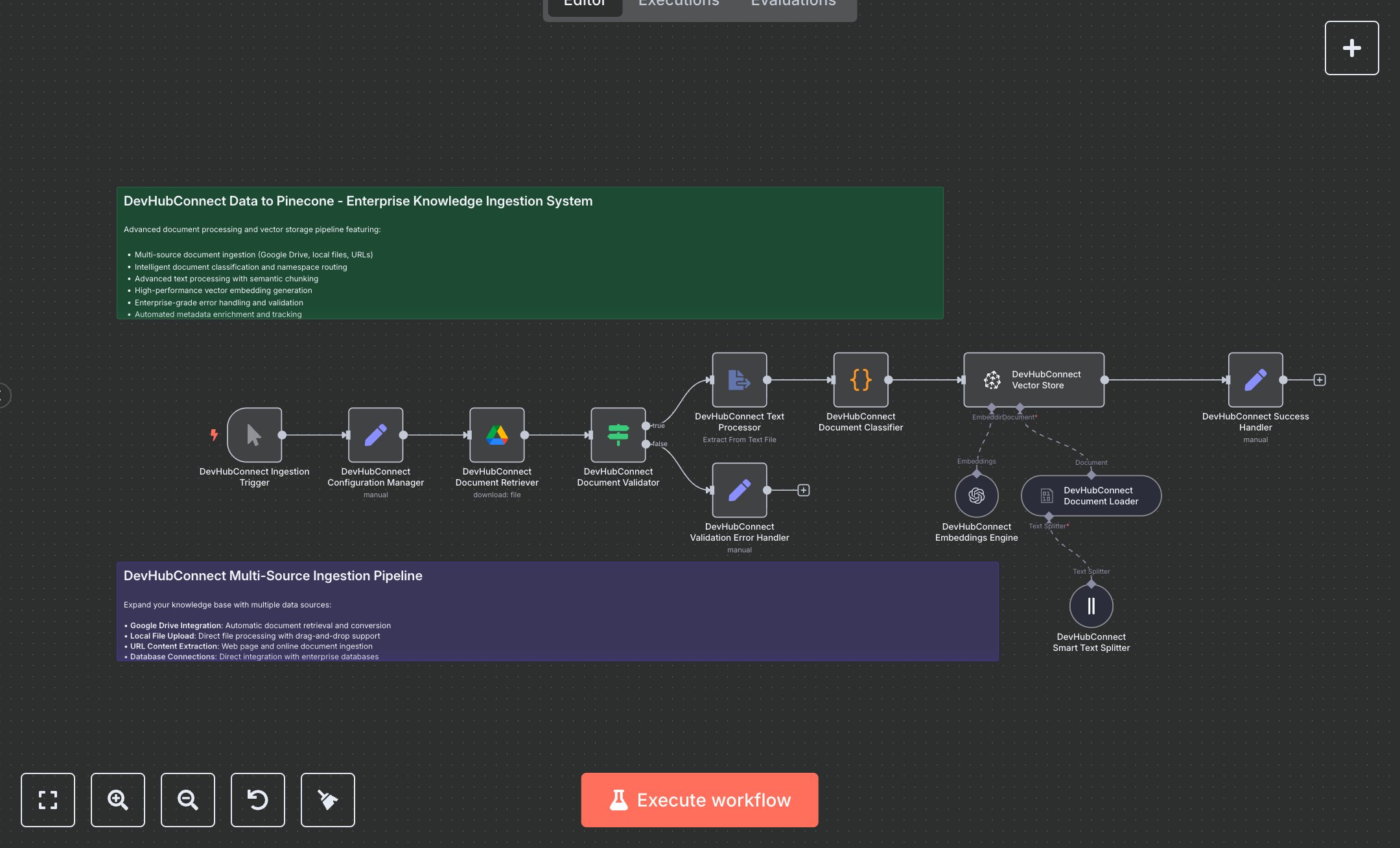
Document Management: Ingest, Chunk, and Store Documents in Pinecone with Google Drive and AI
This workflow automates document ingestion into a Pinecone vector database for enterprise knowledge management, using Google Drive for document retrieval and OpenAI for embeddings. Key nodes include Manual Trigger for initiation, Google Drive for document access, Condition for validation, Code for classification, Text Splitter for chunking, and Vector Store for storage. To set up, install n8n from n8n.io for self-hosting or sign up at cloud.n8n.io for cloud hosting. Obtain a Google Drive OAuth2 token from console.cloud.google.com for the Google Drive node. Create an OpenAI API key at platform.openai.com for the Embeddings Engine node. Get a Pinecone API key and create an index at pinecone.io for the Vector Store node. Import the workflow JSON into n8n. Add Google Drive credentials to the Google Drive node, OpenAI API key to the Embeddings Engine node, and Pinecone credentials to the Vector Store node, ensuring the index name is “devhubconnect-enterprise-kb”. Update the Google Drive node with a valid file ID from your Google Drive. Verify the Code node’s classification logic for namespaces (projects, hr_policies, sales_data) and the Condition node’s document size check (>100 characters). Test by manually triggering the workflow in n8n. Verify the Google Drive node retrieves the document, the Text Splitter node creates chunks, and the Success Handler node outputs a JSON with success: true, namespace, and batch_id. Check Pinecone for stored vectors in the classified namespace. Handle errors like invalid Google Drive file IDs (HTTP 404), missing API keys (HTTP 401), or small documents (Validation Error Handler triggers with “DOCUMENT_VALIDATION_FAILED”). Regenerate credentials if needed. Deploy by activating the workflow in n8n. Monitor logs for Pinecone insertion failures or rate limits. Validate the output for correct namespace assignment, chunk count in metadata, and success message with batch details, ensuring document content is properly vectorized and stored.
$5.49
Workflow steps: 14
Integrated apps: stickyNote, manualTrigger, set