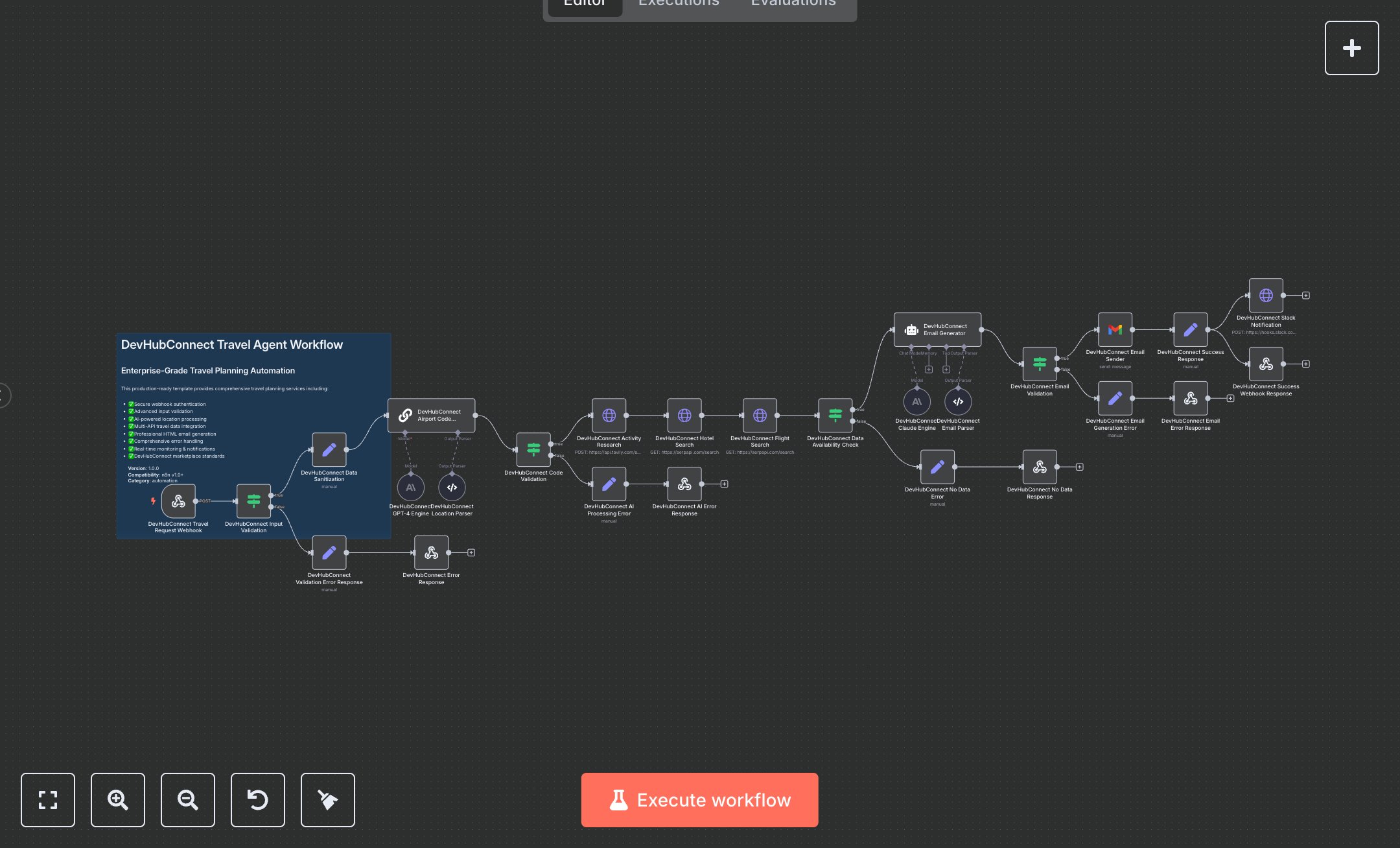
LLM Travel Planning Assistant: Flight, Hotel, and Activity Booking with SerpApi and Tavily
This workflow automates travel planning using SerpApi, Tavily, and Gmail APIs, generating flight, hotel, and activity recommendations with AI-enhanced emails. Key nodes include Webhook for input, Condition for validation, HTTP Request for flight/hotel/activity searches, Chain LLM for airport code conversion, Gmail for sending plans, and Webhook Response for output. To set up, install n8n from n8n.io for self-hosting or sign up at cloud.n8n.io for cloud hosting. Obtain API keys from serpapi.com (SerpApi), tavily.com (Tavily), openai.com (OpenAI), and anthropic.com (Anthropic). Create a Gmail OAuth2 credential via console.cloud.google.com. In n8n, import the workflow JSON. Configure HTTP Request nodes (Flight Search, Hotel Search) with SerpApi’s query auth and Activity Research with Tavily’s header auth. Set up Chain LLM and Claude Engine with OpenAI and Anthropic API keys, respectively. Configure Gmail node with OAuth2 credentials. Set Webhook node’s URL (e.g., /travel) and create an HTTP Header Auth credential with a custom header (e.g., x-api-key). Ensure Condition node validates origin, destination, departure_date, email, and travelers. Test by sending a POST request to the Webhook URL via Postman with a JSON payload (e.g., {origin: 'New York', destination: 'Paris', departure_date: '2025-12-15', email: 'test@example.com', travelers: 2}). Verify the Gmail node sends an email with flight, hotel, and activity details. Check Webhook Response for a 200 status with requestId. Handle errors like HTTP 401 (invalid API keys), 400 (missing fields), or 404 (no travel data). Regenerate API keys if authentication fails. Deploy by activating the workflow in n8n, ensuring descriptive inputs. Monitor logs for API rate limits or email generation failures. Validate Gmail output for a professional HTML email with a subject length ≥10 characters and responsive design. Confirm the Slack node (optional) sends notifications if configured with a valid webhook URL.
$6.99
Workflow steps: 28
Integrated apps: webhook, if, set