Hair Appointment Scheduling Using VAPI’s AI Voice Service
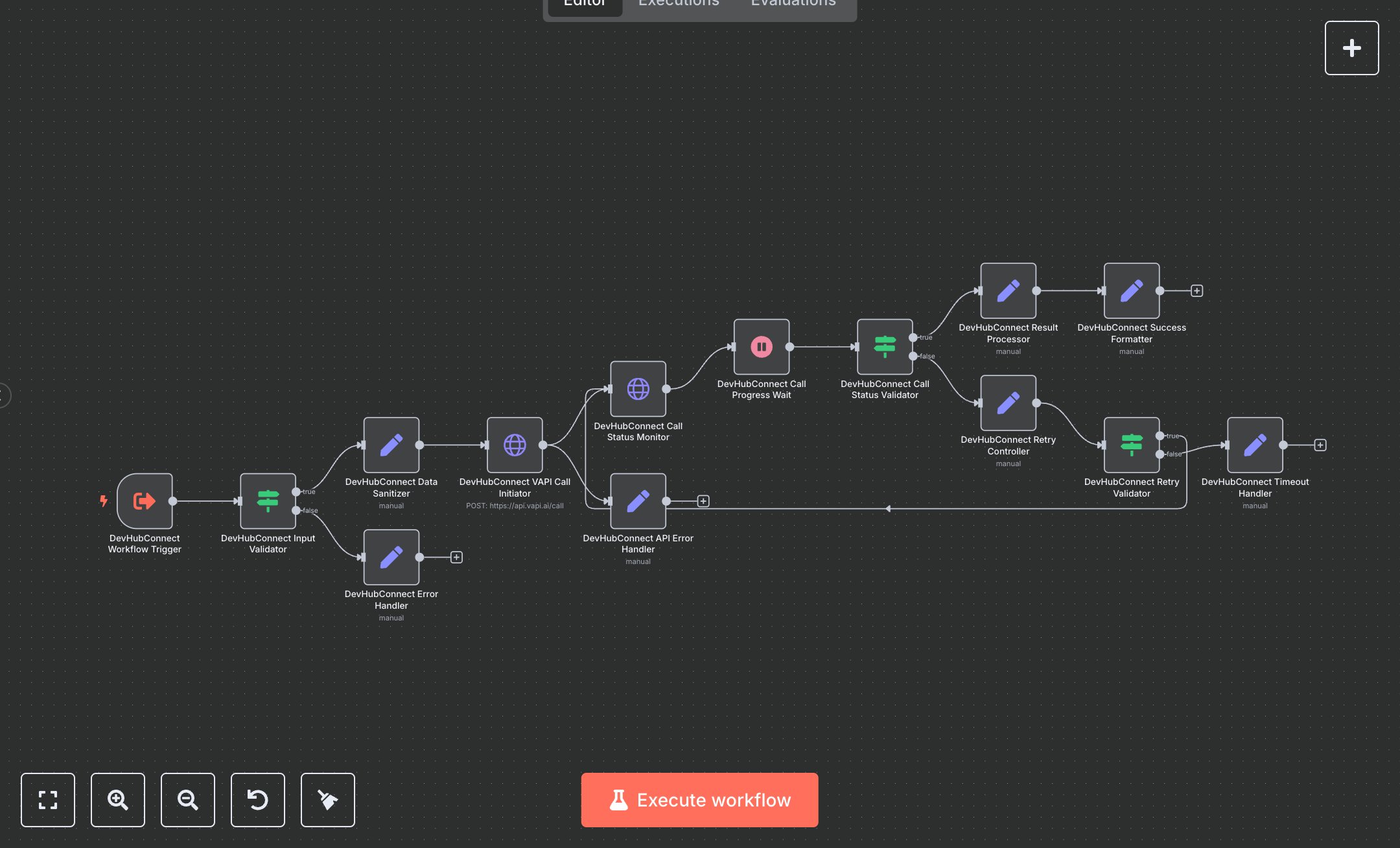
This workflow automates hair appointment scheduling using VAPI’s AI voice service and OpenAI’s GPT-4. Key nodes include Execute Workflow Trigger for input, Condition for validation, Set for data sanitization and error handling, HTTP Request for initiating and monitoring VAPI calls, Wait for call progression, and Set for formatting results. To set up, install n8n from n8n.io for self-hosting or sign up at cloud.n8n.io for cloud hosting. Obtain a VAPI API key and phone/assistant IDs from dashboard.vapi.ai. Get an OpenAI API key from openai.com under account settings. In n8n, import the workflow JSON. Configure the HTTP Request nodes (VAPI Call Initiator and Call Status Monitor) with your VAPI API key in the Authorization header. Set VAPI_PHONE_ID and VAPI_ASSISTANT_ID variables in n8n’s workflow settings. Update the Execute Workflow Trigger with a JSON input template (e.g., {date: '2025-12-15', start_time: '14:00', end_time: '16:00', client_name: 'Jono', client_phone: '+1234567890'}). Ensure the Condition node validates date, times, and phone format. Test by manually triggering the workflow in n8n with a valid JSON input via the Execute Workflow Trigger. Verify the Set node (Success Formatter) outputs a success response with call_id, appointment_result, and transcript_available. Check for errors like HTTP 401 (invalid VAPI API key), invalid input (missing date/client_name), or timeout (call not ended after retries). Regenerate API keys if authentication fails. Deploy by activating the workflow in n8n, ensuring valid inputs (e.g., date in YYYY-MM-DD, phone with country code). Monitor logs for retry attempts or call status issues. Validate the final_response in the Set node to confirm appointment details (date, time, client_name) and call_status ('ended'). Ensure VAPI call initiates and completes within 30 seconds, with retry logic for incomplete calls.
$5.49
Workflow steps: 14
Integrated apps: executeWorkflowTrigger, if, set