Outbound Voice Calls: AI Generated Prompts and Analytics with Vapi.ai
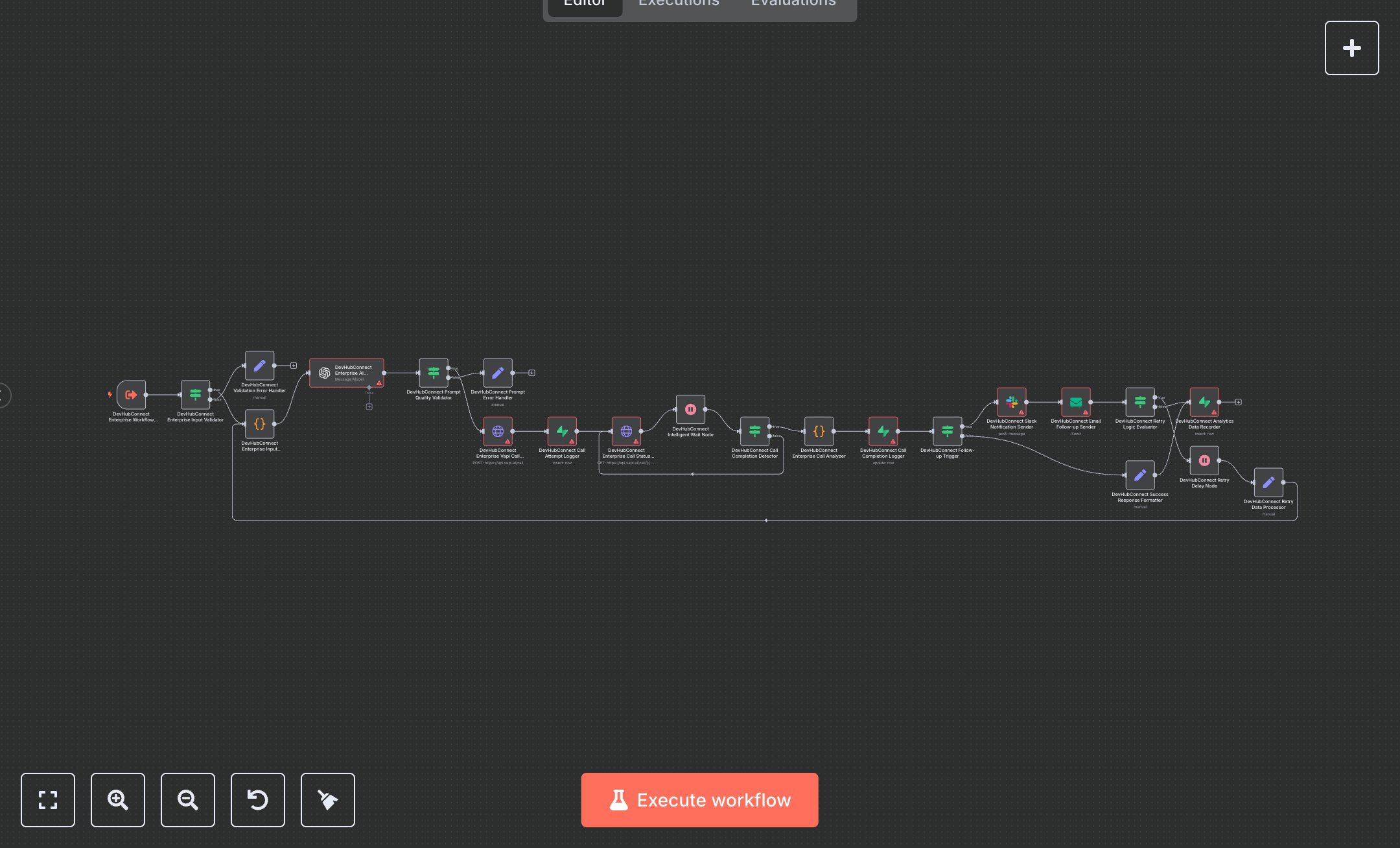
This workflow automates outbound voice calls using Vapi.ai, with AI-generated prompts via OpenAI’s GPT, call status monitoring, and analytics logging in Supabase. Key nodes include Workflow Trigger for input, Condition for validation, Code for processing, OpenAI for prompt generation, HTTP Request for Vapi.ai calls, Supabase for logging, and Slack/Email Send for notifications. To set up, install n8n from n8n.io for self-hosting or sign up at cloud.n8n.io for cloud hosting. Obtain a Vapi.ai API key and phone/assistant IDs from api.vapi.ai under account settings. Get an OpenAI API key from openai.com in account settings. Create a Supabase project at supabase.com, setting up tables for call attempts and analytics. Acquire Slack OAuth credentials from api.slack.com/apps. In n8n, import the workflow JSON, configure HTTP Request nodes with Vapi.ai credentials, OpenAI nodes with the API key, Supabase nodes with database credentials, and Slack nodes with OAuth credentials. Set variables like VAPI_API_KEY, VAPI_PHONE_NUMBER_ID, and VAPI_ASSISTANT_ID in workflow settings. Configure the Workflow Trigger by copying its webhook URL for external systems. Test by sending a JSON payload to the Workflow Trigger webhook via Postman (e.g., {context: 'Schedule meeting', goal: 'Book appointment', name: 'John', customer_phone: '+1234567890'}). Verify outputs in Supabase nodes, check Slack for notifications, and ensure emails are sent for follow-ups. Monitor for errors like HTTP 401 (invalid Vapi.ai/OpenAI credentials) or 'Invalid input' (missing required fields). Regenerate API keys if authentication fails. Deploy by activating the workflow in n8n, ensuring valid inputs and checking logs for API rate limits or call failures. Validate outputs in Supabase for call status and analytics data.
$6.99
Workflow steps: 22
Integrated apps: executeWorkflowTrigger, if, set