LLM Appointment Booking: Voice and Text Scheduling with Telegram, and Google Calendar
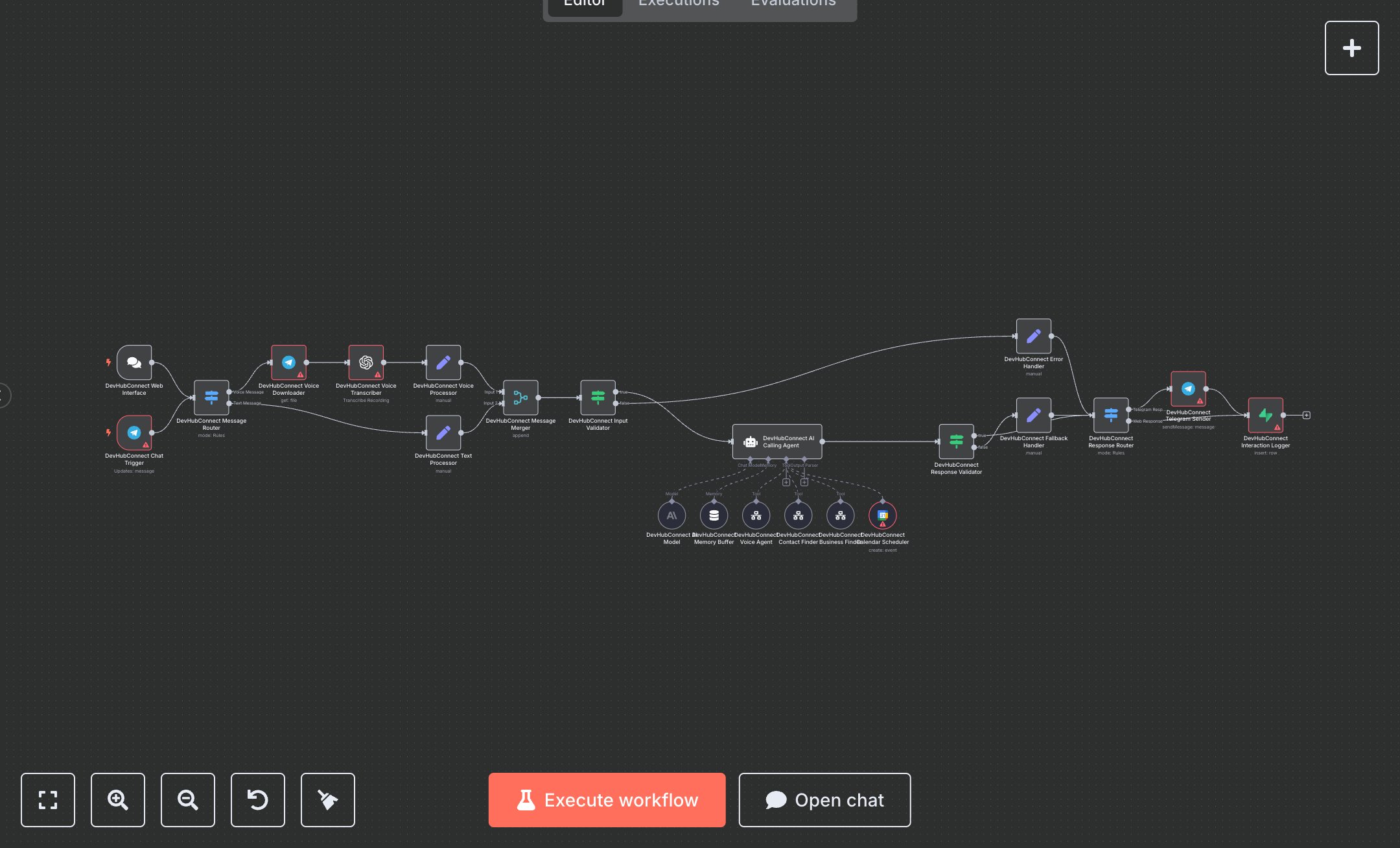
This workflow automates voice and text-based calling using OpenAI's GPT-4o and Whisper, Telegram for communication, and Google Calendar for scheduling. It processes voice or text requests to find contacts, businesses, or make calls. Key nodes include Telegram Trigger and Chat Trigger for inputs, Switch for routing, OpenAI for transcription and responses, Tool Workflow for contact and business searches, Google Calendar Tool for bookings, and Supabase for logging. It ensures seamless call coordination with error handling. To set up, install n8n by downloading from n8n.io for self-hosted or sign up at cloud.n8n.io for cloud hosting. Obtain an OpenAI API key from openai.com under account settings. Get a Telegram Bot token from BotFather in Telegram. Acquire Google Calendar OAuth2 credentials from Google Cloud Console (console.cloud.google.com) under 'APIs & Services' > 'Credentials' > 'Create Credentials' > 'OAuth 2.0 Client', enabling the Google Calendar API. Get Supabase credentials from supabase.com by creating a project and table for interactions. In n8n, import the workflow JSON, configure OpenAI nodes with the API key, Telegram nodes with the bot token, Google Calendar Tool with OAuth2 credentials, and Supabase node with database credentials. Set up Telegram Trigger and Chat Trigger by copying webhook URLs for Telegram bot and chat platform integration. Configure the Switch node to route based on 'message.voice' or 'chatInput'. Set variables like CONTACT_FINDER_WORKFLOW_ID in workflow settings. Test by sending a Telegram message (e.g., 'Call John to schedule a meeting') or a POST request to the Chat Trigger webhook via Postman (e.g., {chatInput: 'Find restaurants in New York', sessionId: 'test123'}). Verify responses in the Telegram Sender or Interaction Logger nodes. Check Google Calendar for booked events. Monitor for errors like missing credentials (HTTP 401) or invalid inputs (output: 'Please provide clear instructions'). If authentication fails, regenerate credentials in the respective portals. Deploy by activating the workflow in n8n’s interface. Monitor logs for issues like invalid phone numbers or API rate limits, ensuring valid inputs before live use.
$6.99
Workflow steps: 22
Integrated apps: telegramTrigger, chatTrigger, switch