LLM WhatsApp Supervisor Assistant: Email, Content Creation, Web Tasks, Calendar Management & More
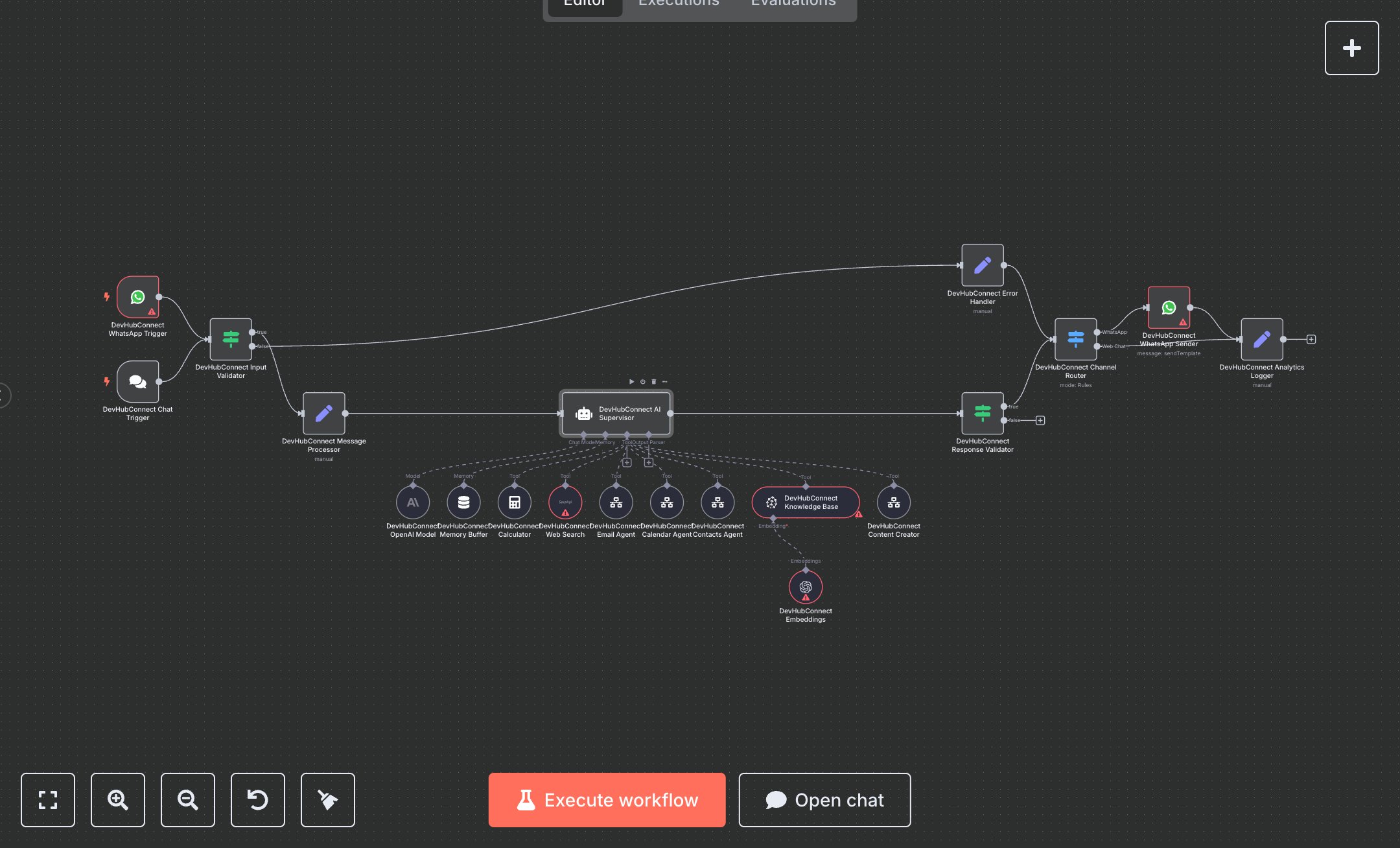
This workflow creates an AI assistant hub using OpenAI's GPT, orchestrating tasks like email management, content creation, and web searches via WhatsApp or web chat. Key nodes include Chat Trigger for web interactions, WhatsApp Trigger for mobile access, Condition for input validation, OpenAI for task orchestration, Tool Workflow nodes (Email, Content Creator, Calendar, Contacts) for specialized tasks, and Supabase for data storage. It ensures seamless multi-channel responses with robust error handling. To set up, install n8n by downloading from n8n.io for self-hosted or sign up at cloud.n8n.io for cloud hosting. Obtain an OpenAI API key from openai.com under account settings. Get WhatsApp API credentials from your provider’s developer portal (e.g., WhatsApp Business API). Acquire Supabase credentials from supabase.com and SerpAPI key from serpapi.com for web searches. In n8n, import the workflow JSON, configure the OpenAI node with the API key, WhatsApp nodes with API credentials, Supabase node with database credentials, and SerpAPI node with the API key. Set up the Chat Trigger and WhatsApp Trigger by copying their webhook URLs for integration with your chat platform or WhatsApp provider. Configure the Condition node to validate 'chatInput' or 'message.text' for non-empty inputs. Ensure the Memory Buffer Window node uses user_id for context retention. Test by sending a WhatsApp message (e.g., 'Schedule a meeting tomorrow') or a POST request to the Chat Trigger webhook via Postman (e.g., {chatInput: 'Create a blog post', sessionId: 'test123'}). Verify responses in the WhatsApp Sender or Analytics Logger nodes for task confirmations. Check for errors like missing API keys (HTTP 401) or empty inputs (NO_MESSAGE_CONTENT). If authentication fails, regenerate credentials in respective portals. Deploy by activating the workflow in n8n’s interface. Monitor logs for issues like invalid tool calls or rate limits, ensuring valid credentials and input formats before live use.
$6.99
Workflow steps: 20
Integrated apps: chatTrigger, whatsAppTrigger, if