LLM Intelligent Content: Stories, Marketing Copy, and Scripts
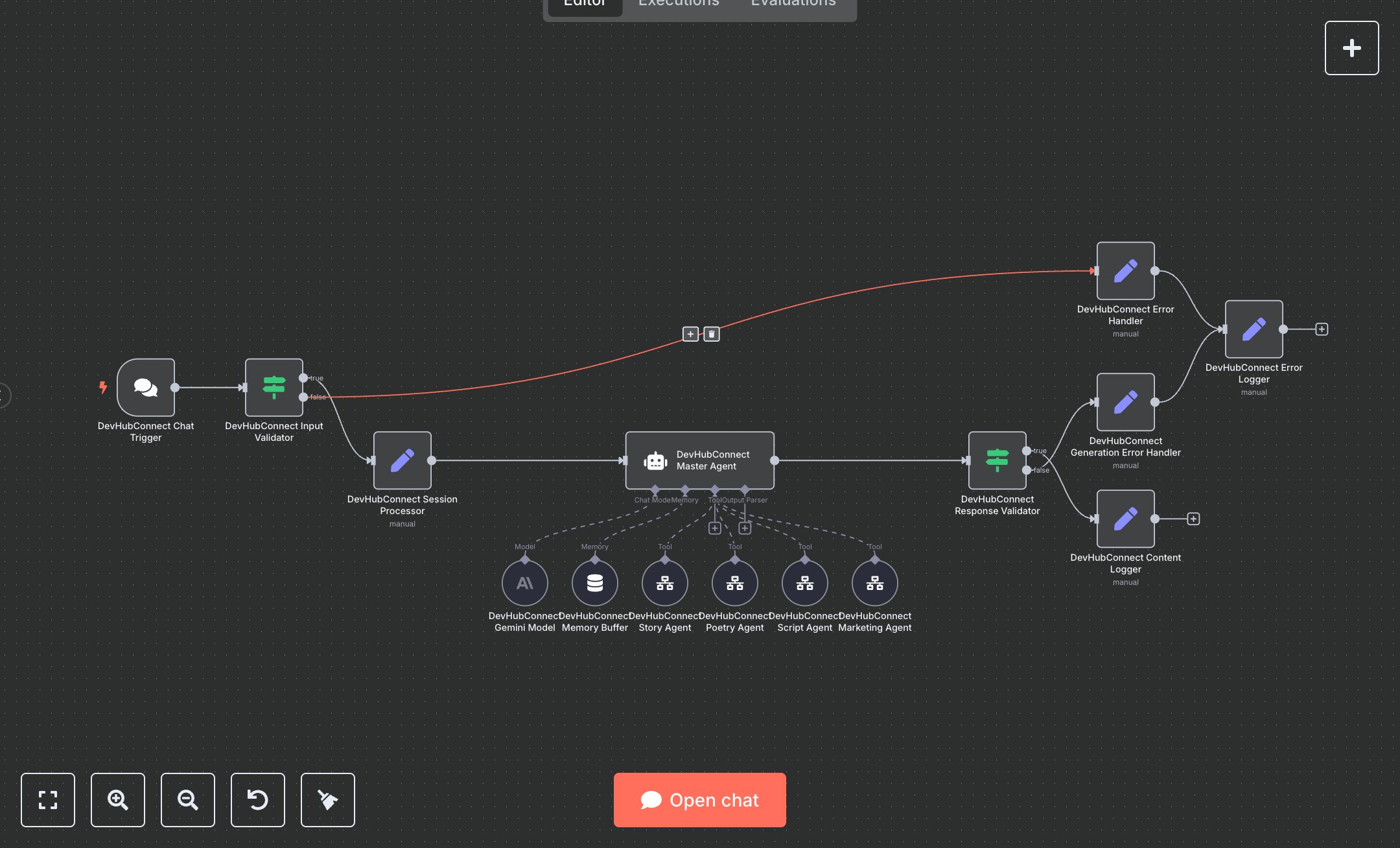
This workflow automates content creation using Google Gemini for stories, marketing copy, scripts, and poetry. Key nodes include Chat Trigger for user requests, Condition for input validation, Memory Buffer Window for conversation context, and specialized Tool Workflow nodes (Story, Marketing, Script, Poetry) for content generation. The Master Agent routes requests to appropriate agents, ensuring tailored outputs with robust error handling for reliable performance. To set up, install n8n by downloading from n8n.io for self-hosted or sign up at cloud.n8n.io for cloud hosting. Obtain a Google Gemini API key from Google Cloud Console (console.cloud.google.com) under 'APIs & Services' > 'Credentials' > 'Create Credentials' > 'API Key'. Enable the Gemini API in the same console. In n8n, import the workflow JSON, then configure the Gemini Model node with your API key. Set up the Chat Trigger node by copying its webhook URL for integration into your chat platform. Configure the Condition node to validate 'chatInput' for non-empty content requests under 5000 characters. Ensure the Memory Buffer Window node uses session_id for context retention. Verify all Tool Workflow nodes are linked to the Master Agent for proper routing. Test the workflow by sending a chat message via the webhook URL using Postman (e.g., {chatInput: 'Write a story about a space explorer', sessionId: 'test123'}). Check the Content Logger node for generated content like stories or marketing copy. Validate outputs for correct formatting and relevance. Monitor the Error Logger node for issues like missing API keys (HTTP 401) or invalid inputs (INVALID_CONTENT_REQUEST). If authentication fails, re-generate the Gemini API key. Deploy by activating the workflow in n8n’s interface. Monitor logs for errors like content generation failures or incorrect routing, ensuring valid credentials and clear input formats before live use.
$5.49
Workflow steps: 15
Integrated apps: chatTrigger, if, set