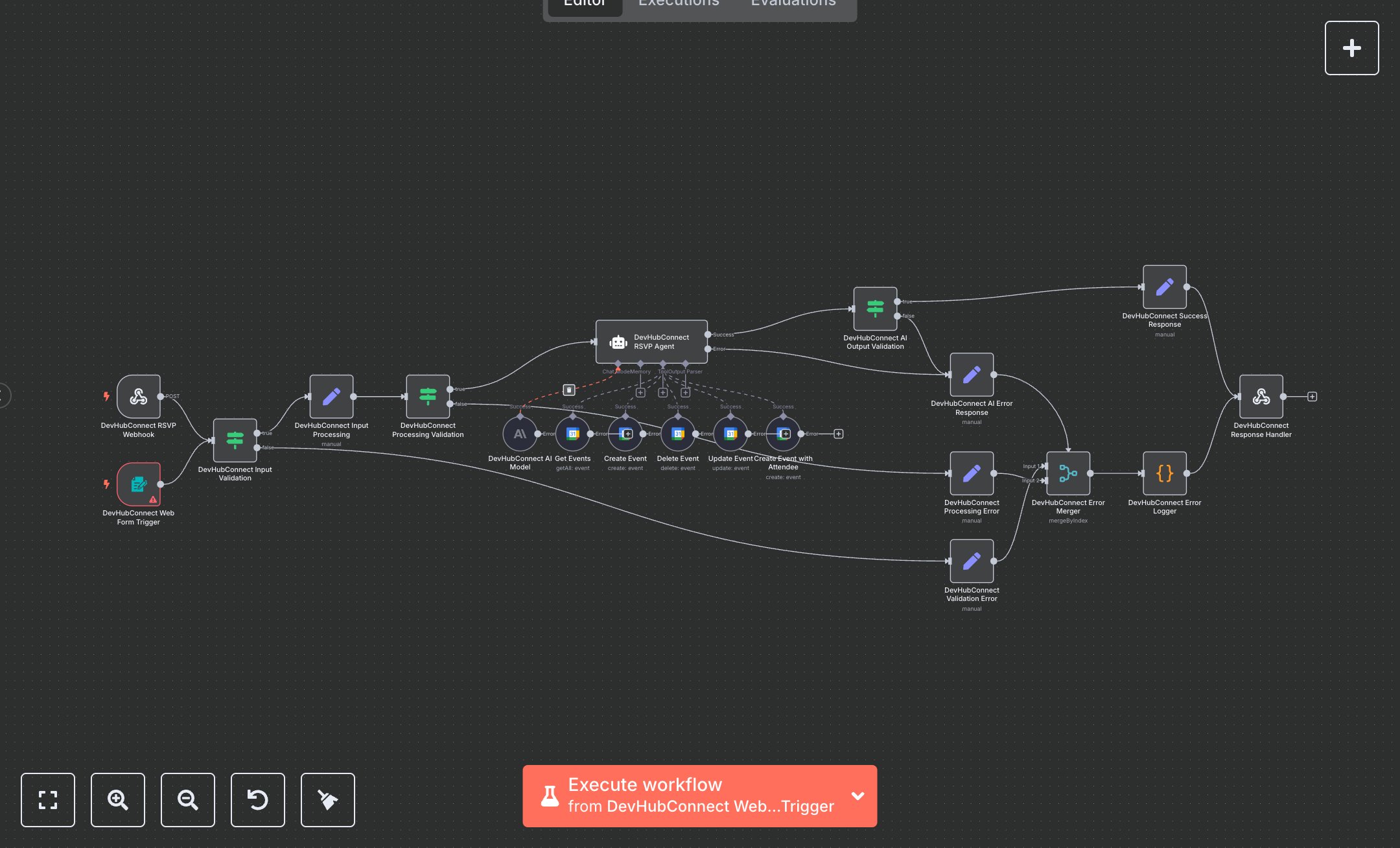
LLM Event RSVP Management with Google Calendar & Airtable
This workflow automates event RSVP management, integrating Google Calendar for scheduling and Airtable for guest data tracking. Key nodes include Webhook for API requests, Form Trigger for public submissions, Condition for input validation, Google Calendar Tool for event creation, and Airtable for database operations. An AI Agent node processes requests, while Email Send nodes handle invitations, reminders, and confirmations. Error handling ensures robust operation with clear user feedback. To set up, install n8n by downloading from n8n.io for self-hosted or sign up at cloud.n8n.io for cloud hosting. Create a Google Calendar OAuth2 API key via Google Cloud Console (console.cloud.google.com) under 'APIs & Services' > 'Credentials' > 'Create Credentials' > 'OAuth 2.0 Client'. For Airtable, generate a personal access token at airtable.com/account. In n8n, import the workflow JSON, then configure credentials: link Google Calendar OAuth2 in the Google Calendar Tool node and Airtable token in the Airtable node. Set up the Webhook node by copying its URL and testing it with a tool like Postman. Configure the Form Trigger node with fields like name, email, and RSVP status. Ensure the SMTP credentials for Email Send nodes are set using your email provider’s SMTP settings. Test the workflow by submitting a form or sending a POST request to the webhook URL with sample data (e.g., {name: 'John', email: 'john@example.com', rsvp_status: 'attending'}). Validate outputs in the Success Response node. For errors, check the Error Logger node; common issues include missing API credentials (returns HTTP 401) or invalid inputs (HTTP 400). If credentials fail, re-authenticate in the respective service. Deploy by activating the workflow in n8n’s interface. Monitor logs for errors like missing event data or Airtable connection issues, ensuring all nodes are connected and credentials are valid before live use.
$6.99
Workflow steps: 20
Integrated apps: webhook, formTrigger, if