LLM Google Calendar Management Agent
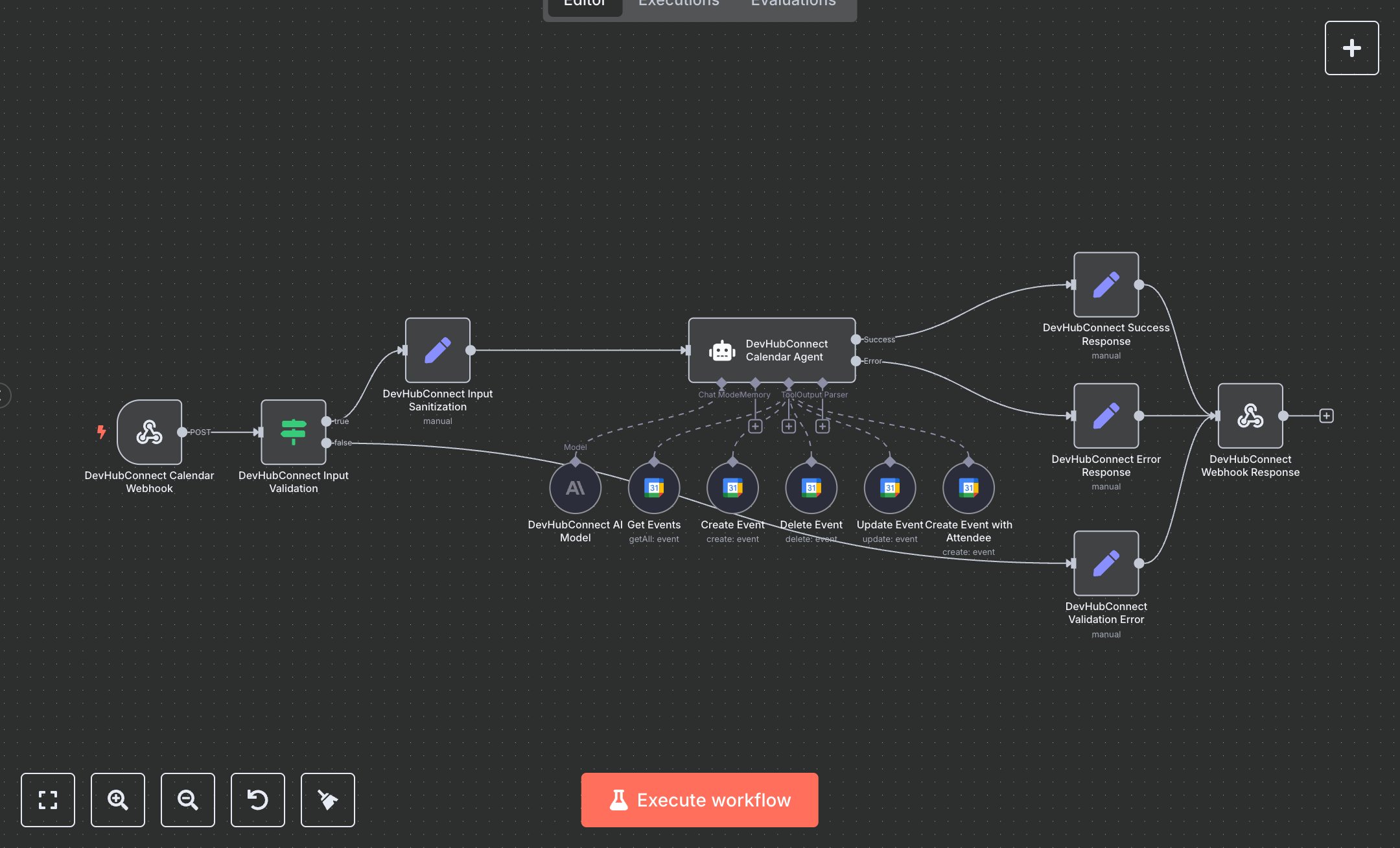
This workflow automates Google Calendar operations using OpenAI's GPT-4. Key nodes include Webhook Trigger (receives scheduling requests), Condition (validates query input), Set (sanitizes input and formats responses), AI Agent (processes calendar tasks), Google Calendar Tool (creates, updates, retrieves, deletes events), and Webhook Response (returns results). It handles event creation, updates, retrieval, and deletion via natural language. Install n8n from n8n.io for self-hosting or sign up at cloud.n8n.io. Obtain an OpenAI API key from openai.com and configure it in the GPT-4 node ('gpt-4o'). Set up Google Calendar OAuth2 credentials at console.developers.google.com; enable the Calendar API, create an OAuth2 client, and add credentials to Google Calendar Tool nodes. Configure environment variable OPENAI_CREDENTIAL_ID. Set Webhook Trigger to accept POST requests at '/calendar-agent' with 'Content-Type: application/json'. Ensure Google Calendar nodes reference a valid calendar ID (e.g., user’s email). Test by sending a POST request (e.g., {"query": "Schedule a meeting tomorrow at 2 PM with john@example.com"}) to the webhook. Verify Condition node rejects missing queries (returns 'Missing required field query'). Check Google Calendar for created events or retrieved schedules. Missing API keys cause AI Agent failures; invalid OAuth credentials or calendar IDs trigger Google Calendar errors. Deploy by activating the workflow and setting environment variables. Validate outputs for accurate event details (e.g., 'Event scheduled for tomorrow at 2 PM') and confirm attendee invitations. Ensure Webhook Response includes success flags and timestamps.
$6.99
Workflow steps: 14
Integrated apps: webhook, if, set