LLM Contact Management with Airtable: Search, Create, and Update
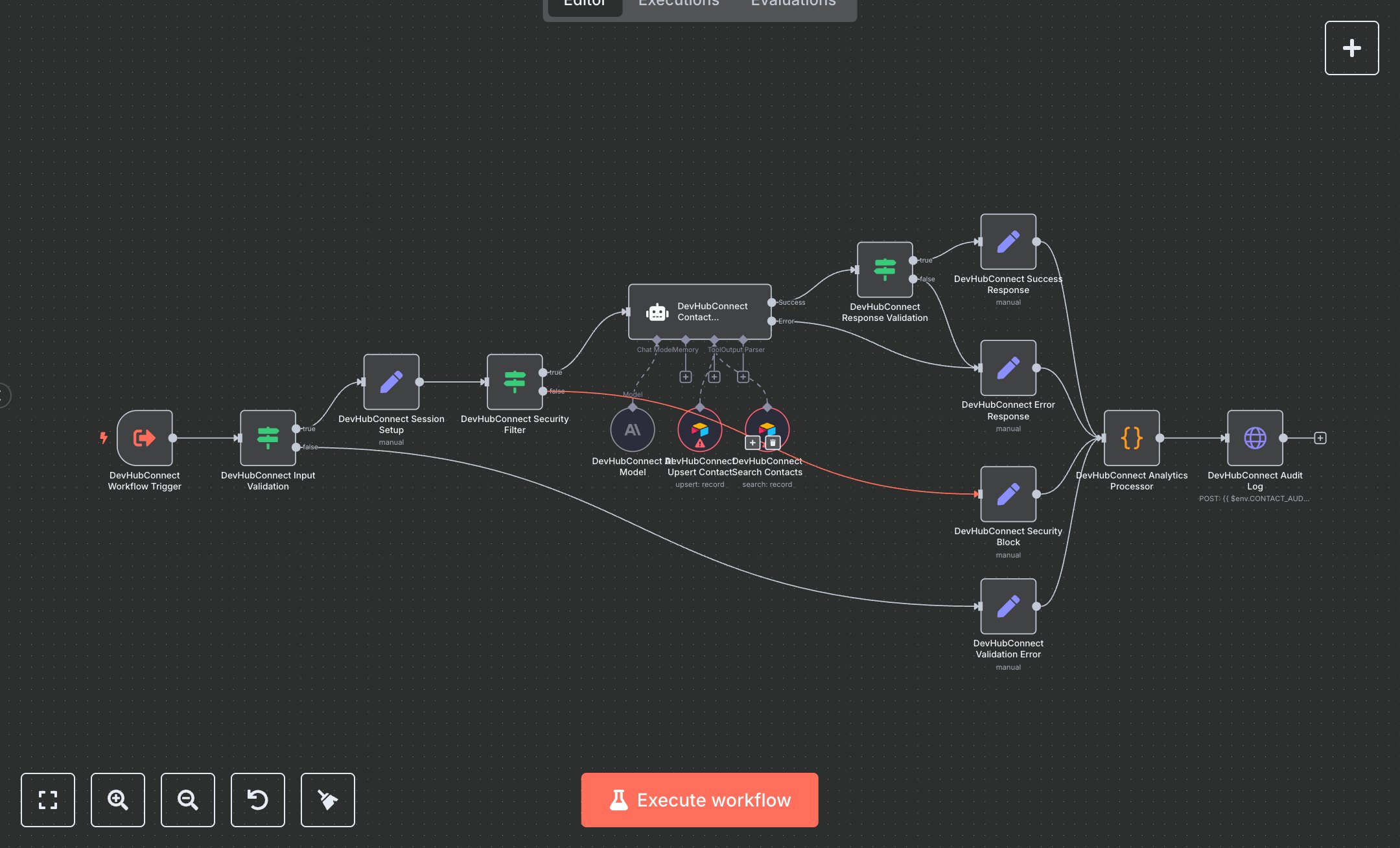
This workflow automates contact management using OpenAI's GPT-4 and Airtable. Key nodes include Execute Workflow Trigger (receives queries), Condition (validates inputs and security), Set (manages session and responses), AI Agent (processes contact operations), Airtable Tool (searches/upserts contacts), Code (validates/formats data), and HTTP Request (logs audits). It handles contact search, creation, and updates with strict validation. Install n8n from n8n.io for self-hosting or sign up at cloud.n8n.io. Obtain an OpenAI API key from openai.com and configure it in the GPT-4 node ('gpt-4o'). Get an Airtable API token from airtable.com/account and set it in Airtable Tool nodes. Configure environment variables: OPENAI_CREDENTIAL_ID, AIRTABLE_CONTACTS_BASE_ID, AIRTABLE_CONTACTS_TABLE_ID, AIRTABLE_TOKEN_ID, and optionally CONTACT_AUDIT_WEBHOOK_URL. Ensure Airtable nodes use correct base and table IDs. The Execute Workflow Trigger expects JSON input with query, session_id, and user_id. Test by sending a JSON payload (e.g., {\"query\": \"Find John Smith\", \"session_id\": \"test123\", \"user_id\": \"user1\"}) to the workflow. Verify Condition nodes catch invalid queries (too short/long, returns 'VALIDATION_ERROR') or suspicious content (returns 'SECURITY_VIOLATION'). Check Airtable for stored/updated contact data (name, email, phone). Missing API tokens cause AI Agent or Airtable failures; incorrect table IDs return Airtable errors. Deploy by activating the workflow and setting environment variables. Validate outputs for accurate contact retrieval (e.g., 'Found John Smith: john@company.com') or creation (e.g., 'Added contact for Jane Doe'). Confirm audit logs via HTTP Request include request ID and operation status.
$6.99
Workflow steps: 15
Integrated apps: executeWorkflowTrigger, if, set