LLM Bookings: Event Scheduling and Reminders Using Google Calendar
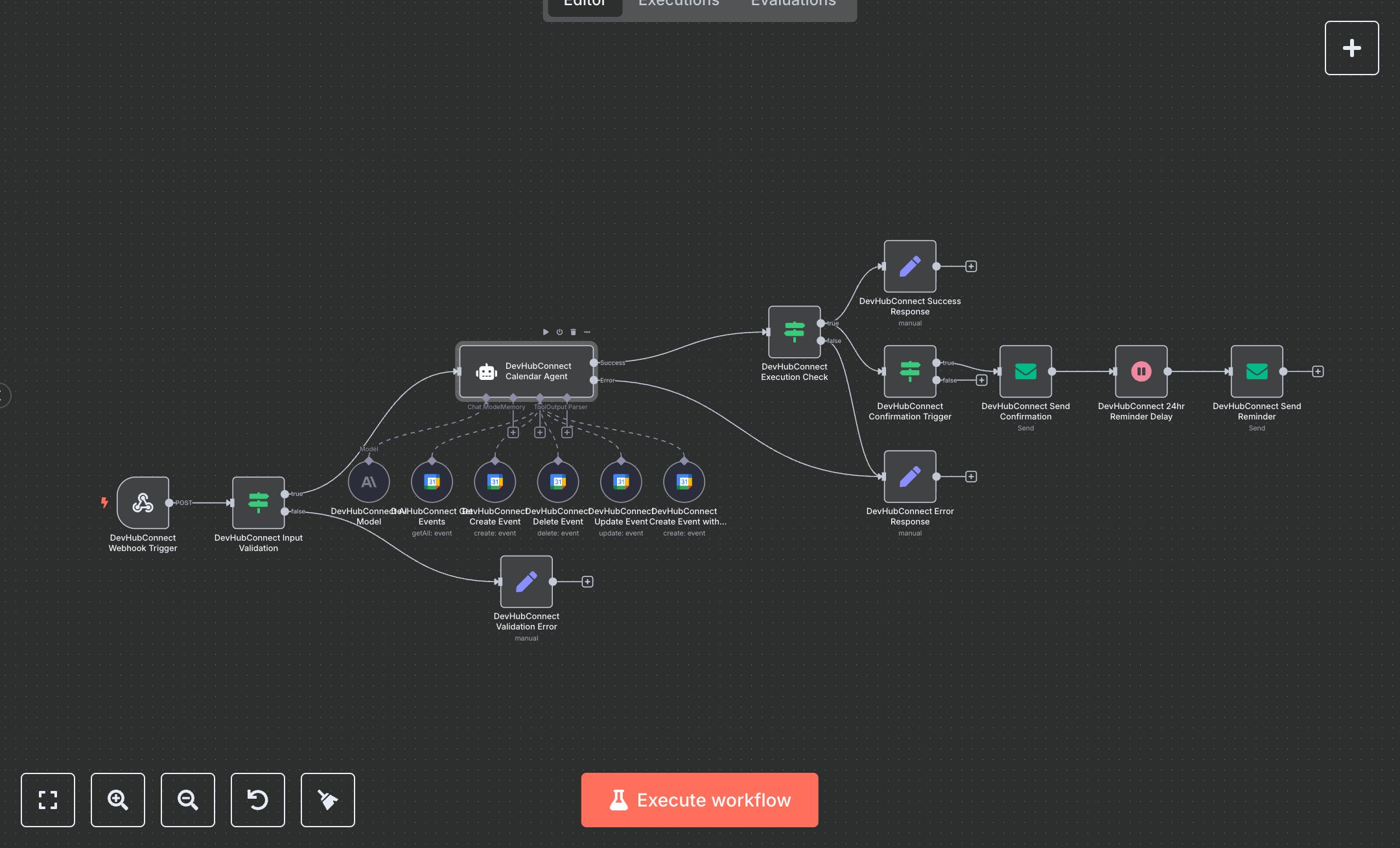
This workflow automates enterprise calendar management using Google Calendar and OpenAI's GPT-4. Key nodes include Webhook Trigger (receives booking queries), Condition (validates inputs), Set (processes responses), AI Agent (manages calendar operations), Google Calendar Tool (handles events), Email Send (sends confirmations and reminders), and Wait (schedules reminders). It uses Google Calendar for event scheduling and GPT-4 for intelligent processing, with automated email notifications. Install n8n from n8n.io for self-hosting or sign up at cloud.n8n.io. Obtain Google Calendar OAuth2 credentials at console.cloud.google.com and configure them in Google Calendar Tool nodes. Get an OpenAI API key from openai.com and set it in the GPT-4 node ('gpt-4o'). Set up SMTP credentials for Email Send nodes via your email provider (e.g., Gmail SMTP). Configure Webhook Trigger with a POST endpoint at '/calendar-agent' and set 'Content-Type' to 'application/json'. Ensure Google Calendar nodes use a valid calendar ID (e.g., 'keith@benai.co') and ISO 8601 time formats. Test by sending a POST request (e.g., {query: 'Book meeting with team@company.com tomorrow at 3pm'}) to the webhook. Verify Condition node catches empty queries (returns 400 with error details). Check Email Send nodes for confirmation and reminder emails with booking details. Missing Google Calendar credentials cause event creation failures; invalid time formats or event IDs return errors. Deploy by activating the workflow and setting environment variables for credentials. Validate outputs for successful event creation, updates, or deletions, ensuring emails contain correct event titles, times, and reference IDs, and confirm conflict detection works.
$6.99
Workflow steps: 17
Integrated apps: webhook, if, set