LLM Knowledge Management with Gemini AI and MCP Client Tools
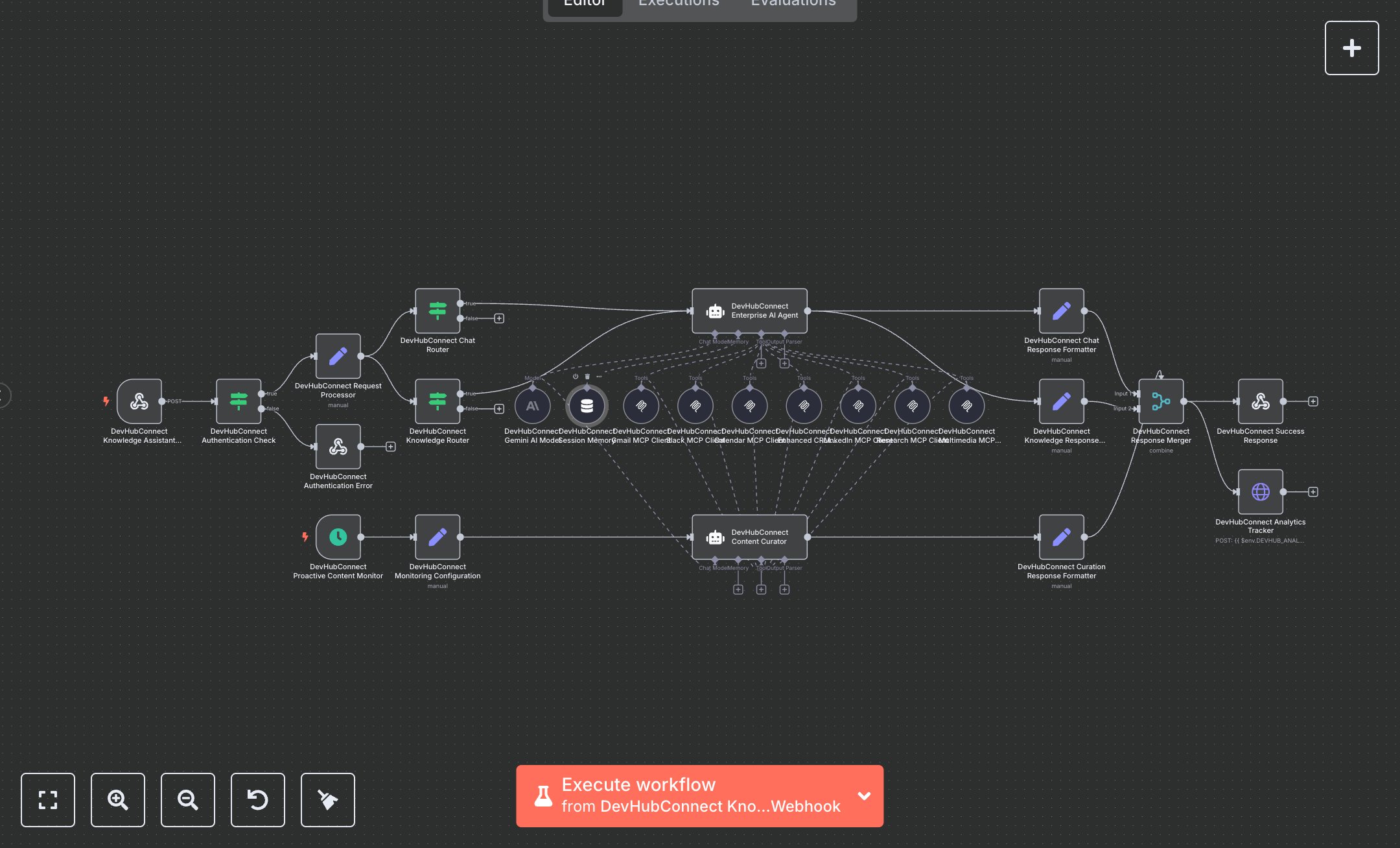
This workflow automates enterprise knowledge management using Gemini AI. Key nodes include Webhook Trigger (handles user queries), Cron (schedules content monitoring), Condition (validates API keys), Set (processes requests), AI Agent (processes queries and curates content), Memory Buffer Window (manages session context), MCP Client Tools (integrates Slack, Gmail, Calendar, Airtable, LinkedIn), HTTP Request (sends analytics), and Webhook Response (returns results). It uses Gemini AI for intelligent responses and curation. Install n8n from n8n.io for self-hosting or sign up at cloud.n8n.io. Obtain a Google Gemini API key from ai.google.dev and set it in the Gemini AI Model node ('gemini-2.0-flash-exp'). Configure DEVHUB_ASSISTANT_API_KEY for authentication and optionally set DEVHUB_ANALYTICS_ENDPOINT and DEVHUB_ANALYTICS_TOKEN for analytics. Set up Webhook Trigger with a POST endpoint at '/knowledge-assistant' and enable CORS headers. Configure MCP Client Tools with endpoints for Slack, Gmail, Calendar, Airtable, and LinkedIn. Set Cron to run every 15 minutes for proactive monitoring. Test by sending a POST request (e.g., {operation: 'chat', message: 'Summarize recent team updates', sessionId: 'test123'}) with a valid X-API-Key. Verify Condition node catches invalid API keys (returns 401). Check Webhook Response for chat responses with source attribution or curation reports with knowledge entries. Missing Gemini credentials cause processing errors; invalid operations are ignored. Deploy by activating the workflow and setting environment variables. Monitor analytics for operation metrics and validate outputs for response accuracy, knowledge entry creation, and duplicate detection.
$6.99
Workflow steps: 25
Integrated apps: webhook, scheduleTrigger, if