LLM WhatsApp AI Assistant: Text, Image & Audio with OpenAI
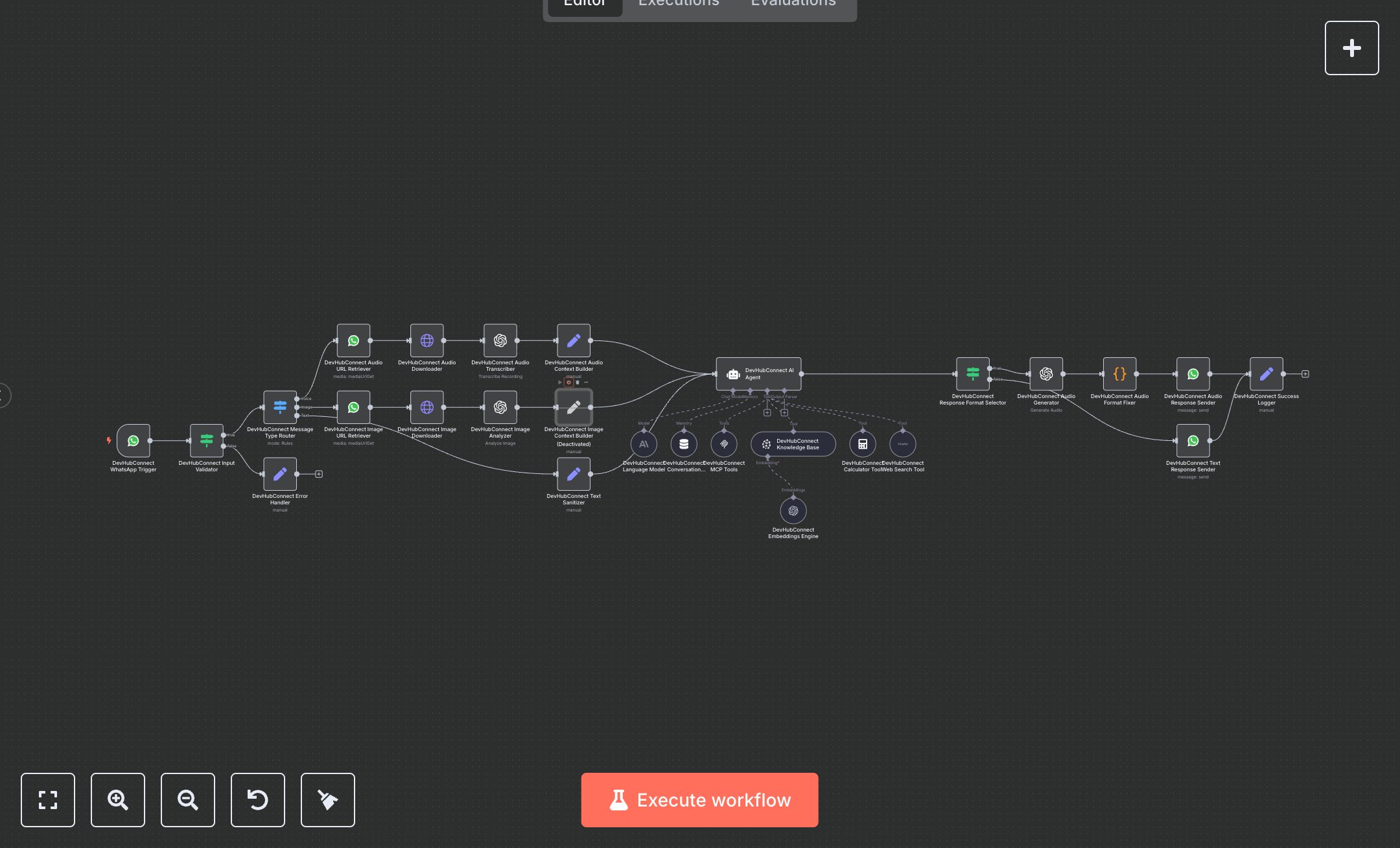
This workflow creates a multi-modal WhatsApp AI assistant, handling text, images, and audio. Key nodes include WhatsApp Trigger (receives messages), Condition (validates inputs), Switch (routes message types), WhatsApp (retrieves media), HTTP Request (downloads media), OpenAI (transcribes audio, analyzes images, generates responses), AI Agent (processes queries), Memory Buffer Window (maintains context), Code (fixes audio formats), and WhatsApp (sends responses). It uses OpenAI for processing and WhatsApp API for communication. Install n8n from n8n.io for self-hosting or sign up at cloud.n8n.io. Obtain API keys from developers.facebook.com (WhatsApp API), openai.com (OpenAI nodes, 'gpt-4o-mini', 'chatgpt-4o-latest'), and serpapi.com (Web Search Tool). Set up a WhatsApp Business account and phone number ID. Configure WhatsApp Trigger with a secure webhook and OAuth credentials. Set OpenAI nodes for audio transcription ('Whisper'), image analysis ('chatgpt-4o-latest'), and text generation ('gpt-4o-mini'). Ensure AI Agent uses 'gpt-4o-mini' with a 20-message context window. Update Code node for audio MIME type compatibility. Test by sending a WhatsApp message (text, image, or audio). Verify Condition node catches invalid messages, returning an error response. Check AI Agent output for context-aware responses, audio for the correct MIME type, and WhatsApp responses for delivery. Missing WhatsApp credentials cause authentication errors; invalid media IDs trigger HTTP Request retries. Deploy by activating the workflow and setting credentials. Monitor responses for accuracy and context retention. If image or audio processing fails, error logs suggest retrying with valid media.
$6.99
Workflow steps: 27
Integrated apps: whatsAppTrigger, if, set