LLM Social Media Marketing: Generate, Optimize, and Post
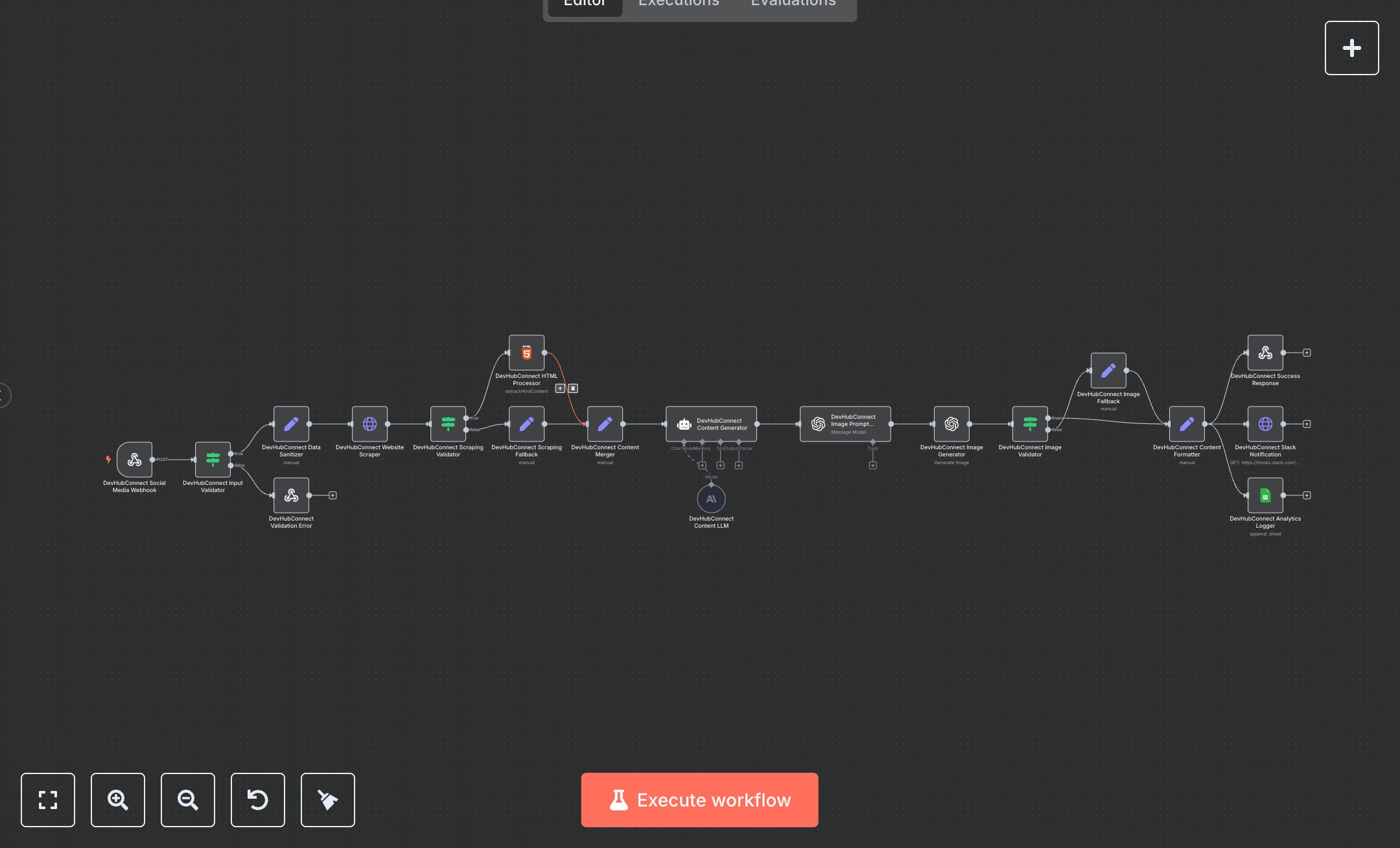
This workflow automates social media content creation, generating platform-optimized posts and images. Key nodes include Webhook Trigger (receives requests), Condition (validates inputs), Set (sanitizes data), HTTP Request (scrapes websites), HTML (extracts content), AI Agent (generates posts), OpenAI (creates image prompts and images via DALL-E 3), Google Sheets (logs analytics), Slack (sends notifications), and Webhook Response (returns results). It uses OpenAI for content and image generation, ensuring brand-aligned outputs. Install n8n from n8n.io for self-hosting or sign up at cloud.n8n.io. Obtain API keys from openai.com (AI Agent and OpenAI nodes, 'gpt-4' and 'dall-e-3'), google.com (Google Sheets OAuth2), and slack.com (Slack webhook). Create a Google Sheet with a 'Content_Analytics' sheet for logging. Configure Webhook Trigger with a POST endpoint at 'social-media-generator' and allowed origins (e.g., https://lovable.dev). Set OpenAI nodes with 'gpt-4' for content and 'dall-e-3' for images, ensuring proper credentials. Replace Slack webhook URLs with your own. Test by sending a webhook request with JSON (e.g., companyName, websiteUrl, socialPlatform). Verify Condition node catches missing fields, returning a 400 error with 'validation_failed'. Check Google Sheets for analytics (e.g., content_length, image_generated). Validate Webhook Response for JSON with post, image URL, and metadata. Missing API keys or invalid URLs trigger error responses (HTTP 500) with retry suggestions. Deploy by activating the workflow and setting credentials. Monitor Slack for success/error notifications and Google Sheets for logs. If image generation fails, a fallback URL is used.
$6.99
Workflow steps: 19
Integrated apps: webhook, if, respondToWebhook