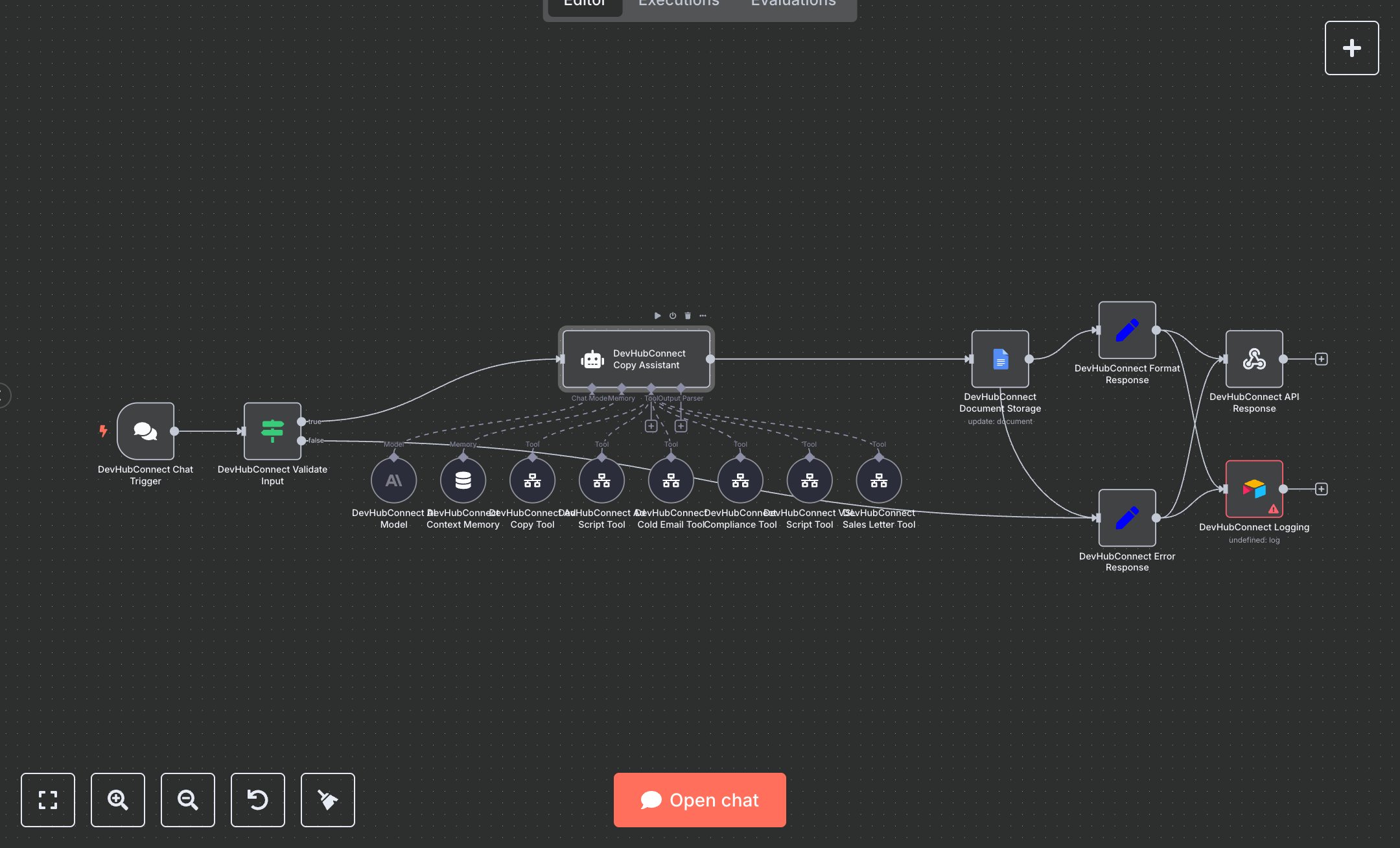
LLM Context Aware Marketing Copy Generation and Log Management with Airtable and Google Docs
This workflow automates marketing copy generation using LangChain, featuring Chat Trigger (receives user requests), Condition (validates inputs), AI Agent (routes to specialized tools), Tool Workflow (generates ad copy, VSL scripts, short video scripts, sales letters, cold emails), Google Docs (stores outputs), Airtable (logs results), and Webhook Response (delivers results). It ensures compliance and context-aware responses. Install n8n from n8n.io for self-hosting or sign up at cloud.n8n.io. Obtain API keys from openai.com (AI Agent, 'gpt-4.1-mini'), google.com (Google Docs OAuth2), and airtable.com (Airtable API). Set up an Airtable base with a log table including timestamp, type, message, and data fields. Configure Chat Trigger with a secure webhook endpoint and API key in headers (x-api-key). Set the Google Docs document ID in variables or use the default. Ensure Tool Workflow nodes reference the correct workflow IDs for ad copy, VSL scripts, short video scripts, sales letters, and cold emails. Set AI Agent to use 'gpt-4.1-mini' with a 10-message memory window. Test by sending a sample chat request (e.g., JSON with 'message': 'Create a Facebook ad'). Verify AI Agent routes to the correct Tool Workflow and check Google Docs for stored output. Validate Webhook Response for structured JSON (success, message, data). Missing message fields trigger Condition node errors, logged in Airtable with 'Invalid request format'. Invalid API keys cause Webhook Response failures (HTTP 400). Deploy by activating the workflow and setting credentials. Monitor Airtable for success/error logs and Google Docs for the final copy. If tools return incomplete results, the AI Agent logs errors with suggestions for retry.
$6.99
Workflow steps: 16
Integrated apps: chatTrigger, if, lmChatAnthropic