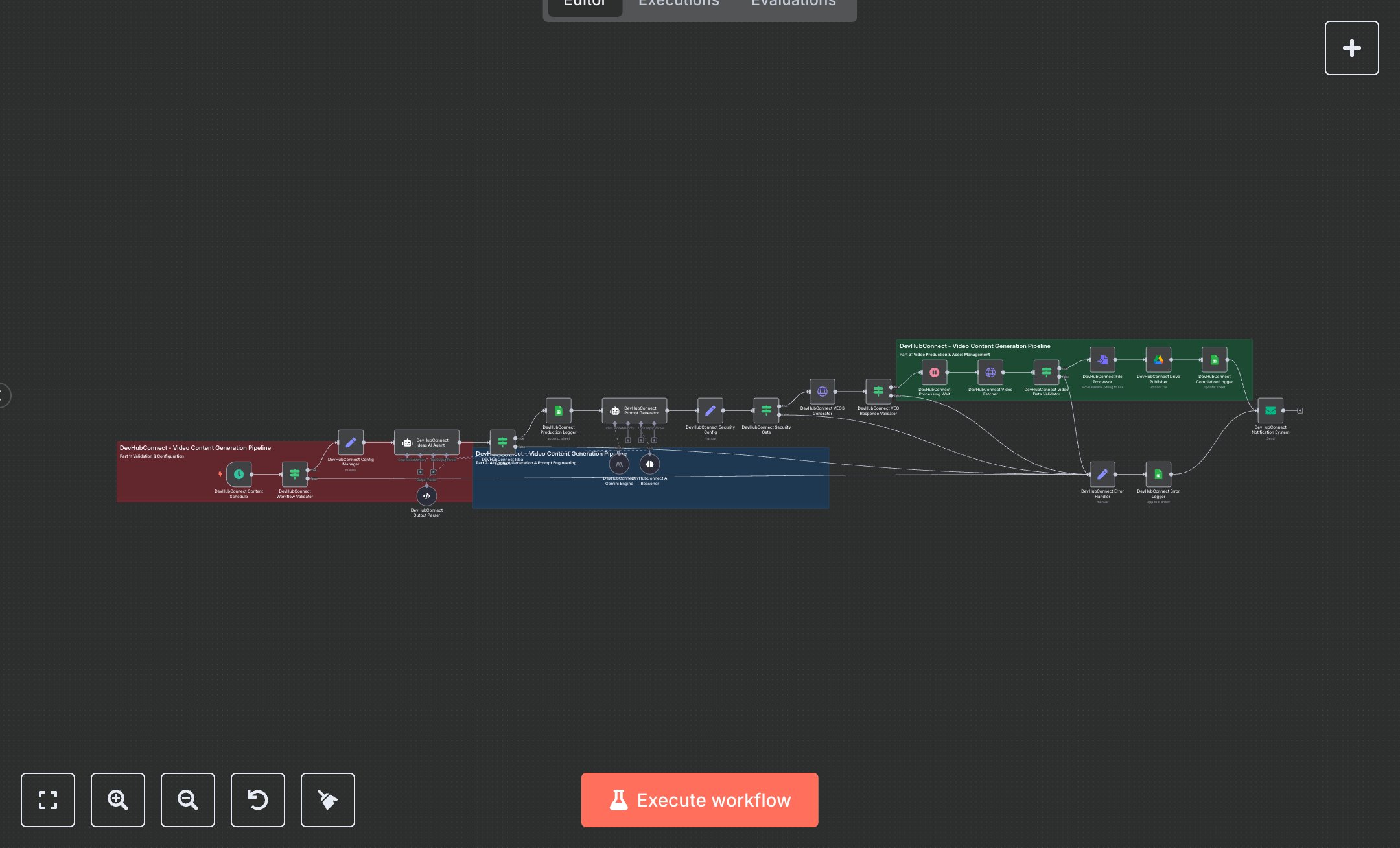
LLM Google VEO3 Viral Video Content Generator
This workflow automates AI video content creation using Google VEO3, leveraging Schedule Trigger, AI Agent, HTTP Request, Google Sheets, Google Drive, and Email nodes. It generates viral video ideas, optimizes prompts, produces videos, logs data, and notifies users, ideal for social media automation. To set up, install n8n from n8n.io for self-hosting or sign up at cloud.n8n.io for hosted. Create a Google Cloud account at console.cloud.google.com, enable Vertex AI API, and generate OAuth2 credentials for HTTP Request nodes ('VEO3 Generator', 'Video Fetcher'). Set up a Google Sheets document for logging, adding OAuth2 credentials to Google Sheets nodes ('Production Logger', 'Completion Logger', 'Error Logger'). Configure a Google Drive account with OAuth2 credentials for the Google Drive node ('Drive Publisher'). Set up an SMTP server for the Email node ('Notification System'). Ensure the Schedule Trigger node runs every 2 hours (cron: 0 */2 * * *). Set environment variables for GOOGLE_PROJECT_ID, GOOGLE_ACCESS_TOKEN, and GOOGLE_DRIVE_FOLDER_ID in the Set node ('Security Config'). Test by manually triggering the workflow in n8n. Validate output in Google Sheets ('Completion Logger') for production_status='completed', final_output URL, and file_size_bytes. Check Google Drive for uploaded videos and Email node for success notifications. Errors like missing GOOGLE_ACCESS_TOKEN trigger a 401 status in HTTP Request nodes. Invalid video data causes a failure in the Condition node ('Video Data Validator'), logged in Google Sheets ('Error Logger'). Deploy by activating the workflow in n8n, ensuring environment variables are set. Monitor Google Sheets for request_id, idea, and completion_timestamp. If no video data is found, the Condition node ('VEO Response Validator') routes to the Error Handler, logging details for debugging.
$6.99
Workflow steps: 26
Integrated apps: scheduleTrigger, if, set