Twitter Data Scraping: Track Keywords and Log Results in Airtable
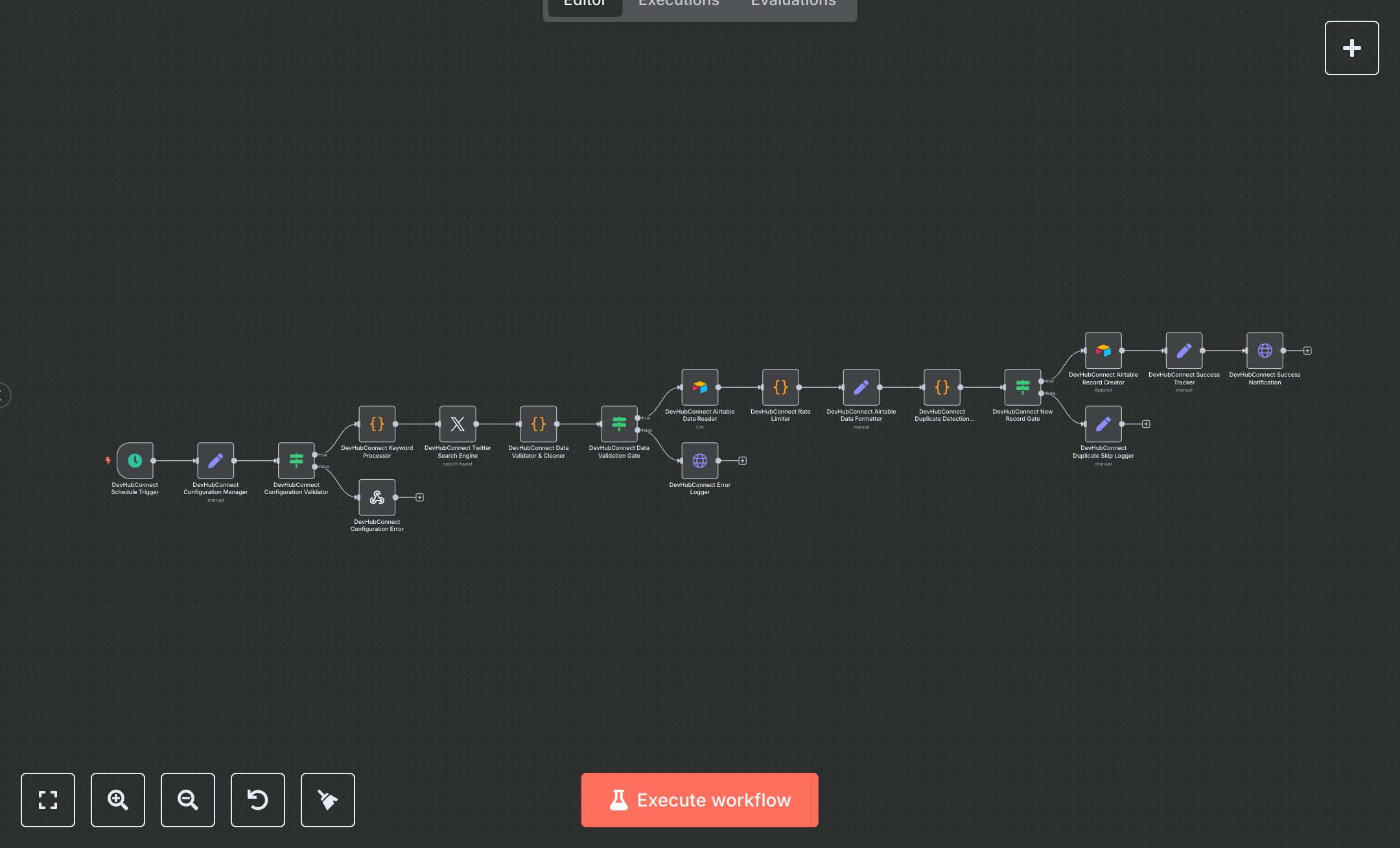
This workflow monitors Twitter for specific keywords every 15 minutes, storing results in Airtable for analysis. Key nodes include Schedule Trigger, Set, Twitter, Airtable, Code, and HTTP Request. It searches for tweets, validates data, checks for duplicates, and sends Slack notifications. To set up, install n8n from n8n.io for self-hosting or use cloud.n8n.io for a hosted solution. Create a Twitter Developer account at developer.twitter.com to obtain OAuth 1.0a credentials (API key, secret, access token, and token secret); configure these in the Twitter node ('Twitter Search Engine'). Set up an Airtable base at airtable.com, get the appId and tableId from your base, and update the Set node ('Configuration Manager') with these values. Obtain an Airtable API key from your account settings and configure it in the Airtable nodes ('Airtable Data Reader' and 'Airtable Record Creator'). Create a Slack incoming webhook at slack.com and update slackWebhookUrl in the Set node. Set searchKeywords (e.g., ['verstappen', 'formula1']) in the same node. No webhook setup is needed as the Schedule Trigger runs automatically. Test by manually executing the workflow in n8n. Validate output in the Set node ('Success Tracker') for processingStatus='RECORD_CREATED', recordId, and tweetId. Check Airtable for new records with fields like Tweet, Author, and Search_Keyword. Errors like 'CONFIG_001' (invalid keywords or Airtable IDs) trigger the Webhook Response node ('Configuration Error'). Missing Twitter credentials cause the Twitter node to fail with retries. Invalid tweet data (e.g., missing id) logs 'TWITTER_001' in the HTTP Request node ('Error Logger'). Duplicates are skipped, logged in the Set node ('Duplicate Skip Logger'). Deploy by activating the workflow for continuous monitoring. Monitor executionStatus and totalExecutionTime in the Set node ('Performance Metrics'). Verify Slack notifications via the HTTP Request node ('Success Notification') for recordsProcessed and searchKeywords.
$6.99
Workflow steps: 18
Integrated apps: scheduleTrigger, set, if