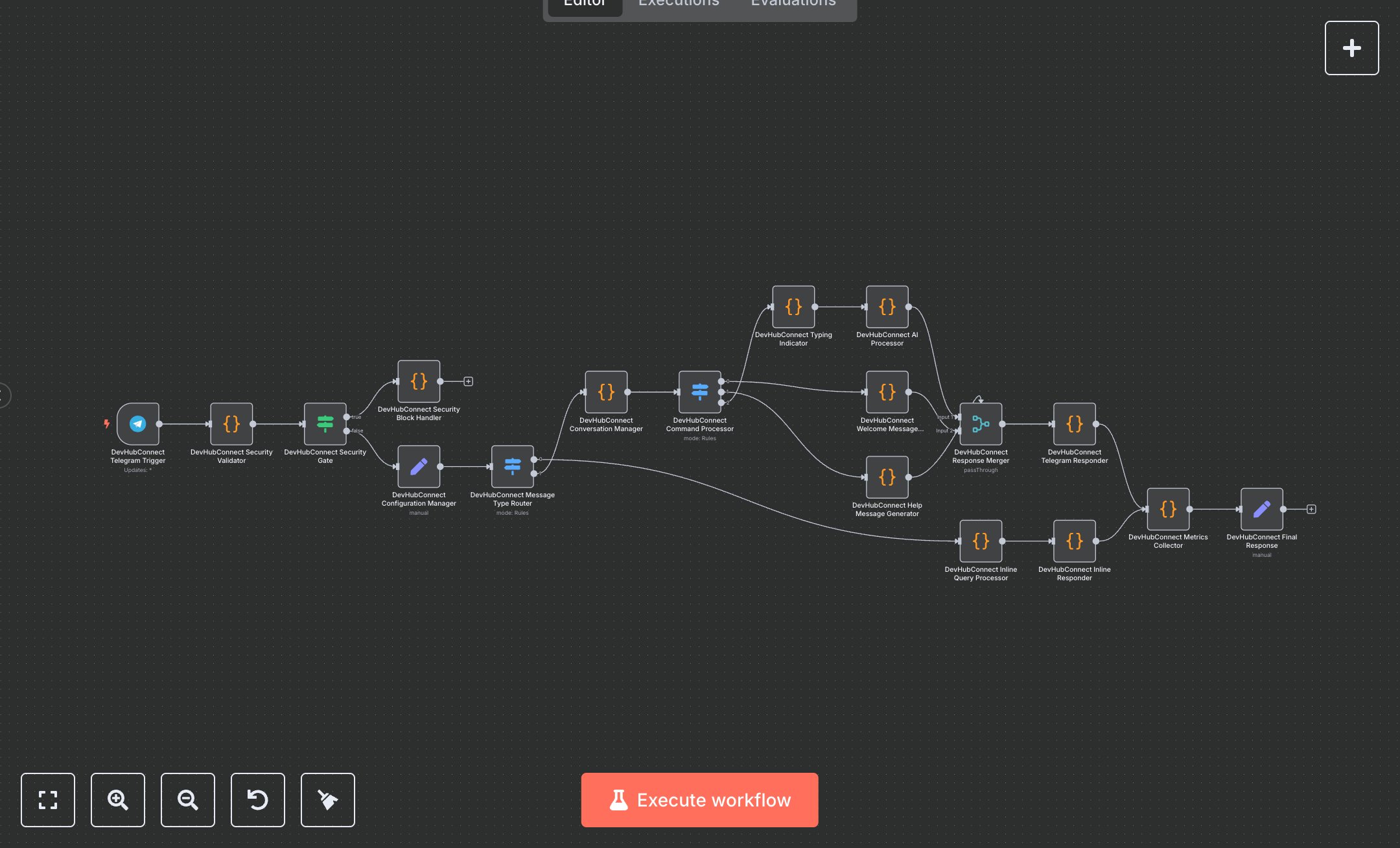
Telegram Chatbot: Secure Message Handling and Conversation Management
This workflow creates a Telegram AI chatbot that handles messages and inline queries with security and conversation management. Key nodes include Telegram Trigger, Code, Switch, Merge, and Set. It validates inputs, processes commands (/start, /help), manages conversation history, and delivers AI-generated responses with metrics. To set up, install n8n from n8n.io for self-hosting or use cloud.n8n.io for a hosted solution. Create a Telegram bot via @BotFather on Telegram to obtain an API token. In n8n, configure the Telegram Trigger node with this token and set a webhook secret (TELEGRAM_WEBHOOK_SECRET) in the node’s additionalFields. For AI processing, configure the Code node ('AI Processor') with API credentials for your AI service (e.g., Mistral AI), setting AI_PRIMARY_MODEL, AI_FALLBACK_MODEL, and AI_MAX_TOKENS in the Set node ('Configuration Manager'). Define bot settings like BOT_NAME and ENABLE_HISTORY in the same node. Register the webhook by running the workflow and using the Telegram API’s setWebhook method with the URL from the Telegram Trigger node. Test by sending /start, /help, or a message to the bot, or use inline queries (@YourBotName query). Validate output in the Set node ('Final Response') for response.success, response.responseLength, and metrics.qualityScore (≥70 for reliability). Errors like 'Request blocked for security reasons' occur if messages exceed 4000 characters or contain suspicious patterns. Missing Telegram API tokens cause webhook failures, logged in the Code node ('Security Block Handler'). If AI processing fails, retries (max 3) or fallback models are used. Deploy by enabling the workflow for continuous operation. Monitor metrics.alerts for issues like high latency (>15s) or low quality scores
$6.99
Workflow steps: 18
Integrated apps: telegramTrigger, code, if