Sales Call Management: AI Analysis and Notion Integration for Data Storage
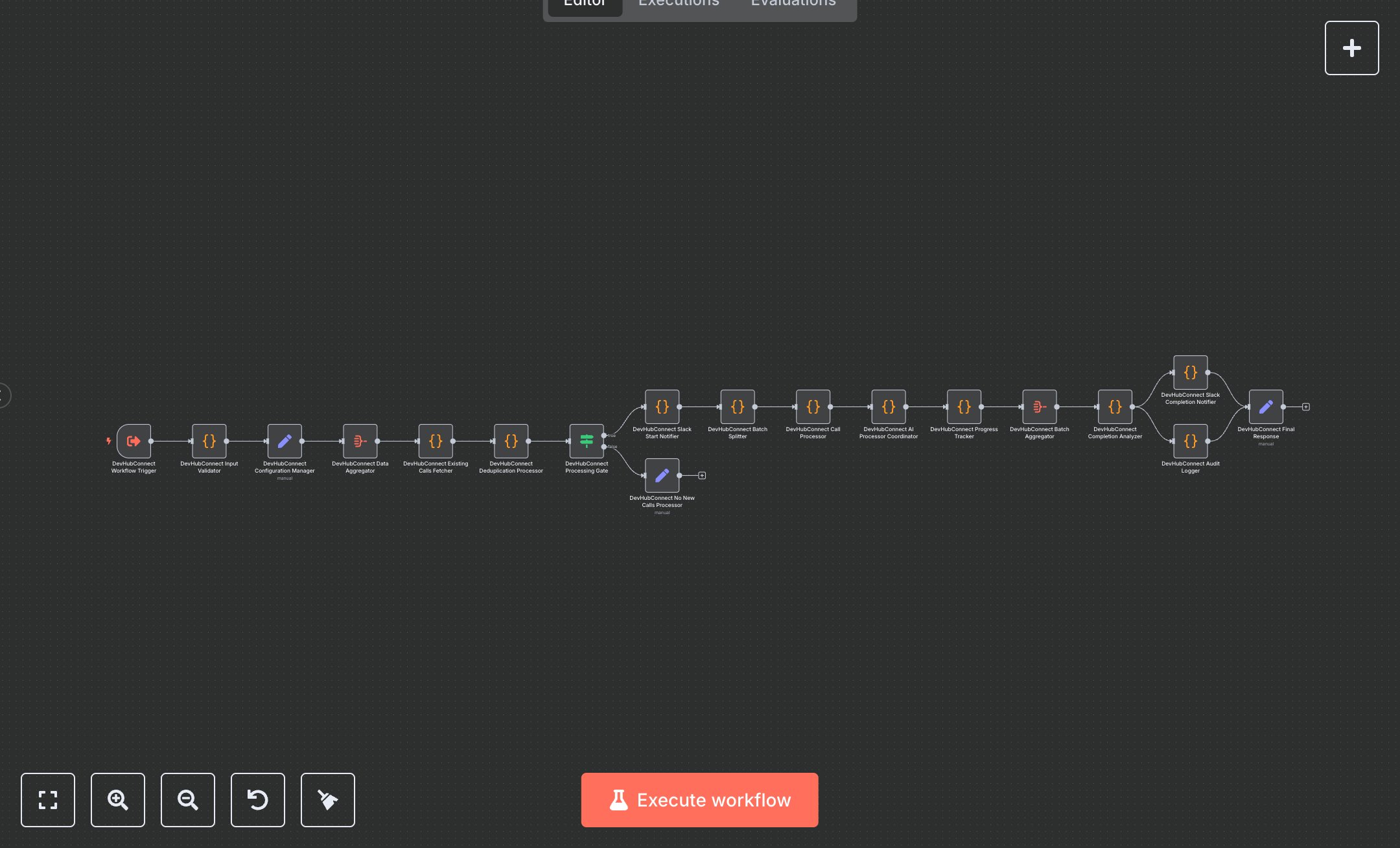
This workflow orchestrates sales call processing, integrating with Notion for storage and Slack for notifications. It validates inputs, deduplicates calls, creates Notion pages, and coordinates AI processing. Key nodes include Execute Workflow Trigger, Code, Aggregate, Condition, and Set, with Slack for alerts and Notion API for data management. To set up, install n8n from n8n.io for self-hosting or use cloud.n8n.io for a hosted solution. Create a Notion integration at notion.com (My Integrations) and obtain an API token. Configure this in the Code node ('Existing Calls Fetcher') and set NOTION_CALLS_DATABASE_ID in the Set node ('Configuration Manager'). Create a Slack app at api.slack.com, get a Webhook URL and Channel ID, and set SLACK_WEBHOOK_URL and SLACK_CHANNEL_ID in the same Set node. Define AI_PROCESSOR_WORKFLOW_ID for AI processing coordination. Ensure the Execute Workflow Trigger accepts JSON with metaData (title, GongCallID, CompanyName, started, url), Attendees (internalNames array), and Conversation (transcript string). Test by sending a JSON payload to the Execute Workflow Trigger (e.g., [{metaData: {title: 'Test Call', GongCallID: '123', CompanyName: 'TestCo', started: '2025-08-03', url: 'http://test.com'}, Attendees: {internalNames: ['John']}, Conversation: 'Detailed transcript about automation...'}]). Verify Notion page creation and AI processing results via the workflow's final response (response.data.summary). Check Slack for start and completion notifications showing successRate and totalCalls. Errors like 'Input validation failed' occur if metadata fields are missing or the Conversation is <100 characters. Missing Notion API tokens cause retries (max 3) in 'Existing Calls Fetcher'. Deploy by enabling the workflow for continuous operation. Monitor Slack for alerts if successRate < 90% or failedProcessing > 0, and review audit logs for compliance.
$5.49
Workflow steps: 18
Integrated apps: executeWorkflowTrigger, code, set