LLM Stock Trading Analysis: Real Time Voice & Text Insights via Telegram
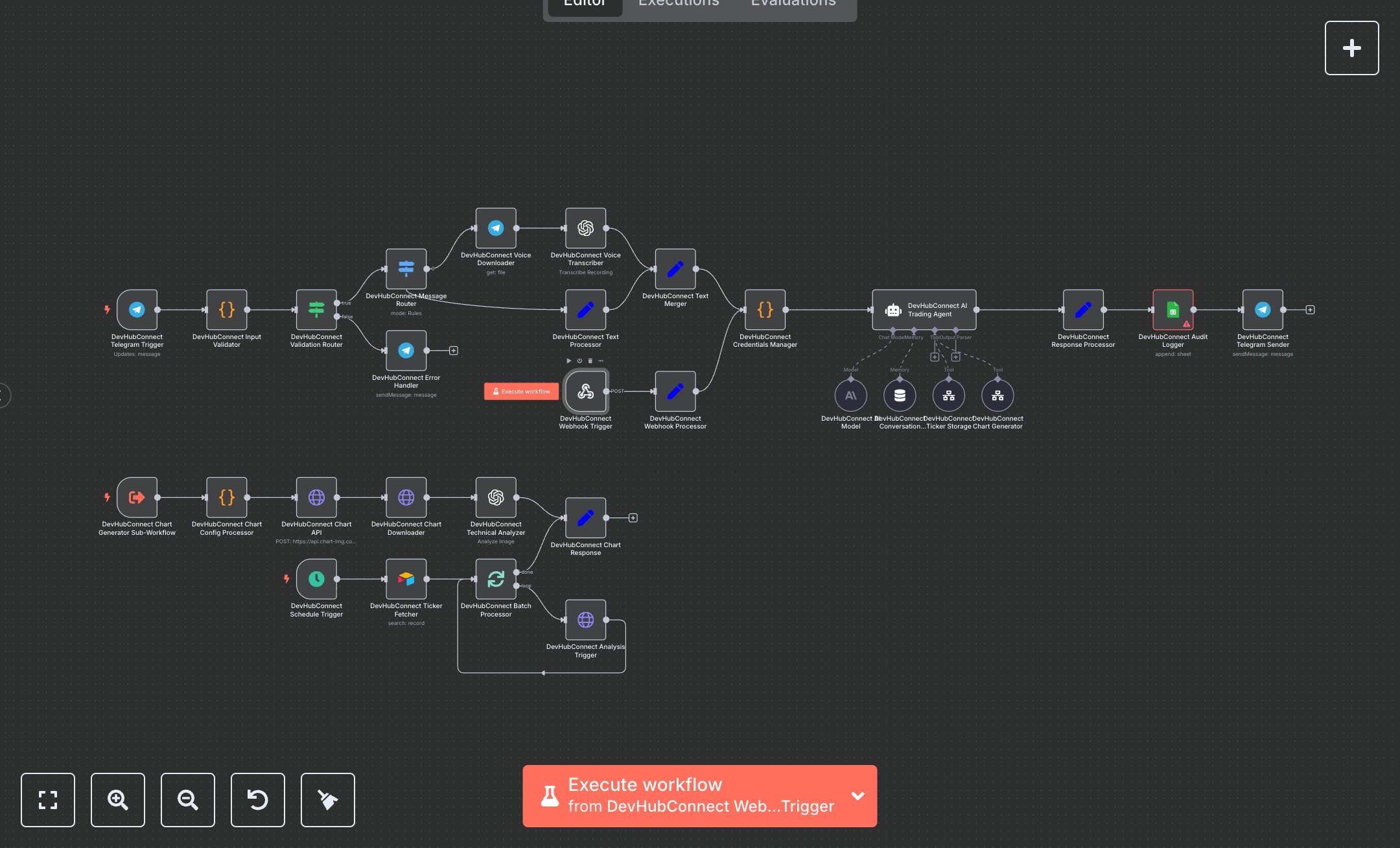
This workflow automates trading analysis via Telegram, processing text or voice inputs for stock analysis using AI and chart generation. Key nodes include Telegram Trigger, Webhook, Schedule Trigger, Code, Switch, OpenAI, Airtable, HTTP Request, Google Sheets, Slack, and Set, leveraging Telegram, OpenAI, Airtable, and Chart-Img APIs. To set up, install n8n from n8n.io for self-hosting or use cloud.n8n.io for a hosted solution. Create a Telegram bot via BotFather (@BotFather) on Telegram, obtain a Bot Token, and configure it in the Telegram Trigger and Telegram nodes ('Telegram Trigger', 'Telegram Sender', 'Error Handler'). Register at platform.openai.com, get an API key, and set it in the OpenAI nodes ('Voice Transcriber', 'AI Trading Agent', 'Technical Analyzer'). Create an Airtable base with a 'User Tickers' table (columns: ticker, user_id, last_analysis, status), obtain an API key from airtable.com, and configure it in the Airtable node ('Ticker Fetcher'). Create a Google Sheet for audit logging, enable Drive API in Google Cloud, and add OAuth2 credentials to the Google Sheets node ('Audit Logger'). Set up a Slack app at api.slack.com, obtain a Bot Token, and configure the Slack node ('Error Notification'). Configure the Webhook node’s path to 'devhubconnect-trading-webhook' with HTTPS and an API key header. Set the Chart-Img API key in the HTTP Request node ('Chart API') from api.chart-img.com. Test by sending a Telegram message (e.g., 'Analyze AAPL candle') or a POST request to the Webhook with JSON (e.g., {text: 'Analyze AAPL', user_id: '123'}). Verify the Telegram response for analysis_result and chart_url. Check Google Sheets for audit logs (request_id, analysis_type). For errors like 'VALIDATION_FAILED', ensure valid text or voice input. A 401 error indicates invalid API keys. Deploy by enabling the Schedule Trigger for 4-hourly ticker analysis. Monitor Slack for error notifications with user_id and request_id.
$6.99
Workflow steps: 30
Integrated apps: telegramTrigger, code, if