YOURLS URL Management
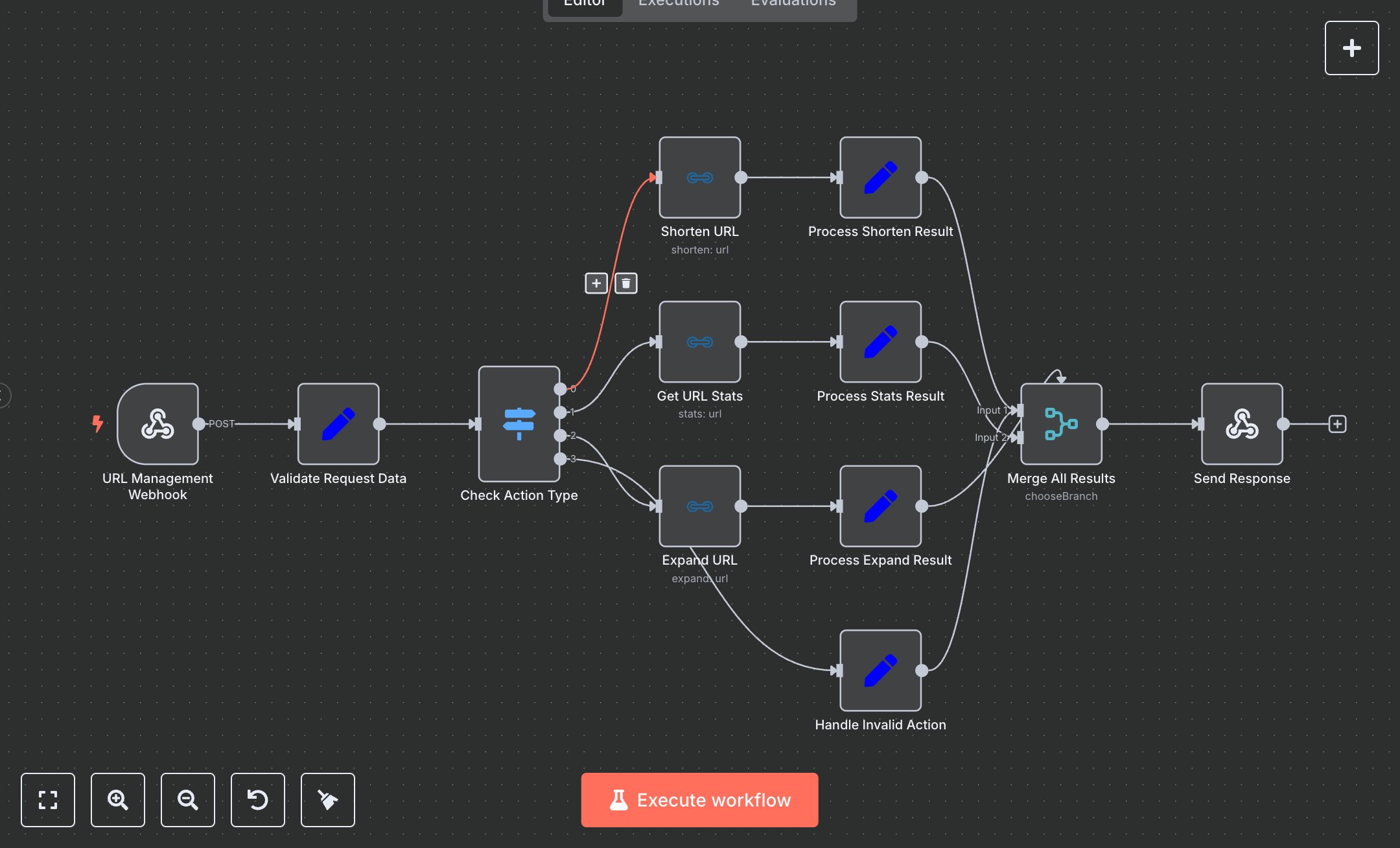
This workflow automates URL management using YOURLS API via n8n. Key nodes include URL Management Webhook to receive requests, Shorten URL to create short links, Get URL Stats to retrieve analytics, and Expand URL to resolve shortened links. Setup Requirements: Install n8n by downloading from n8n.io or sign up at cloud.n8n.io. For YOURLS, visit yourls.org, install the software on your server, and generate an API token from the admin panel. In n8n, configure YOURLS credentials: add API token and YOURLS base URL under Credentials > YOURLS API. Set the webhook path in the URL Management Webhook node (e.g., 'your-webhook-path'). Ensure nodes reference correct credentials. If credentials are missing, n8n will throw an 'Invalid API token' error; verify token and URL. For invalid URLs, the workflow returns a 'Failed to shorten URL' message. Testing and Deployment: Import the provided JSON into n8n. Test the webhook by sending a POST request with JSON payload (e.g., {'action': 'shorten', 'url': 'https://example.com'}). Validate outputs in Process Shorten Result, Process Stats Result, or Process Expand Result nodes. Check for errors like 'Invalid action type' for unsupported actions. Deploy by activating the workflow in n8n and integrating the webhook URL with your application. Monitor logs for issues like missing short_url or failed expansions, ensuring robust error handling.
$5.49
Workflow steps: 12
Integrated apps: webhook, set, switch