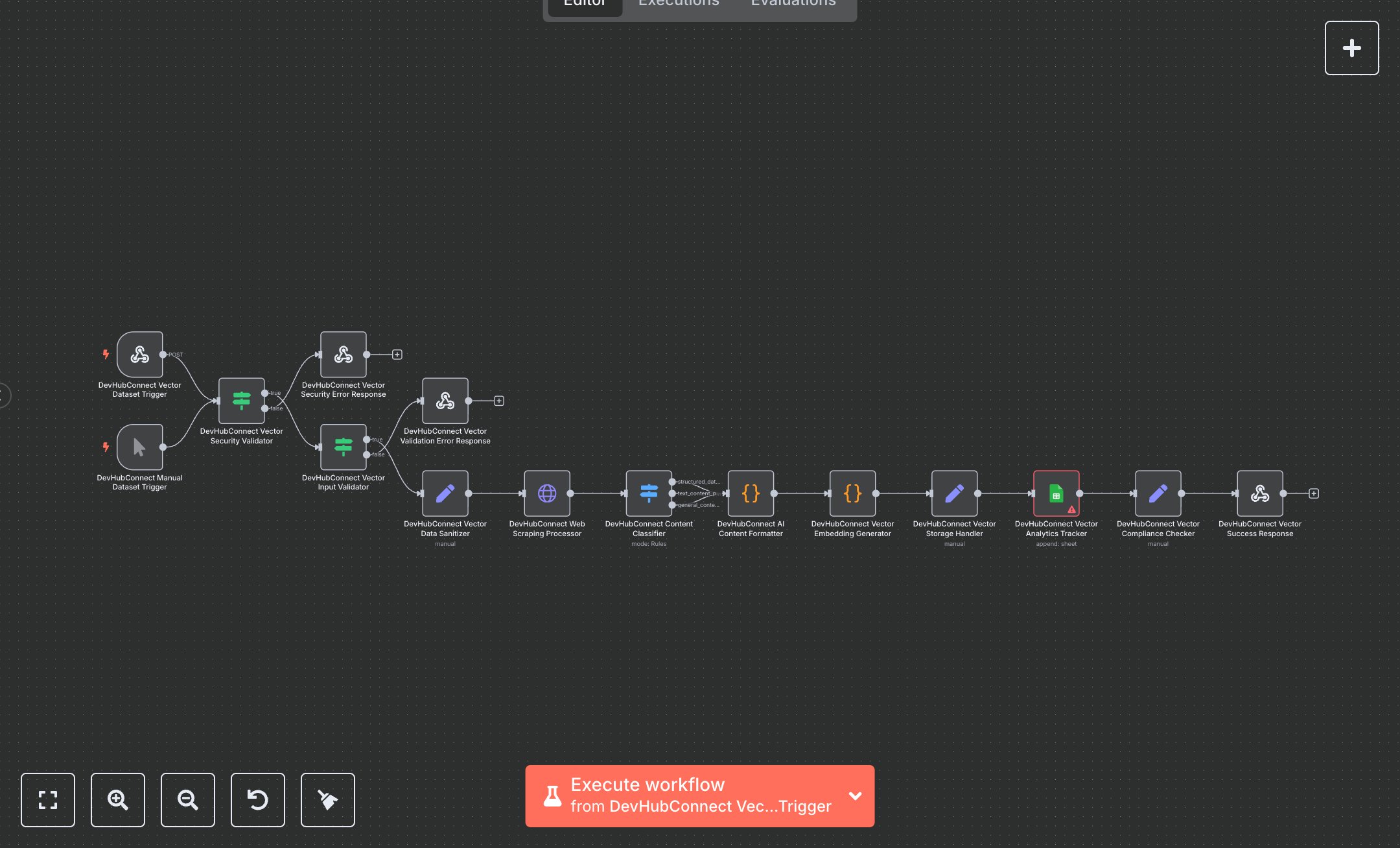
LLM Training with Automated Web Scraping and Google Sheets Analytics
This workflow automates web scraping to create AI vector datasets, converting URLs into vector embeddings for LLM training. Key nodes include Webhook, HTTP Request, Code, Google Sheets, and Respond to Webhook, using Bright Data for scraping and Google Sheets for analytics. To set up, install n8n by downloading from n8n.io for self-hosting or use cloud.n8n.io for a hosted solution. Create a Bright Data account at brightdata.com, navigate to the dashboard, and generate API credentials under 'Web Unlocker' zone. In n8n, add these credentials to the HTTP Request node ('Web Scraping Processor'). For Google Sheets, create a project in Google Cloud Console, enable the Sheets API, generate OAuth2 credentials, and configure them in the Google Sheets node. Ensure a spreadsheet is created with columns A:I for analytics. Set the Webhook node’s path to 'vector-dataset' and enable HTTPS. Input a valid URL in the Webhook or Manual Trigger node. Test by triggering the workflow manually via the Manual Trigger node. Validate output in the Respond to Webhook node, checking for 'success: true' and vector counts. If errors occur (e.g., 401 for missing Bright Data API key or 400 for invalid URLs), verify credentials in the Bright Data dashboard or ensure URLs start with 'https://'. For Google Sheets errors, confirm the OAuth2 setup and spreadsheet access. Deploy by activating the Webhook node and sending a POST request with a JSON payload containing a URL. Monitor analytics in Google Sheets for performance metrics. This setup ensures secure, compliant vector dataset creation for AI applications.
$6.99
Workflow steps: 15
Integrated apps: webhook, manualTrigger, if