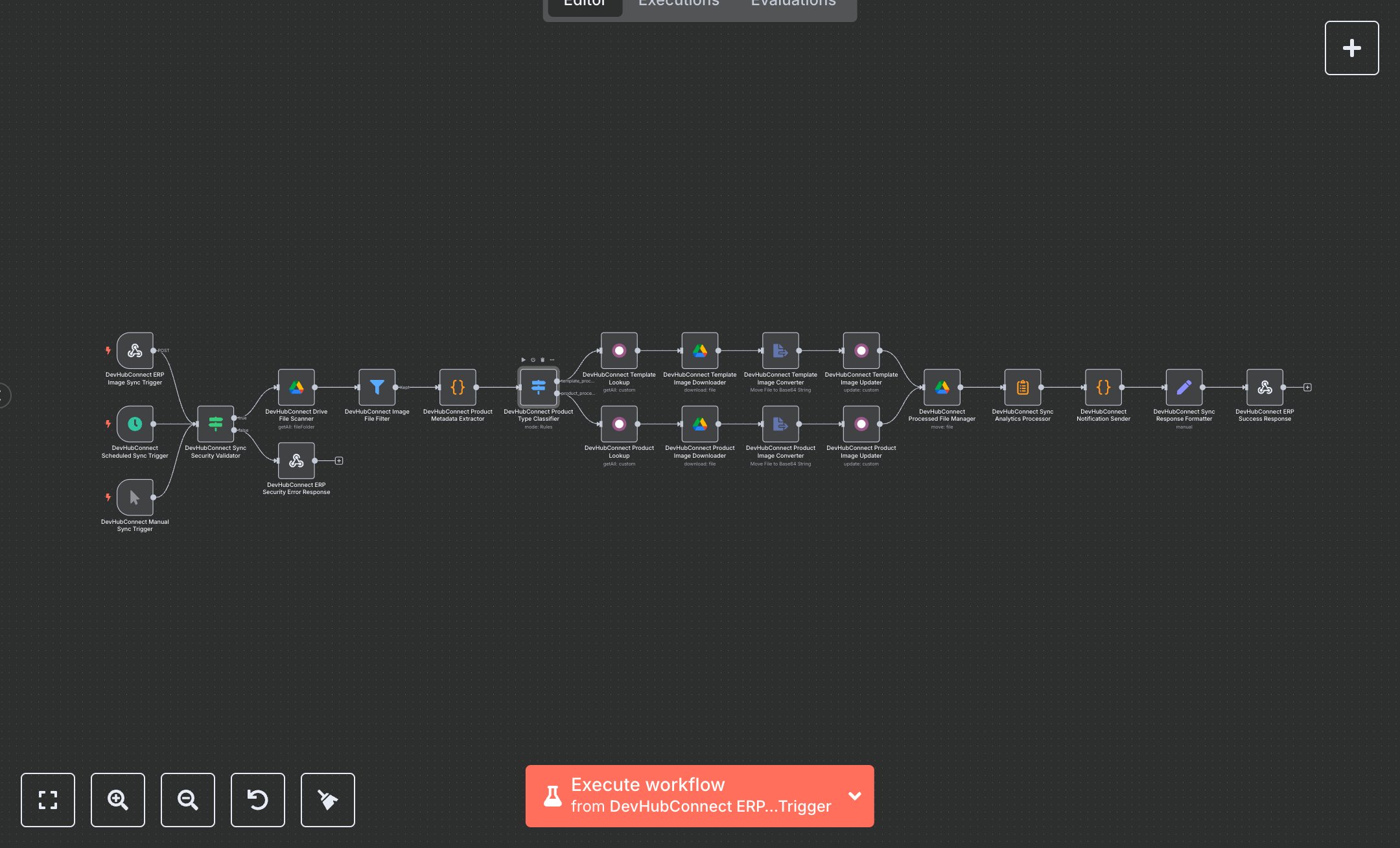
Product Image Management: Google Drive to Odoo ERP
This workflow automates product image synchronization from Google Drive to Odoo ERP, streamlining inventory management. Key nodes include Webhook for triggering syncs, Schedule Trigger for periodic execution, Google Drive for file scanning, Filter for image validation, Function for metadata extraction, Switch for product type classification, Odoo for product lookup and updates, and Webhook Response for sync results. To set up, download n8n from n8n.io for self-hosting or sign up at cloud.n8n.io. Obtain Google Drive OAuth2 credentials via console.developers.google.com by creating a project and enabling the Drive API. Get Odoo API credentials from your Odoo instance’s user settings (API keys section). In n8n, add these under Credentials > Add Credential > Google Drive OAuth2 API and Odoo API. Import the workflow JSON via Workflows > Import. Configure the Webhook node (path: /erp-product-image-sync, method: POST) with CORS headers (Access-Control-Allow-Origin: *). Use ngrok for local webhook testing. Set the Google Drive node to scan a specific folder (e.g., devhubconnect-input-folder). Ensure the Schedule Trigger runs every 10 minutes. Verify Odoo nodes use the correct model (product.template or product.product) and fields (e.g., image_1920). Test by uploading a sample image (e.g., product_sku123.jpg) to the designated Google Drive folder, ensuring filename format (template_sku or product_sku) and size (<10MB). Send a POST request to the webhook with headers (x-api-key, x-erp-authorization). Validate outputs in the Set node for devHubConnectErpResponse (e.g., success: true, syncResults.totalImages > 0). Handle errors like missing API key (401 response with 'ERP_SECURITY_VALIDATION_FAILED') or invalid filename format (filtered by Filter node). For issues, confirm HTTPS, valid credentials, and correct folder IDs. Deploy by saving and enabling the workflow, ensuring triggers are active. Test with multiple images (e.g., template_sku456.png) to verify Odoo updates and archive movement. Check Webhook Response for performanceMetrics (e.g., automationEfficiency: '99%'). If sync fails, verify Google Drive and Odoo credentials and node connections in n8n’s editor.
$5.49
Workflow steps: 22
Integrated apps: webhook, scheduleTrigger, manualTrigger