LLM Instagram Comment Management: AI Responses, Spam Filtering, and Publishing
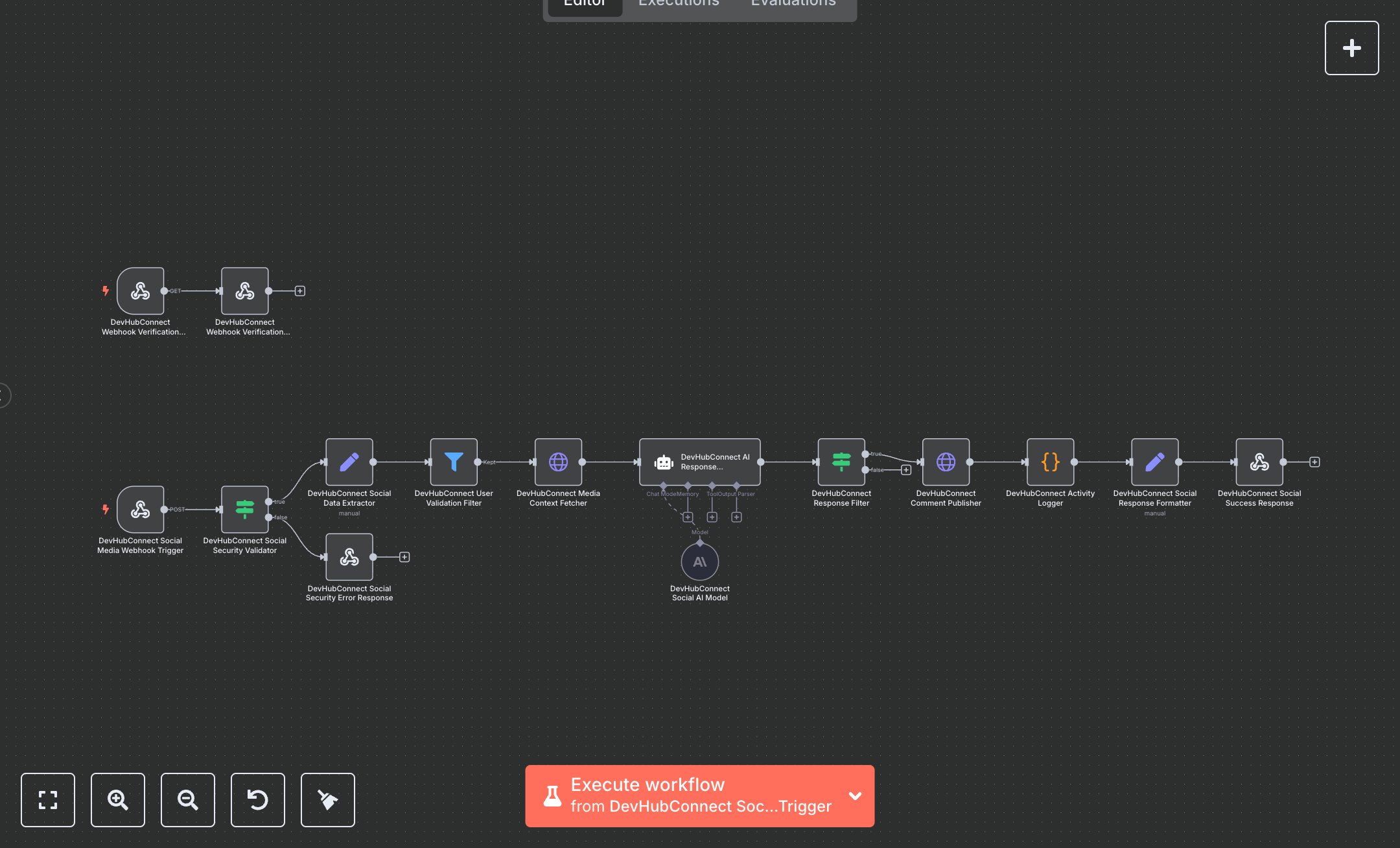
This workflow automates Instagram comment management, generating AI-powered responses for user engagement. Key nodes include Webhook for receiving comment notifications, Condition for security validation, Set for data extraction, HTTP Request for fetching media context, AI Agent for response generation, Filter for spam detection, HTTP Request for publishing replies, and Webhook Response for status output. To set up, download n8n from n8n.io for self-hosting or sign up at cloud.n8n.io. Obtain an Instagram Graph API access token from developers.facebook.com by creating an app and configuring the Instagram Basic Display API. Get an OpenRouter API key from openrouter.ai for the AI model. In n8n, add these under Credentials > Add Credential > HTTP Header Auth (Instagram) and OpenRouter API. Import the workflow JSON via Workflows > Import. Configure the Webhook node (path: /social-media-automation, method: POST) and verification Webhook (path: /social-media-verification, method: GET). Use ngrok for local webhook testing to expose URLs. Ensure HTTPS and set CORS headers (Access-Control-Allow-Origin: *). Verify AI Agent uses google/gemini-2.0-flash-exp:free with temperature 0.7 and max tokens 150. Test by sending a POST request to the webhook with Instagram comment payload (e.g., {entry: [{id: 'account_id', changes: [{value: {id: 'comment_id', text: 'Great post!', from: {id: 'user_id', username: 'user'}}]}]}). Include x-hub-signature-256 header. Validate outputs in the Set node for devHubConnectSocialResponse (e.g., success: true, engagement.status: 'published'). Handle errors like invalid signature (401 response with 'SOCIAL_WEBHOOK_SECURITY_FAILED') or empty comment text (filtered by Filter node). For issues, confirm HTTPS, valid API keys, and correct payload format. Deploy by saving and enabling the workflow, ensuring webhooks are active. Test with sample data (e.g., comment: 'Amazing AI insights!') to verify AI-generated responses in Portuguese. Check Webhook Response for responseId and metrics (e.g., responseTime < 15000ms). If outputs fail, verify Instagram and OpenRouter credentials and node connections in n8n’s editor.
$5.49
Workflow steps: 15
Integrated apps: webhook, if, set