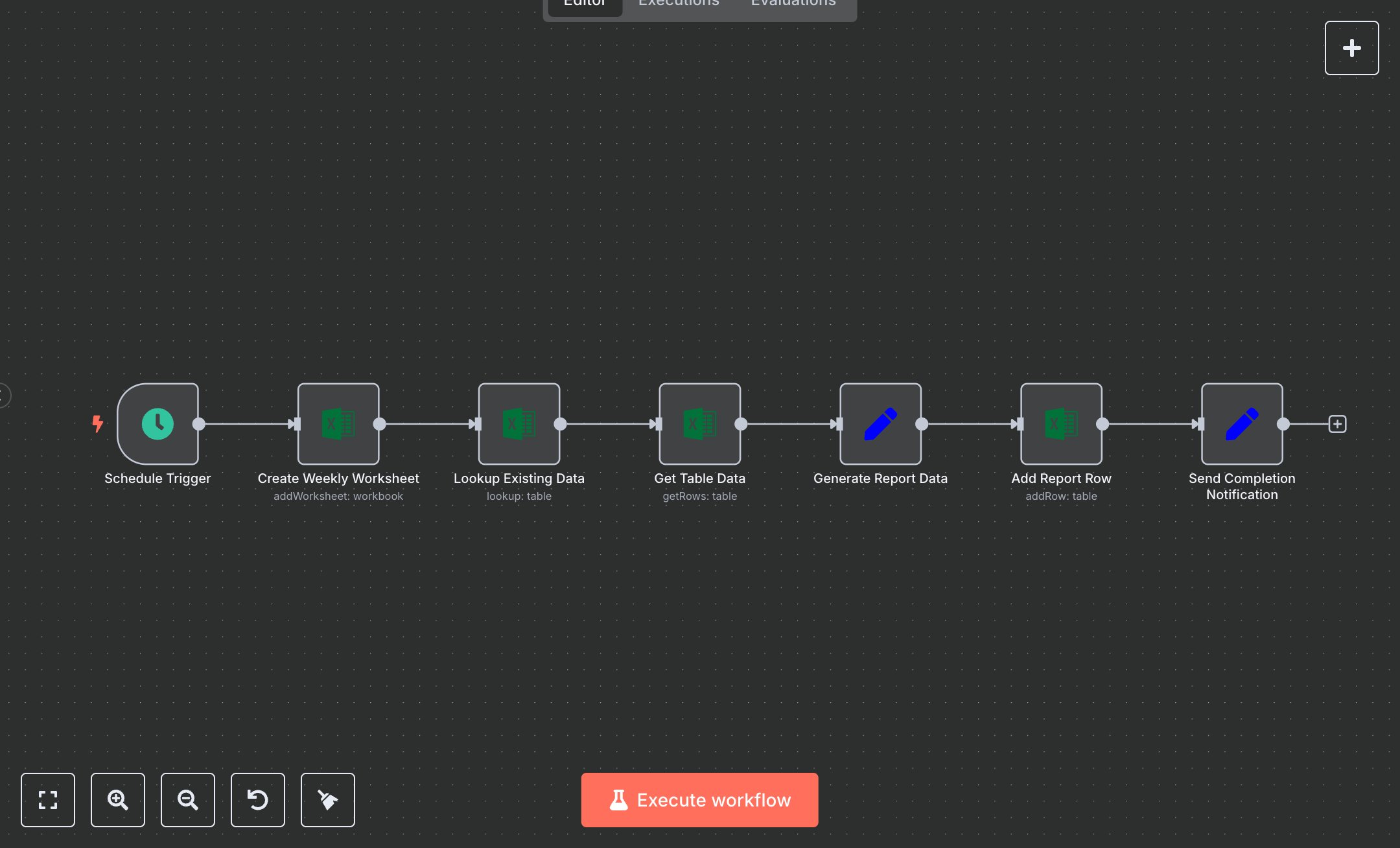
Excel Data Management Workflow
This workflow automates weekly Excel reporting, replacing manual sheet creation, data pulls, and summaries that take 1-2 hours per report for analysts. The Schedule Trigger runs Mondays at 9 AM, the Create Weekly Worksheet Microsoft Excel node adds a dated sheet, the Lookup Existing Data looks up active records, the Get Table Data retrieves rows, the Generate Report Data Set summarizes totals/week, the Add Report Row appends results, the Error Handler Set logs issues, and Send Completion Notification formats alerts. It helps analysts in small finance teams (10-30 staff) generating 4+ reports monthly, ensuring consistent, error-free outputs without Excel formulas, streamlining compliance and sharing.\n\nThis workflow saves 4-6 hours monthly on 4 reports, reducing errors by 90%. Use cases include sales summaries for managers, inventory updates for ops in startups. Suitable for small-mid teams. Requires Microsoft Excel OAuth2 (free with Office 365); n8n (free self-hosted or $20/month cloud). Scalable to daily reports with Pro tiers.\n\nInstall n8n via n8n.io or cloud.n8n.io. Enable Excel API at portal.azure.com (OAuth, scopes: files.readwrite). Create workbook at office.com (get ID). Set EXCEL_WORKBOOK_ID env var. Import JSON; cron '0 9 * * 1'—no webhook. Update Create Weekly Worksheet with workbook ID.\n\nTest manually: Run, verify new sheet/row. Check errors in handler. Errors: Invalid creds (retry), empty data (log). Activate Schedule Trigger. Monitor dashboard weekly. Optimize lookups; refresh OAuth quarterly.", "businessValue": "Saves 4-6 hours/month on 4 weekly reports", "setupTime": "20-30 minutes", "difficulty": "Beginner", "requirements": ["Microsoft Excel OAuth2 (free with Office 365)", "n8n instance"], "useCase": "Automated weekly data reporting in Excel workbooks"
$5.49
Workflow steps: 7
Integrated apps: scheduleTrigger, microsoftExcel, set