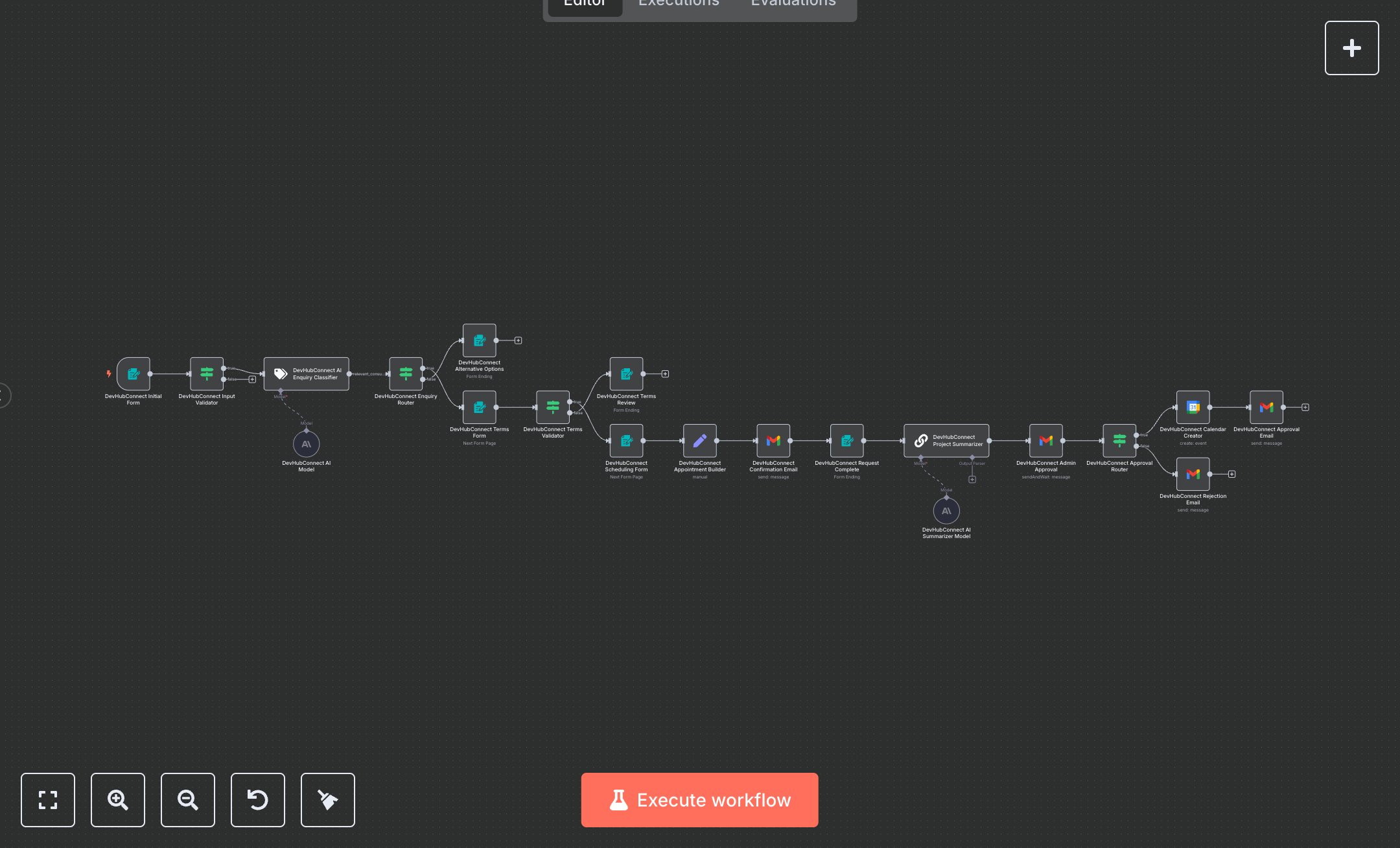
LLM Appointment Scheduling with Google Calendar and Email Notifications
This workflow automates appointment booking with AI-driven project classification and Google Calendar integration. Key nodes include Form Trigger for initial requests, Text Classifier for relevance checks, Condition nodes for input validation, Gmail for email notifications, Google Calendar for scheduling, and Set nodes for data structuring. It ensures relevant consultations are scheduled efficiently with admin approval. To set up, install n8n by downloading from n8n.io for self-hosting or sign up at cloud.n8n.io for cloud use. Obtain OpenAI credentials from platform.openai.com for the Text Classifier; add them in n8n under Credentials > Add Credential > OpenAI API. For Gmail and Google Calendar, set up OAuth2 credentials via Credentials > Add Credential > Gmail and Google Calendar, using console.cloud.google.com to generate tokens. Import the workflow JSON via Workflows > Import. Configure webhooks for Form Trigger (/appointment-request), Terms Form (/terms-agreement), and Scheduling Form (/appointment-scheduling) using ngrok for local testing. Ensure Google Calendar node targets the 'primary' calendar and Gmail nodes use the correct sender email. Test by submitting a form with name, email, and project details (e.g., 'AI automation project'). Verify Text Classifier marks relevant requests and routes to Terms Form. Accept terms and select a date/time to trigger Google Calendar and Gmail nodes. Check Condition nodes for errors like invalid emails or short project details (<20 characters), triggering the Alternative Options form with messages like 'Provide a valid email and detailed project description.' Deploy by saving and enabling the workflow, ensuring webhooks are active. Validate outputs in Gmail for confirmation emails and Google Calendar for event creation with attendee details. For errors, check OpenAI credentials for API key issues or Google OAuth for permission errors in n8n’s Credentials section, ensuring admin approval emails include project summaries and calendar invites align with selected times.
$6.99
Workflow steps: 20
Integrated apps: formTrigger, if, textClassifier