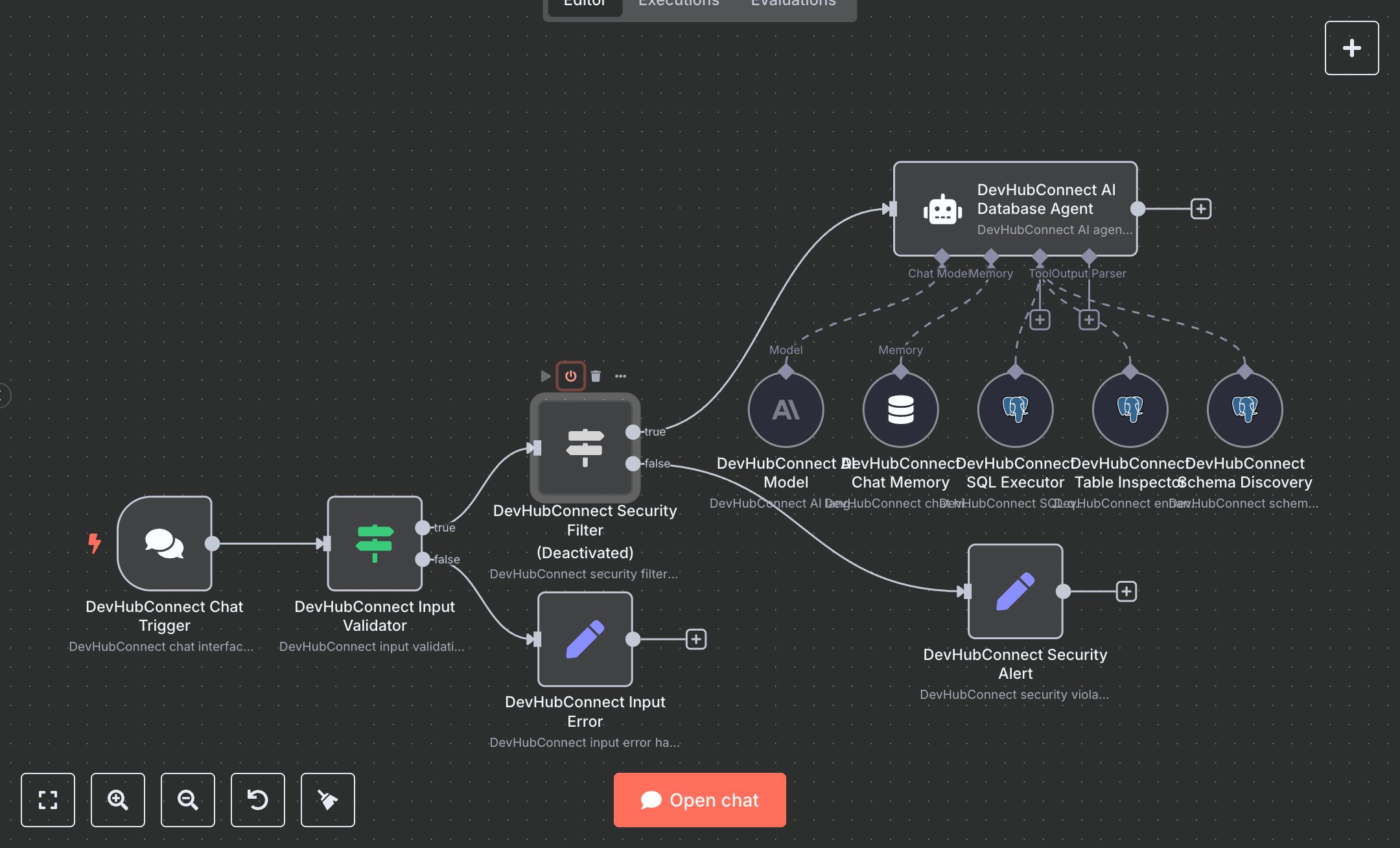
LLM Chat Interface for Secure PostgreSQL Querying
This workflow enables natural language interaction with a PostgreSQL database via a chat interface. Key nodes include Chat Trigger (receives user messages), Condition (validates input and security), Agent (processes queries using OpenAI), Memory Buffer (maintains conversation context), and Postgres Tool (executes safe SQL queries, schema discovery, and table inspection). It uses OpenAI and PostgreSQL for intelligent query generation and secure database access, ensuring safe, read-only operations.\n\nSetup requirements and configuration: Install n8n from n8n.io (self-hosted) or sign up at cloud.n8n.io. Obtain API credentials: OpenAI key from platform.openai.com and PostgreSQL credentials (host, port, database, user, password) from your database provider. Import the JSON workflow in n8n. Configure the Chat Trigger node with a unique webhook path (e.g., ‘db-chat’) and enable ‘loadPreviousSession.’ Set up PostgreSQL credentials in the Postgres Tool nodes, ensuring SSL if required. Add environment variables OPENAI_API_KEY and POSTGRESQL_CONNECTION_STRING. Configure the Agent node with the ‘gpt-4o-mini’ model and a low temperature (0.1) for consistency. Ensure internet access for API calls and database connectivity.\n\nTesting and deployment steps: Activate the workflow and retrieve the Chat Trigger webhook URL from n8n. Send a test message (e.g., “List all tables”) via a POST request to the webhook. Verify the Condition nodes block invalid inputs (empty or >1000 characters) or unsafe SQL (e.g., “DROP table”), returning “invalid_input” or “security_violation” errors. Check Postgres Tool nodes for schema discovery and query execution, ensuring results like table lists or column details are returned. Validate Agent responses for clear query explanations and data insights. Monitor logs for errors like ‘OpenAI API failure’ or ‘PostgreSQL connection timeout.’ Confirm Memory Buffer retains context across multiple messages (e.g., follow-up queries). Ensure response_data includes success status and timestamp. Test with a safe query (e.g., “Count orders”) to validate output formatting and query safety.
$6.99
Workflow steps: 11
Integrated apps: chatTrigger, if, agent