LLM 24/7 AI Customer Support for WhatsApp Groups
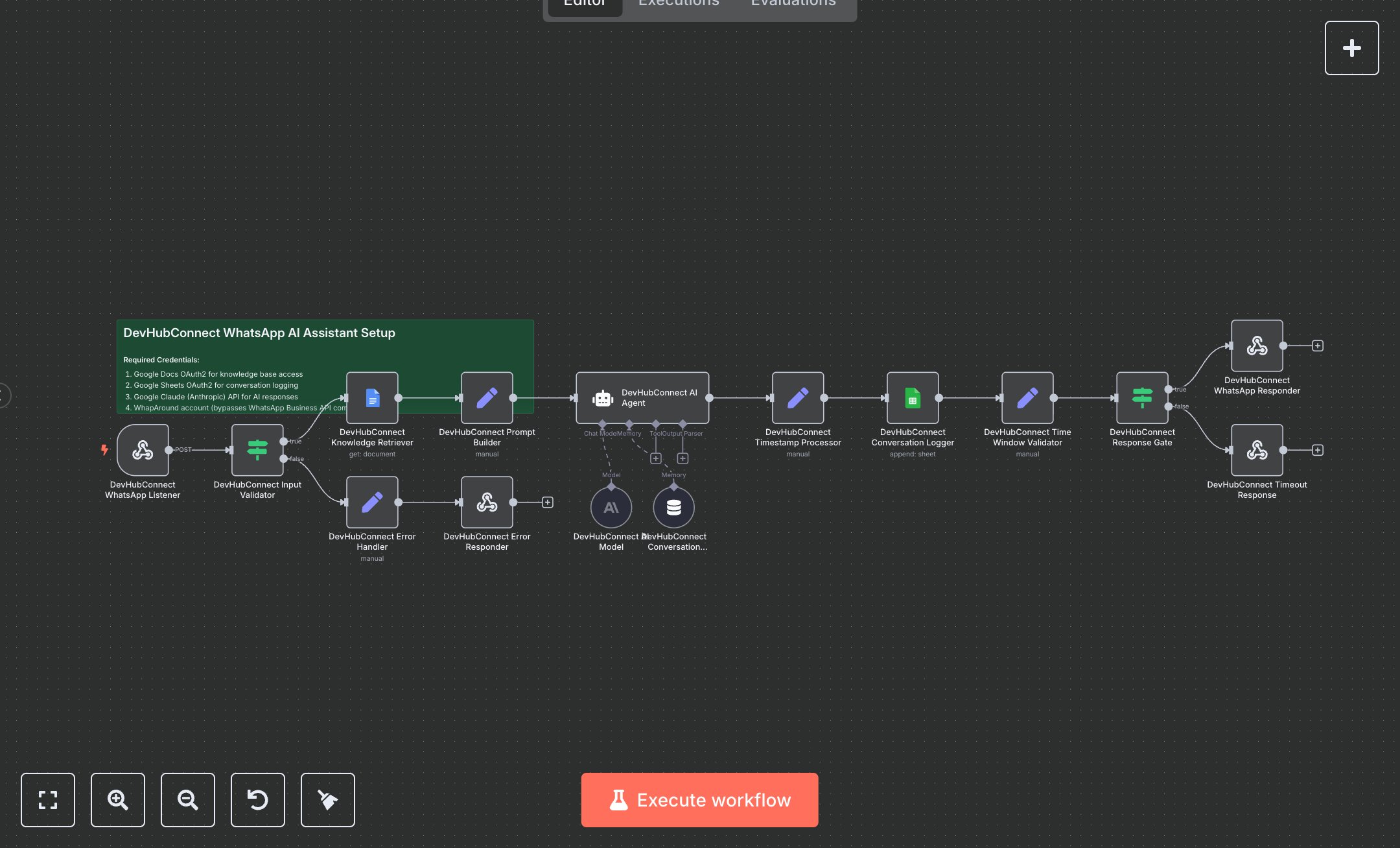
This workflow automates WhatsApp customer support using a document-based AI assistant. Key nodes include Webhook (receives WhatsApp messages), Condition (validates inputs), Google Docs (fetches knowledge base), Set (builds prompts and processes timestamps), Memory Buffer Window (maintains conversation context), Agent (generates responses with Google Gemini), Google Sheets (logs conversations), and Respond To Webhook (sends replies or timeout messages). It uses WhapAround, Google Docs, Google Sheets, and Google Gemini APIs for simplified WhatsApp integration and intelligent responses.\n\nSetup requirements and configuration: Install n8n from n8n.io (self-hosted) or sign up at cloud.n8n.io. Obtain API credentials: Google Docs and Sheets OAuth2 from console.developers.google.com, Google Gemini key from ai.google.dev, and WhapAround account from whaparound.com (bypasses WhatsApp Business API complexity). Create a Google Doc for the knowledge base and a Google Sheet with columns: Timestamp, Customer_ID, Question, AI_Response, Response_Length, and Processing_Time. Import the JSON workflow in n8n. Configure the Google Docs node with the document ID, Google Sheets node with the sheet ID, and the API credentials in ‘Credentials.’ Set environment variables GOOGLE_DOCS_OAUTH2_TOKEN, GOOGLE_SHEETS_OAUTH2_TOKEN, and GOOGLE_GEMINI_API_KEY. Configure the Webhook node’s path (e.g., /whatsapp-ai-assistant) in n8n settings, ensuring public accessibility (e.g., via ngrok for local setups). Ensure internet access for API calls. Testing and deployment steps: Activate the workflow to enable the Webhook. Register the webhook URL with WhapAround. Test by sending a WhatsApp message to the bot and verify the AI response within seconds. Check Google Sheets for logged conversation details (e.g., question, response, processing time). Test invalid inputs (e.g., empty message) to trigger the error response (“Couldn’t process your message”). Monitor logs for errors like ‘Invalid Gemini key,’ ‘Google Docs access denied,’ or ‘Webhook not reachable.’ Validate responses align with the knowledge base and are within the 24-hour window. Test a message older than 24 hours to confirm the timeout response (“Contact us during business hours”). Ensure conversation history is maintained for context.
$6.99
Workflow steps: 16
Integrated apps: webhook, if, set