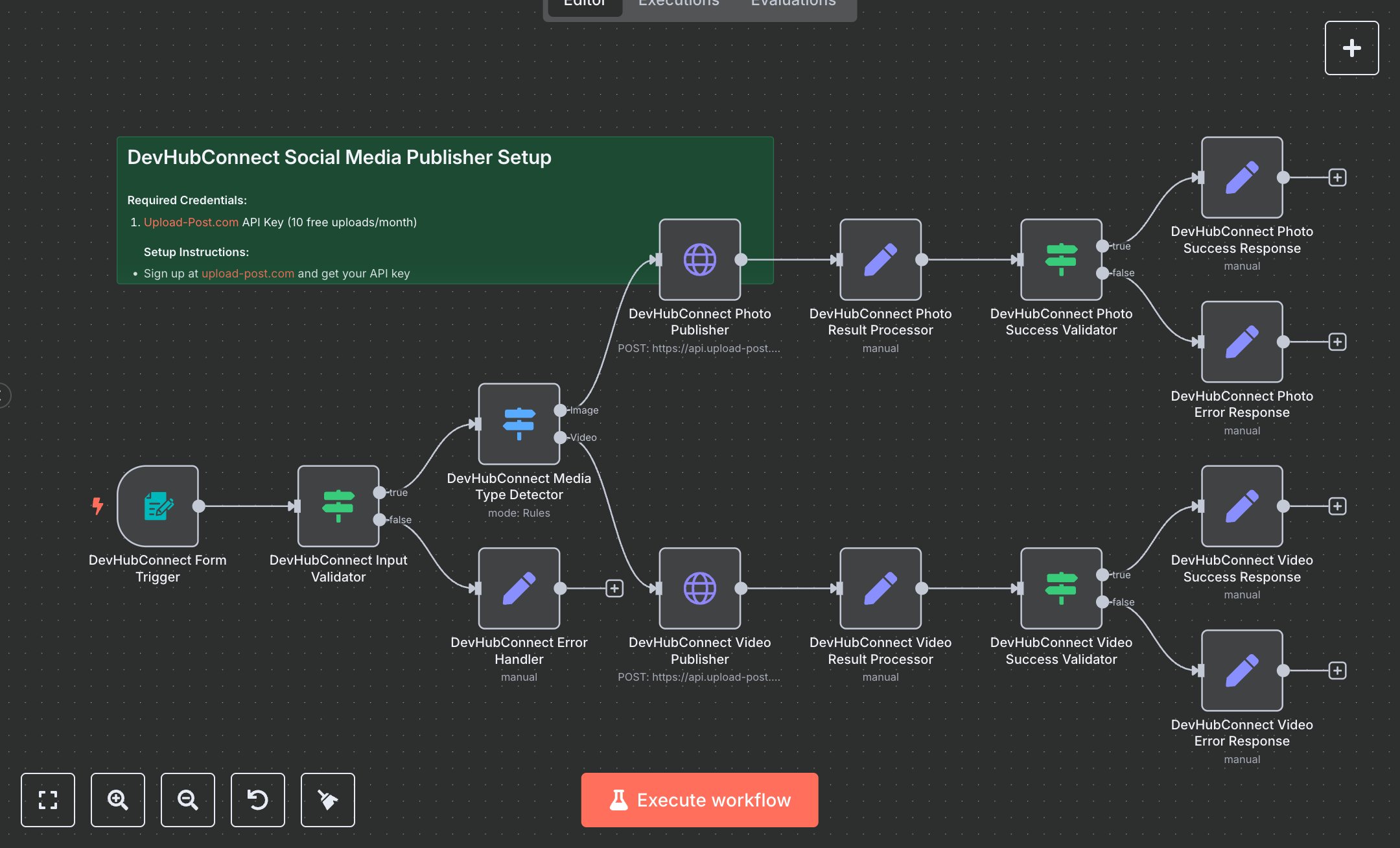
Social Media Publishing Across Instagram, LinkedIn, Facebook, X, TikTok, and Threads
This workflow automates content publishing across Instagram, LinkedIn, Facebook, X, TikTok, and Threads. Key nodes include Form Trigger (collects platform, account, caption, and media), Condition (validates inputs), Switch (detects media type: image or video), HTTP Request (publishes via upload-post.com API), Set (processes results and formats responses), and Condition (validates publication success). It uses the upload-post.com API to distribute JPG/JPEG images or MP4 videos to selected platforms, with specific handling for Facebook Page IDs.\n\nSetup requirements and configuration: Install n8n from n8n.io (self-hosted) or sign up at cloud.n8n.io. Obtain an API key from upload-post.com (offers 10 free uploads/month). Create social media profiles in the upload-post.com dashboard and note profile names. Import the JSON workflow in n8n. Configure Form Trigger with a webhook URL and HTTP Request nodes with upload-post.com API credentials (HTTP Header Auth: ‘Authorization’, ‘Apikey YOUR_API_KEY’) in ‘Credentials.’ Set the environment variable UPLOAD_POST_API_KEY. For Facebook posts, ensure a valid Page ID is ready. Verify internet access for API calls. In n8n settings, configure the Form Trigger webhook URL, ensuring public accessibility (e.g., via ngrok for local setups). Ensure media files are in supported formats (.jpg, .jpeg, .mp4). Testing and deployment steps: Activate the workflow to generate the Form Trigger webhook URL. Test by submitting a form with a platform (e.g., Instagram), account profile, caption, and a sample image or video. For Facebook, include a Page ID. Verify the success response (e.g., “Photo published successfully to Instagram”). Test invalid inputs (e.g., missing caption or unsupported file format) to trigger the error response (“Publication failed”). Monitor logs for errors like ‘Invalid API key,’ ‘Account permissions issue,’ or ‘Unsupported media type.’ Validate that the post appears on the chosen platform with the correct caption and media. Check error responses for failed uploads (e.g., “Video publication failed for TikTok”). Ensure platform-specific requirements (e.g., Facebook Page ID) are met.
$6.99
Workflow steps: 15
Integrated apps: formTrigger, if, set