Web Scraping: Export Data to Google Sheets, Excel, and Email (CSV)
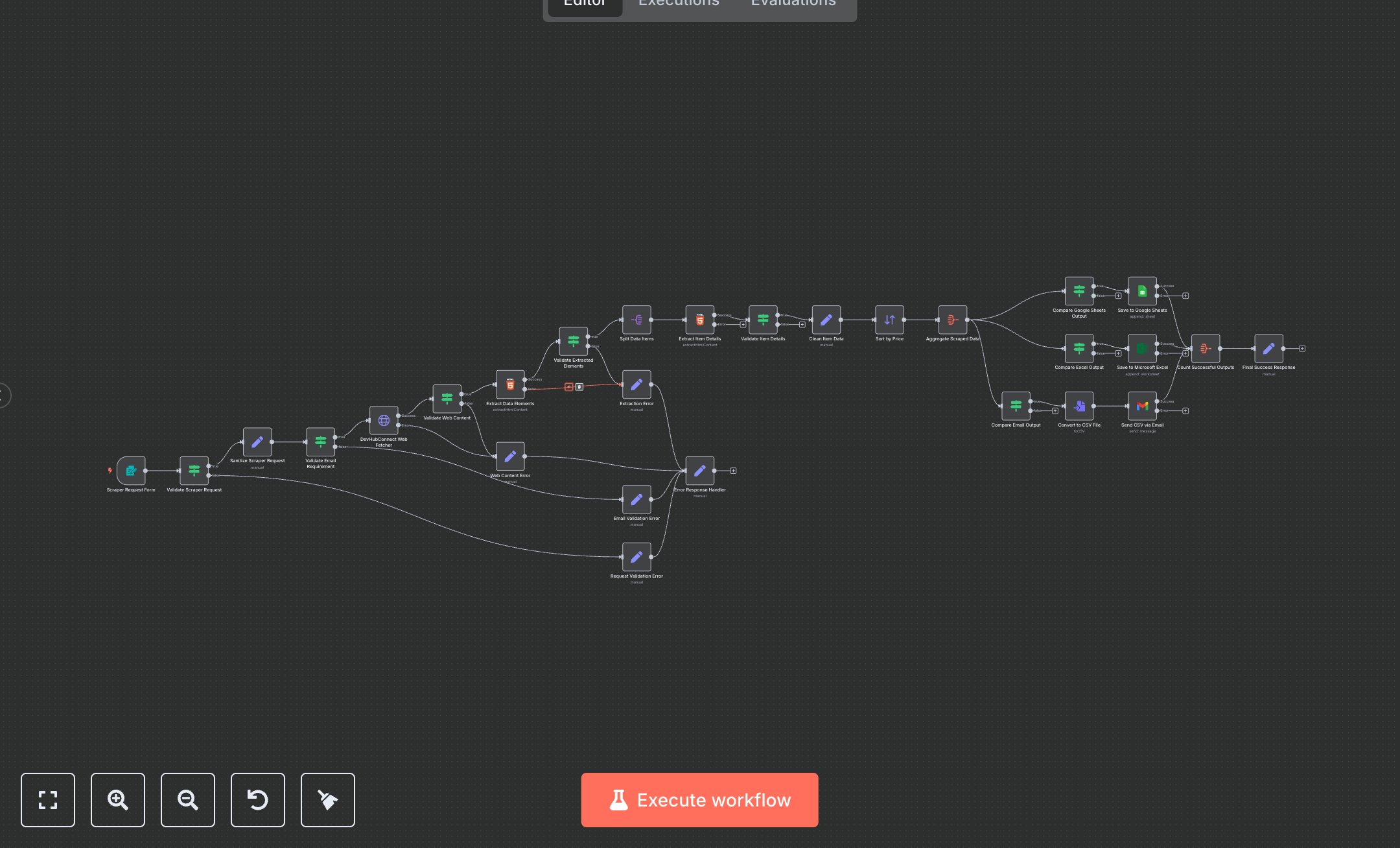
This workflow automates web scraping with outputs to Google Sheets, Microsoft Excel, and email (CSV). Key nodes include Scraper Request Form (collects user input), Validate Scraper Request (checks URL and outputs), Sanitize Scraper Request (cleans inputs), DevHubConnect Web Fetcher (fetches web content), Extract Data Elements (parses HTML), Extract Item Details (extracts title, price, etc.), Save to Google Sheets/Excel (stores data), Convert to CSV File (creates CSV), Send CSV via Email (delivers results), and Final Success Response (confirms completion). Error handlers (Request Validation Error, Email Validation Error, Web Content Error, Extraction Error) ensure reliability.\n\nSetup Requirements and Configuration: Install n8n from n8n.io (self-hosted) or sign up at cloud.n8n.io. Obtain Google Sheets OAuth2 credentials from console.developers.google.com, Microsoft Excel OAuth2 credentials from portal.azure.com, and Gmail OAuth2 credentials from console.developers.google.com. Import the JSON workflow in n8n. Configure Save to Google Sheets, Save to Microsoft Excel, and Send CSV via Email with credentials in ‘Credentials.’ Set environment variables GOOGLE_SHEETS_DOCUMENT_ID, GOOGLE_SHEETS_SHEET_NAME, MICROSOFT_EXCEL_WORKBOOK_ID, and MICROSOFT_EXCEL_WORKSHEET_ID. Ensure internet access for API calls. Set up the Scraper Request Form’s webhook URL in n8n settings, making it publicly accessible for form submissions.\n\nTesting and Deployment Steps: Activate the workflow to generate the form webhook URL. Access the form via the URL, submit a test request (e.g., URL: ‘http://books.toscrape.com’, Data Type: ‘Books’, Outputs: ‘Google Sheets, Email CSV’, Email: ‘test@example.com’). Verify data in Google Sheets/Excel for title, price, and description. Check email for CSV attachment. Monitor n8n logs for errors like ‘Invalid Google Sheets credentials,’ ‘Missing email for CSV output,’ or ‘Invalid URL format.’ Test invalid inputs (e.g., non-HTTP URL or missing email for CSV) to trigger Request Validation Error or Email Validation Error. Debug using logs for credential issues. Confirm Final Success Response includes record count and output destinations.
$6.99
Workflow steps: 28
Integrated apps: formTrigger, if, set