LLM SEO-Optimized WordPress Blog Posts Using Perplexity
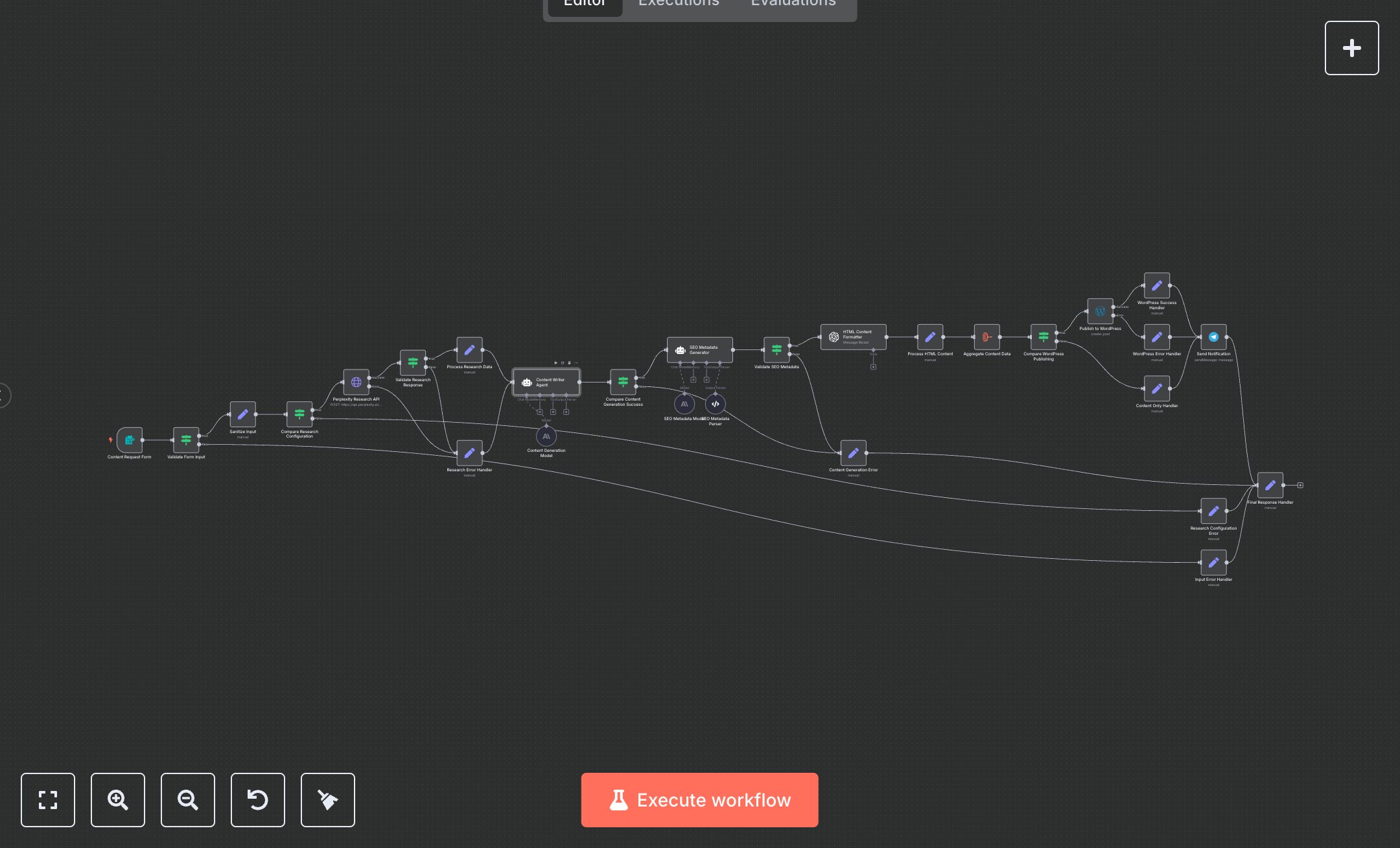
This workflow generates SEO-optimized WordPress blog posts using Perplexity for research and OpenAI for content creation. Key nodes include Content Request Form (collects topic, keywords, length), Validate Form Input (checks query validity), Perplexity Research API (fetches data), Content Writer Agent (generates post), SEO Metadata Generator (creates slug, title, meta), HTML Content Formatter (produces WordPress-compatible HTML), Publish to WordPress (posts content), Send Notification (sends Telegram status), and error handlers (Input Error Handler, Research Error Handler, Content Generation Error) for robust error management.\n\nSetup Requirements and Configuration: Install n8n from n8n.io for self-hosting or sign up at cloud.n8n.io. Obtain a Perplexity API key from perplexity.ai, an OpenAI API key from platform.openai.com, a WordPress API token from your WordPress site’s REST API settings, and a Telegram Bot token from BotFather. Import the JSON workflow in n8n. Configure Perplexity Research API, Content Generation Model, SEO Metadata Model, Publish to WordPress, and Send Notification nodes with respective credentials under ‘Credentials.’ Set environment variables PERPLEXITY_API_KEY, ENABLE_PERPLEXITY_RESEARCH, WORDPRESS_SITE_URL, WORDPRESS_AUTHOR_ID, TELEGRAM_CHAT_ID, ENABLE_WORDPRESS_PUBLISHING. Ensure stable internet for API requests. Set Content Request Form to a public URL in n8n settings.\n\nTesting and Deployment Steps: Activate the workflow to generate the Content Request Form URL. Submit a test form with a query like “AI automation trends” and keywords. Validate output in WordPress Success Handler (post URL, ID) or Content Only Handler (generated content). Check Telegram for notifications. Review n8n logs for errors like ‘Invalid Perplexity API key,’ ‘WordPress authentication failed,’ or ‘Empty research query.’ Input Error Handler returns HTTP 400 for invalid queries. Verify HTML content has proper headings, keywords, and WordPress compatibility. Debug using logs for API or credential issues. Test error cases: submit an empty query or disable WordPress publishing. Ensure metadata (slug, title, meta) aligns with SEO guidelines and the post appears as a draft in WordPress.
$6.99
Workflow steps: 28
Integrated apps: formTrigger, if, set