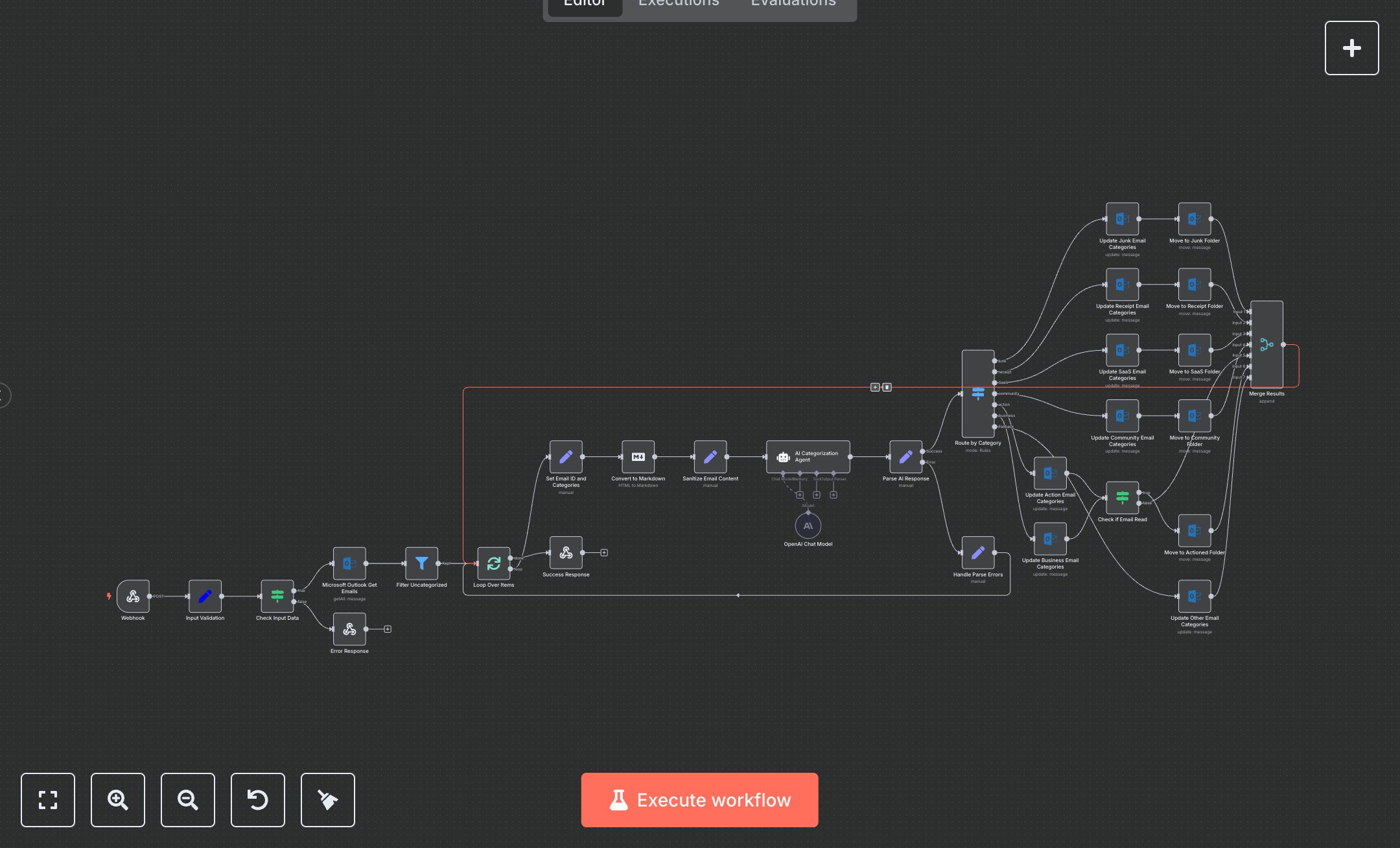
LLM Email Categorization with Microsoft Outlook
This workflow automates email categorization using OpenAI and Microsoft Outlook, sorting emails into action, junk, receipt, SaaS, community, business, or other categories. Key nodes include Webhook (handles POST requests at /api/email-categorizer), Input Validation (sets email limit), Microsoft Outlook Get Emails (fetches unflagged, uncategorized emails), AI Categorization Agent (uses gpt-4o-mini for categorization), Convert to Markdown (processes email content), Route by Category (directs emails to folders), Update/Move nodes (assigns categories, moves emails), Success Response (returns JSON), and Error Response (handles invalid inputs). Customize by updating AI Categorization Agent’s system message.\n\nSetup Requirements and Configuration: Install n8n from n8n.io for self-hosting or sign up at cloud.n8n.io. Obtain an OpenAI API key from platform.openai.com under ‘API Keys’ and a Microsoft Outlook OAuth2 token from developer.microsoft.com. Import the JSON workflow in n8n. Configure OpenAI Chat Model and Microsoft Outlook nodes (Get Emails, Update/Move) with respective credentials under ‘Credentials.’ Set Webhook node to HTTPS with path ‘api/email-categorizer’ under Settings > Webhook. Ensure HTTPS server support; use ngrok for local testing. Verify internet connectivity for API requests. Folder IDs for Junk, Receipt, SaaS, Community, and Actioned must match your Outlook setup.\n\nTesting and Deployment Steps: Activate the workflow to get the Webhook URL (e.g., https://your-n8n-instance/api/email-categorizer). Test with POST requests, e.g., { "limit": 5 }. Success responses return JSON with emails_processed and status. Error response (HTTP 400) occurs for invalid inputs. Check n8n logs for errors like ‘Invalid OpenAI API key,’ ‘Microsoft OAuth failure,’ or ‘Webhook not accessible.’ Validate outputs: ensure emails are categorized (e.g., junk moved to Junk folder, action emails flagged appropriately). Debug using n8n logs for credential or network issues. Ensure stable internet for webhook and API reliability. Adjust the limit in the POST body to process more emails. Verify folder movements in Outlook.
$6.99
Workflow steps: 30
Integrated apps: webhook, set, if