LLM Chat with Your PostgreSQL Database
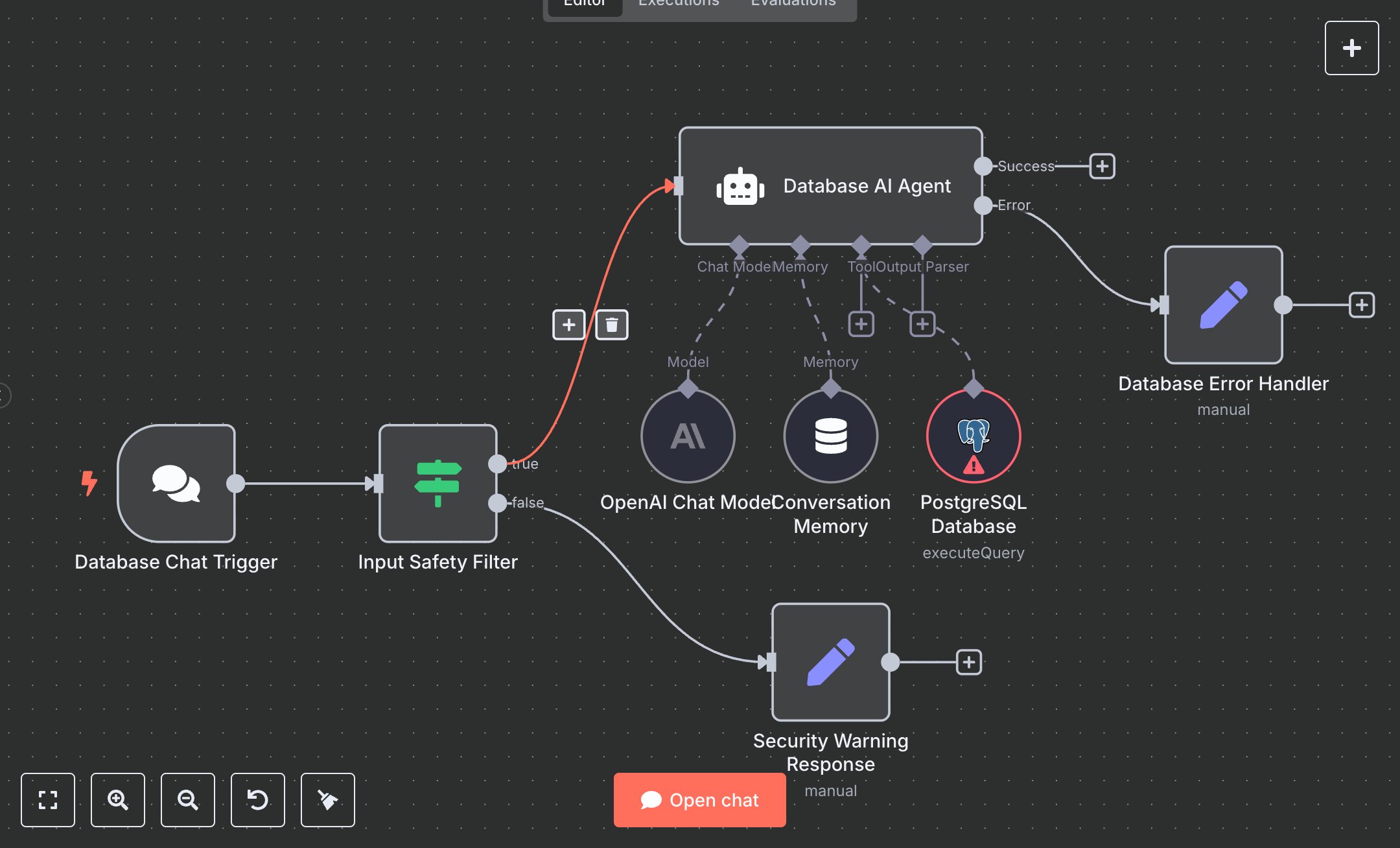
This workflow creates an AI-powered chat system for querying PostgreSQL databases using natural language, powered by OpenAI. Key nodes include Database Chat Trigger (webhook for user inputs), Input Safety Filter (blocks unsafe queries), Database AI Agent (converts questions to SELECT queries using OpenAI gpt-4o-mini), PostgreSQL Database (executes queries), Conversation Memory (retains context), and response nodes (Security Warning Response, Database Error Handler). It ensures read-only access for safety. Customize by updating the PostgreSQL Database node with your database details.\n\nSetup Requirements and Configuration: Install n8n from n8n.io for self-hosting or sign up at cloud.n8n.io. Obtain an OpenAI API key from platform.openai.com under ‘API Keys.’ Set up a PostgreSQL database (e.g., via Heroku, AWS RDS, or local server) and gather connection details (host, port, database name, username, password). In n8n, import the JSON workflow. Configure OpenAI Chat Model with the API key and PostgreSQL Database with database credentials under ‘Credentials.’ Ensure Database Chat Trigger uses HTTPS webhook. Verify the server supports API and database connections. No additional service APIs are required.\n\nTesting and Deployment Steps: Activate the workflow to get the Database Chat Trigger webhook URL; integrate it with your app (e.g., chat interface). Test with queries like ‘List all tables’ or ‘Show users.’ Success responses return formatted data (e.g., table lists or record counts, <1000 tokens). Errors handle unsafe queries (e.g., ‘DROP table’) or invalid SQL (e.g., non-existent tables). Check logs for issues like ‘Invalid PostgreSQL credentials,’ ‘OpenAI API limit exceeded,’ or ‘Database connection failed.’ Validate outputs: ensure responses are clear, accurate, and use only SELECT queries. Debug using n8n logs for credential or network issues. Ensure stable internet for reliable webhook and database performance. Update PostgreSQL Database node’s connection details for different databases.
$6.99
Workflow steps: 8
Integrated apps: chatTrigger, if, agent