LLM Chat Interaction with PDF Documents Using AI
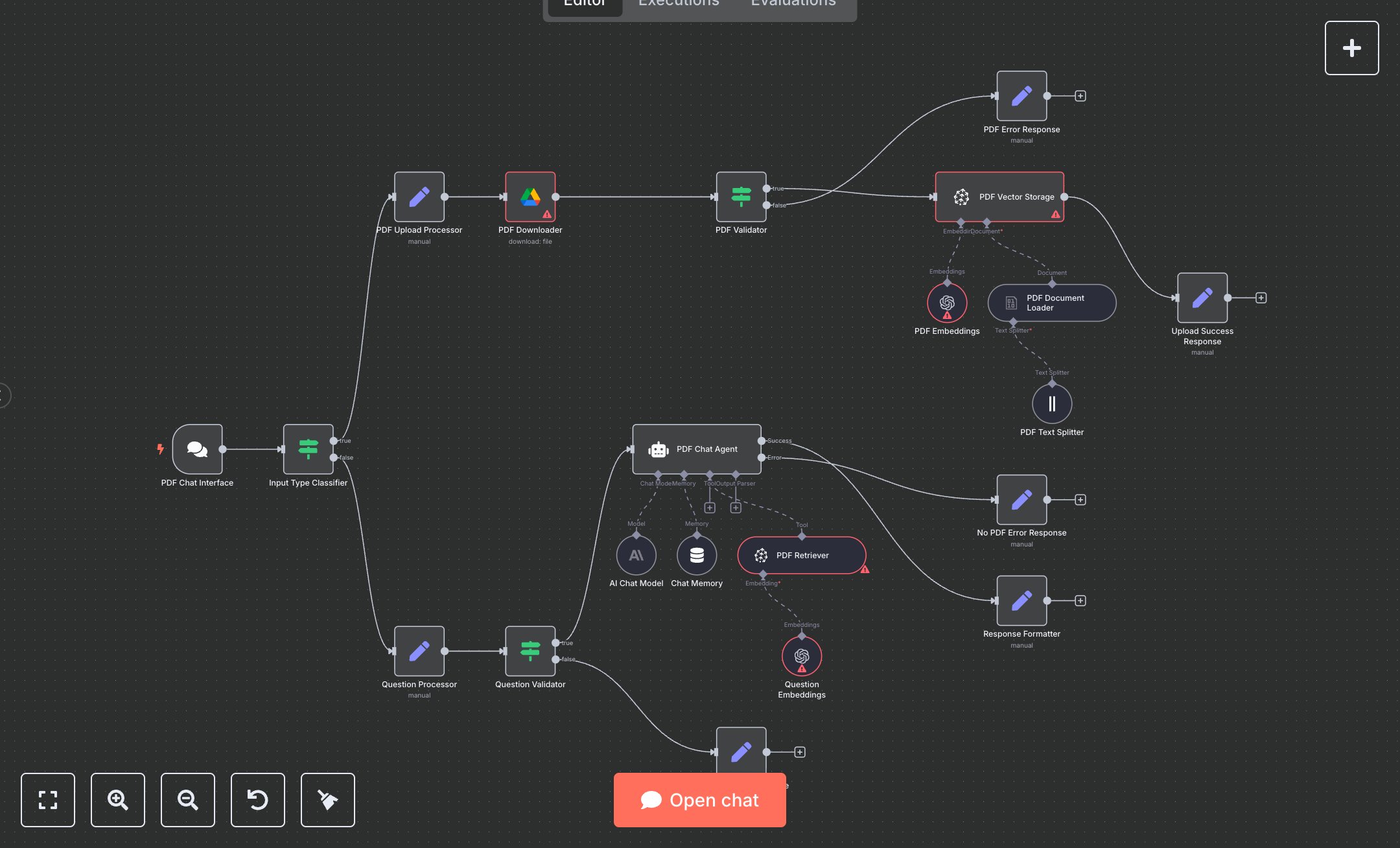
This workflow creates an AI-powered PDF chat system that processes Google Drive PDFs and answers queries using Pinecone and OpenAI. Key nodes include PDF Chat Interface (handles inputs via webhook), Input Type Classifier (detects PDF URLs or questions), PDF Downloader (fetches PDFs), PDF Text Splitter (chunks content), PDF Vector Storage (stores vectors in Pinecone), PDF Chat Agent (processes queries with OpenAI gpt-4o-mini), and response nodes (Upload Success Response, PDF Error Response, Question Error Response, No PDF Error Response). Customize by updating the PDF Upload Processor’s pdf_url for new PDFs.\n\nSetup Requirements and Configuration: Install n8n from n8n.io for self-hosting or sign up at cloud.n8n.io. Create a Google Cloud account at console.cloud.google.com; enable Drive API, and generate OAuth credentials. Obtain an OpenAI API key from platform.openai.com under ‘API Keys.’ Get a Pinecone API key from app.pinecone.io; create an index named ‘pdf-chat-unified.’ In n8n, import the JSON workflow. Configure PDF Downloader with Google Drive credentials, OpenAI nodes with API key, and Pinecone nodes with API key and index name under ‘Credentials.’ Set PDF Chat Interface to HTTPS webhook. Ensure server supports API calls.\n\nTesting and Deployment Steps: Activate the workflow to get the PDF Chat Interface webhook URL; integrate it with your app. Test by sending a Google Drive PDF URL, then query (e.g., ‘Summarize the PDF’). Success response confirms upload or delivers PDF-specific answers (<800 tokens). Errors handle invalid URLs, non-PDF files, or vague questions. Check logs for issues like ‘Invalid Google Drive credentials,’ ‘Pinecone index not found,’ or ‘OpenAI API limit reached.’ Validate responses: ensure upload confirmations are clear and answers are accurate, using bullet points for clarity. Debug using n8n logs for credential or network issues. Ensure stable internet for reliable webhook and API performance. Update the PDF URL in the PDF Upload Processor for different PDFs.
$6.99
Workflow steps: 21
Integrated apps: chatTrigger, if, set