LLM Prompt Generation via ChatGPT
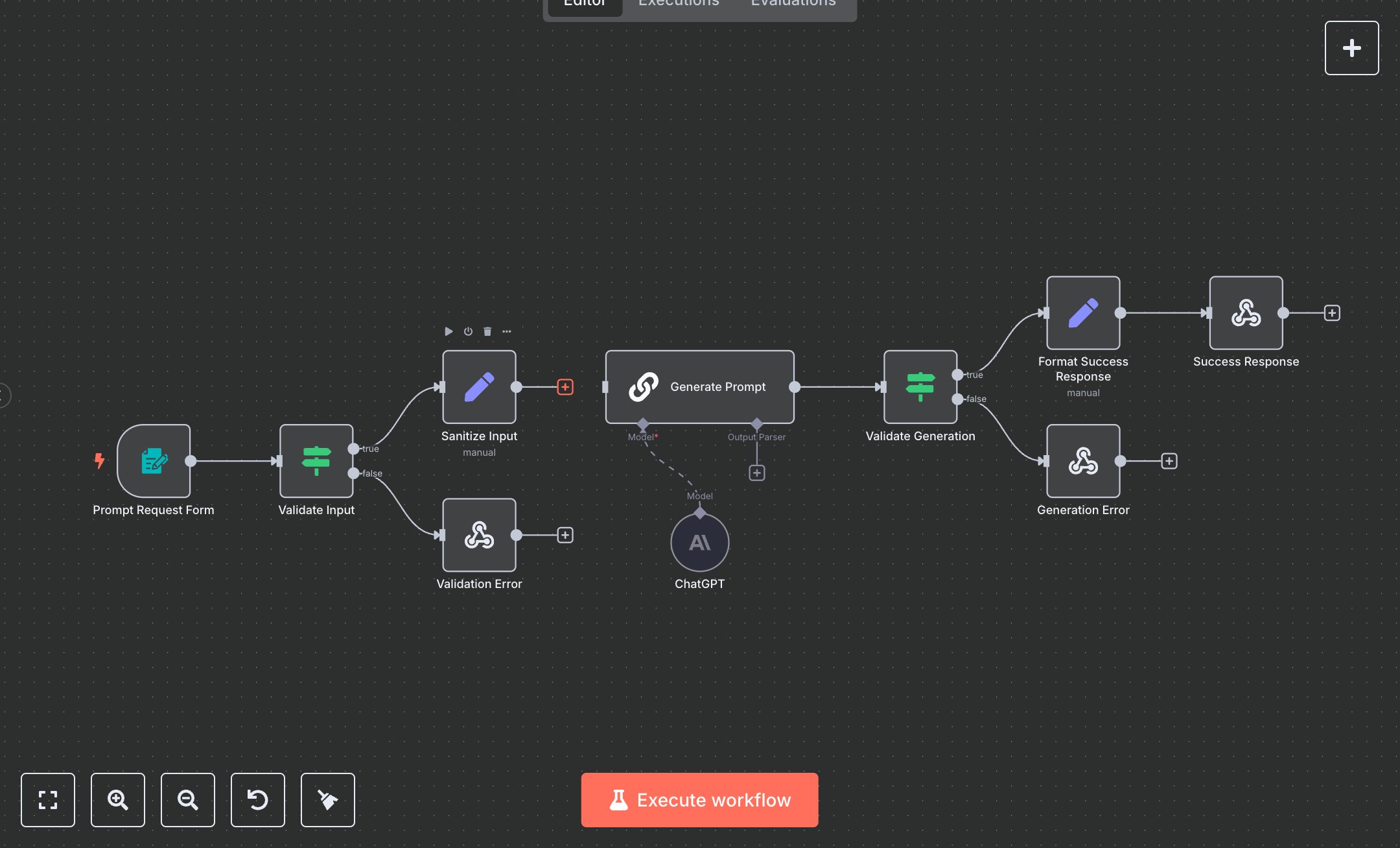
This workflow automates AI prompt generation using ChatGPT, creating structured prompts based on user input. Key nodes include Prompt Request Form (captures input via form), Validate Input (checks prompt text), Sanitize Input (cleans data and selects model), Generate Prompt (defines prompt structure), ChatGPT (processes prompt via OpenAI API), Validate Generation (ensures valid output), Format Success Response (prepares response), and Success/Validation/Generation Error (returns results/errors).\n\nSetup Requirements and Configuration: Install n8n from n8n.io for self-hosting or sign up at cloud.n8n.io for cloud setup. Follow prompts or create a cloud account. Obtain an OpenAI API key from platform.openai.com: sign in, navigate to ‘API Keys,’ create a new key, and copy it. In n8n, import the JSON workflow. Configure the ChatGPT node with the API key under ‘Credentials’ > ‘OpenAI API.’ Ensure the selected model (e.g., gpt-4o-mini) in Sanitize Input aligns with your OpenAI plan. Set the Prompt Request Form path to ‘prompt-maker,’ ensure HTTPS access, and customize form styling if needed (CSS is predefined). Verify server support for webhook calls and stable internet for API connectivity.\n\nTesting and Deployment Steps: Access the form URL (provided by n8n after activation) in a browser, enter a prompt description (e.g., ‘Create a marketing prompt with examples’), select sections (e.g., ‘Examples’), and choose a ChatGPT model (e.g., gpt-4o). Submit to the test. Success responses return 200 with generatedPrompt, metadata (timestamp, sections, model, requestId, wordCount), and usage_tip. Error nodes return a 400 status for empty prompts or a 500 status for API failures. Check logs for errors like ‘Invalid API key,’ ‘Model not accessible,’ or ‘Rate limit exceeded,’ and verify credentials or input. Activate workflow in n8n. Validate output: ensure generatedPrompt includes requested sections (e.g., examples, output_format), metadata reflects selected model, and timestamp is current. Debug using n8n logs for issues like invalid inputs, API errors, or network failures.
$6.99
Workflow steps: 10
Integrated apps: formTrigger, if, respondToWebhook