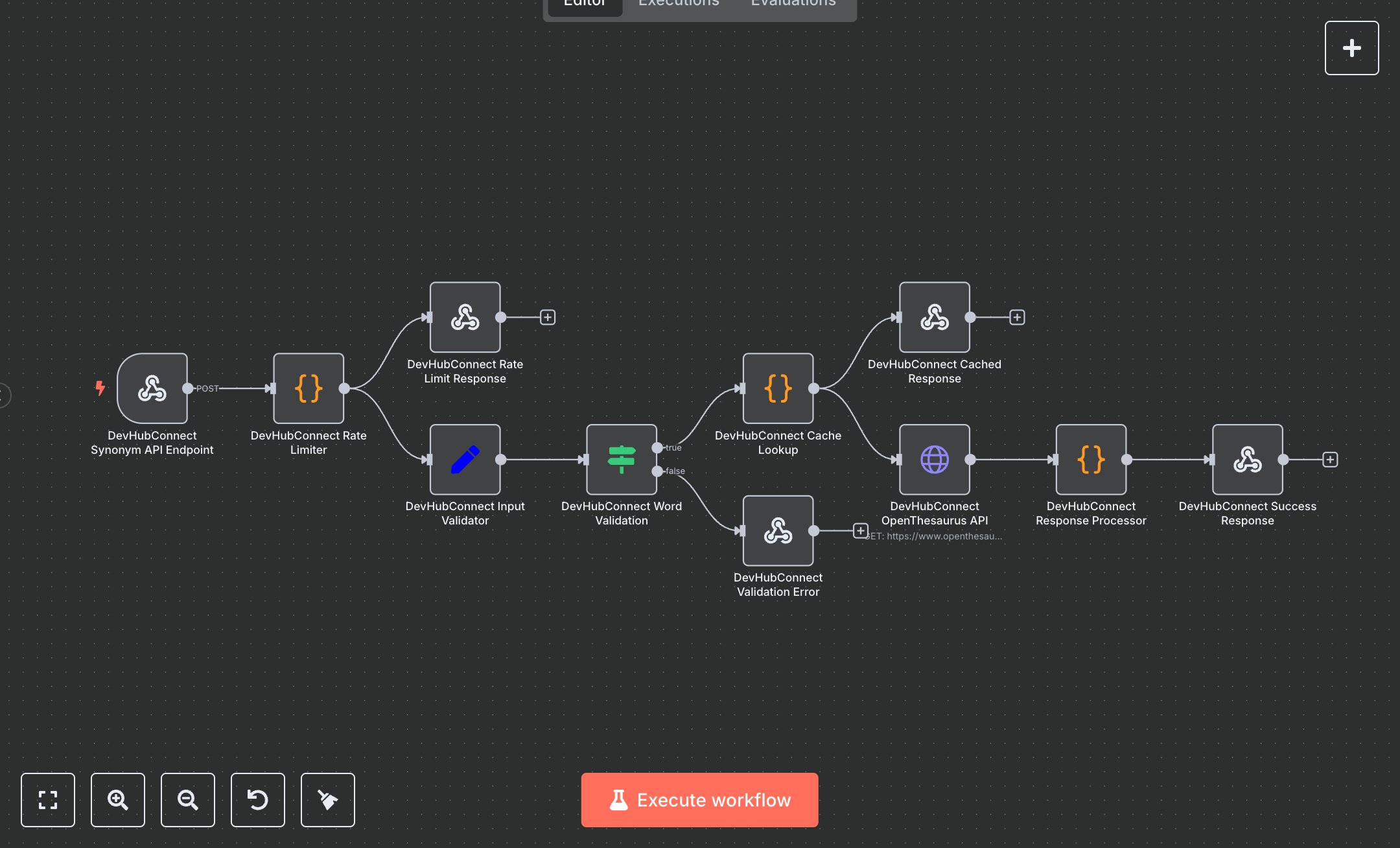
Language Processing: Quick German Synonym Retrieval with OpenThesaurus
This workflow provides a synonym lookup service for German words using the OpenThesaurus API. It handles requests via webhook, applies rate limiting, validates inputs, checks cache, fetches synonyms, and processes responses. Key nodes include Webhook, Function, If, Set, HTTP Request, and RespondToWebhook, enabling efficient synonym retrieval with caching and error handling. To set up, download n8n from n8n.io for self-hosting or sign up at cloud.n8n.io for cloud use. No external credentials are required as the OpenThesaurus API is public. Import the workflow JSON via the Workflows menu. Configure the Webhook node to accept POST requests at the path 'synonym-lookup' with header authentication using a secure key. Ensure the HTTP Request node points to the correct OpenThesaurus URL with query parameters for word and JSON format. The Function nodes handle rate limiting (100 requests/minute) and caching (24-hour TTL); no changes needed unless customizing limits. The Set node validates and sanitizes inputs like word and maxResults. Test by activating the workflow and sending a POST request to the webhook URL with JSON body (e.g., {'word': 'Haus', 'maxResults': 5}). Check the HTTP Request node for API responses, Function nodes for caching and processing, and RespondToWebhook for outputs. Verify synonyms in the response JSON. Common errors include invalid words (shorter than 2 characters, returns validation error), rate limit exceeded (429 status), or empty responses (no synonyms found). For deployment, keep the workflow active, monitor executions for cache hits and API calls, and validate outputs for totalResults and synonyms array. Regularly review logs for errors like 'validation_failed' and address by correcting inputs or contacting support with the reference code.
$3.49
Workflow steps: 11
Integrated apps: webhook, code, respondToWebhook