LLM Chain Azure OpenAI Documentation & Web Search
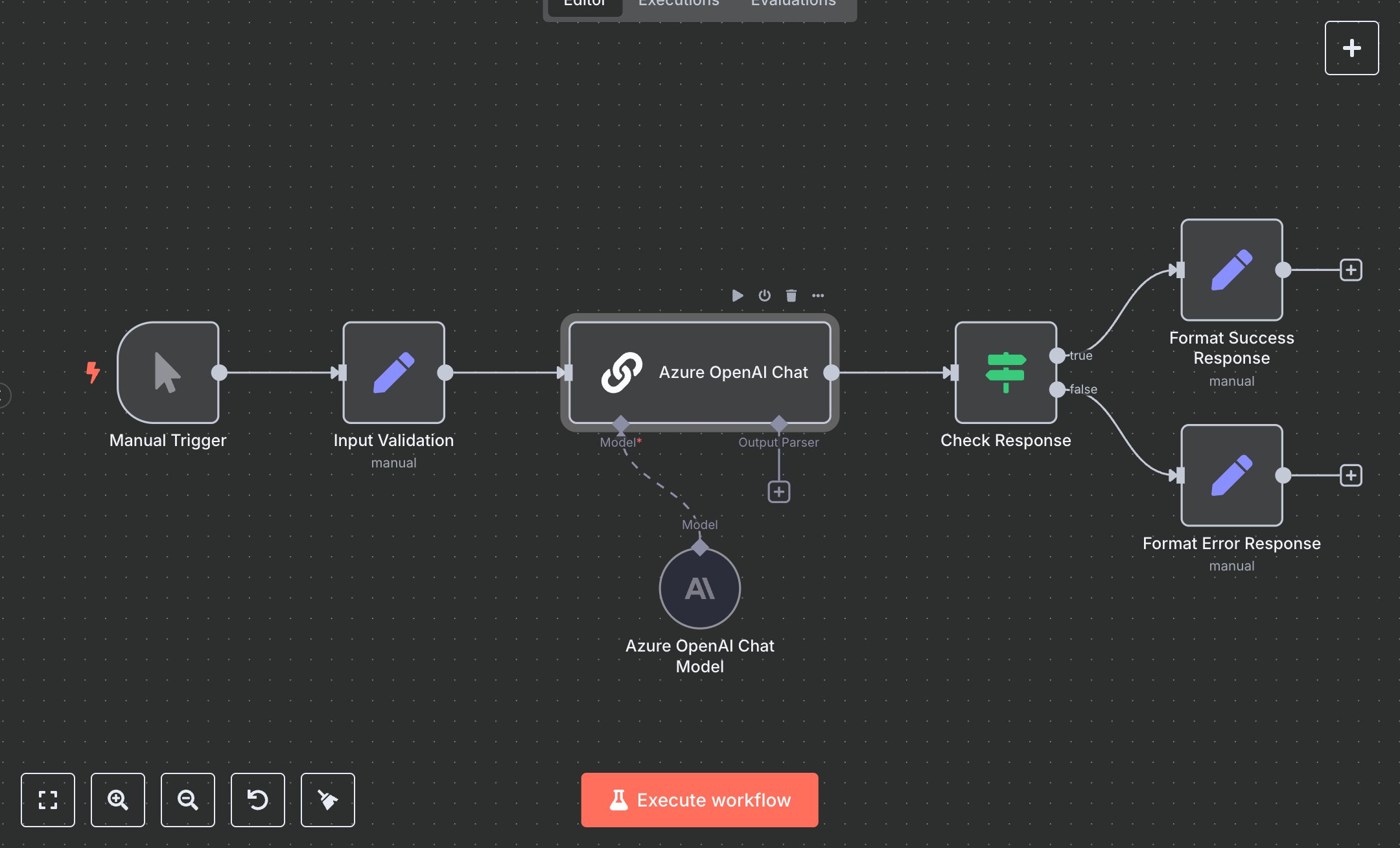
This workflow automates basic AI responses using Azure OpenAI, replacing manual API calls or console testing that take 5-10 minutes per query for developers prototyping LLMs. The Manual Trigger starts with a prompt, the Input Validation Set node prepares text, the Azure OpenAI Chat ChainLLM node generates output with gpt4 at temperature 0 for precision, the Check Response If node verifies non-empty, and Format Success Response Set outputs JSON. Error paths (Format Error Response Set) handle empty results. It helps developers in small AI teams (5-15 staff) testing 50+ prompts weekly, ensuring quick, consistent responses without code setup, streamlining model evaluation and integration prototyping.\n\nThis workflow saves 2-4 hours weekly on 50 prompts, accelerating iteration by 80%. Use cases include LLM benchmarking for startups, response validation for chatbots in agencies. Suitable for solo devs or small teams. Requires Azure OpenAI API (free tier with limits, $0.03/1k tokens); n8n (free self-hosted or $20/month cloud). Scalable to 200 prompts/day with paid tiers.\n\nInstall n8n via n8n.io or cloud.n8n.io. Get Azure OpenAI key at azure.microsoft.com (create deployment with gpt4). Set AZURE_OPENAI_KEY, AZURE_OPENAI_ENDPOINT env vars. Import JSON; manual trigger—no webhook. Configure Azure OpenAI Chat Model with deployment.\n\nTest manually: Set prompt='1+1?'. Verify numerical response. Errors: Empty prompt (error JSON), invalid key (500—regenerate). Activate workflow. Monitor dashboard weekly. Optimize temperature; refresh key quarterly.", "businessValue": "Saves 2-4 hours/week testing 50 AI prompts", "setupTime": "10-15 minutes", "difficulty": "Beginner", "requirements": ["Azure OpenAI API (free tier, $0.03/1k tokens)", "API key and endpoint", "n8n instance"], "useCase": "Quick AI prompt-response prototyping with Azure"
$6.99
Workflow steps: 7
Integrated apps: manualTrigger, set, chainLlm