Image Editing Service Operations
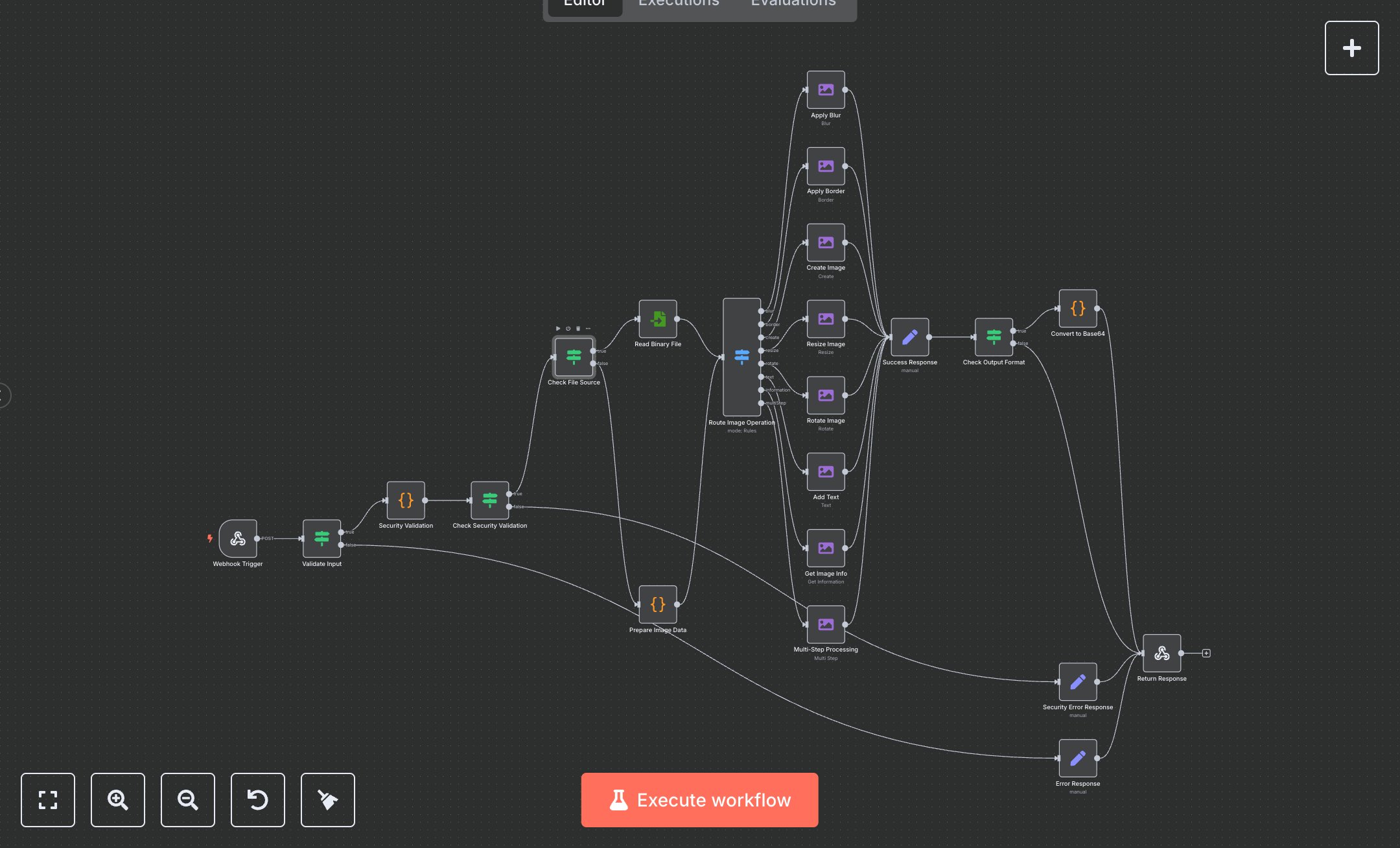
This workflow automates image editing via webhook, replacing manual Photoshop tasks or API scripting that take 20-40 minutes per batch for designers. The Webhook Trigger receives ops like blur/border/create/resize/rotate/text, validation/security checks sanitize paths/data, the Route Image Operation Switch directs to EditImage nodes, the Prepare Image Data Code handles binary, the Check Output Format If routes base64, and Success Response returns processed images. Errors (Error/Security Responses) handle issues. It helps UI/UX devs in small agencies (10-30 staff) editing 50+ images weekly, enabling on-demand manipulation without servers, streamlining previews and exports.\n\nThis workflow saves 6-10 hours weekly on 50 edits, boosting efficiency by 85%. Use cases include dynamic thumbnails for e-commerce, meme generators for marketing in startups. Suitable for small-mid teams. Requires n8n (free self-hosted or $20/month cloud). Scalable to 200 edits/day with cloud tiers.\n\nInstall n8n via n8n.io or cloud.n8n.io. No external services needed. Import JSON, configure Webhook POST 'image-edit'. Update Security Validation Code with paths. Webhook URL: https://your-n8n-instance/webhook/image-edit.\n\nTest with Postman: {operation: 'blur', filePath: '/tmp/image.jpg'}. Verify base64 response. Errors: Invalid op (400), unsafe path (403). Activate webhook. Monitor dashboard weekly. Optimize ops; refresh auth quarterly.", "businessValue": "Saves 6-10 hours/week on 50 image edits", "setupTime": "20-30 minutes", "difficulty": "Intermediate", "requirements": ["n8n instance (free self-hosted or $20/month cloud)"], "useCase": "On-demand API for image manipulation operations"
$6.99
Workflow steps: 22
Integrated apps: webhook, if, set