RocketChat Messaging Service
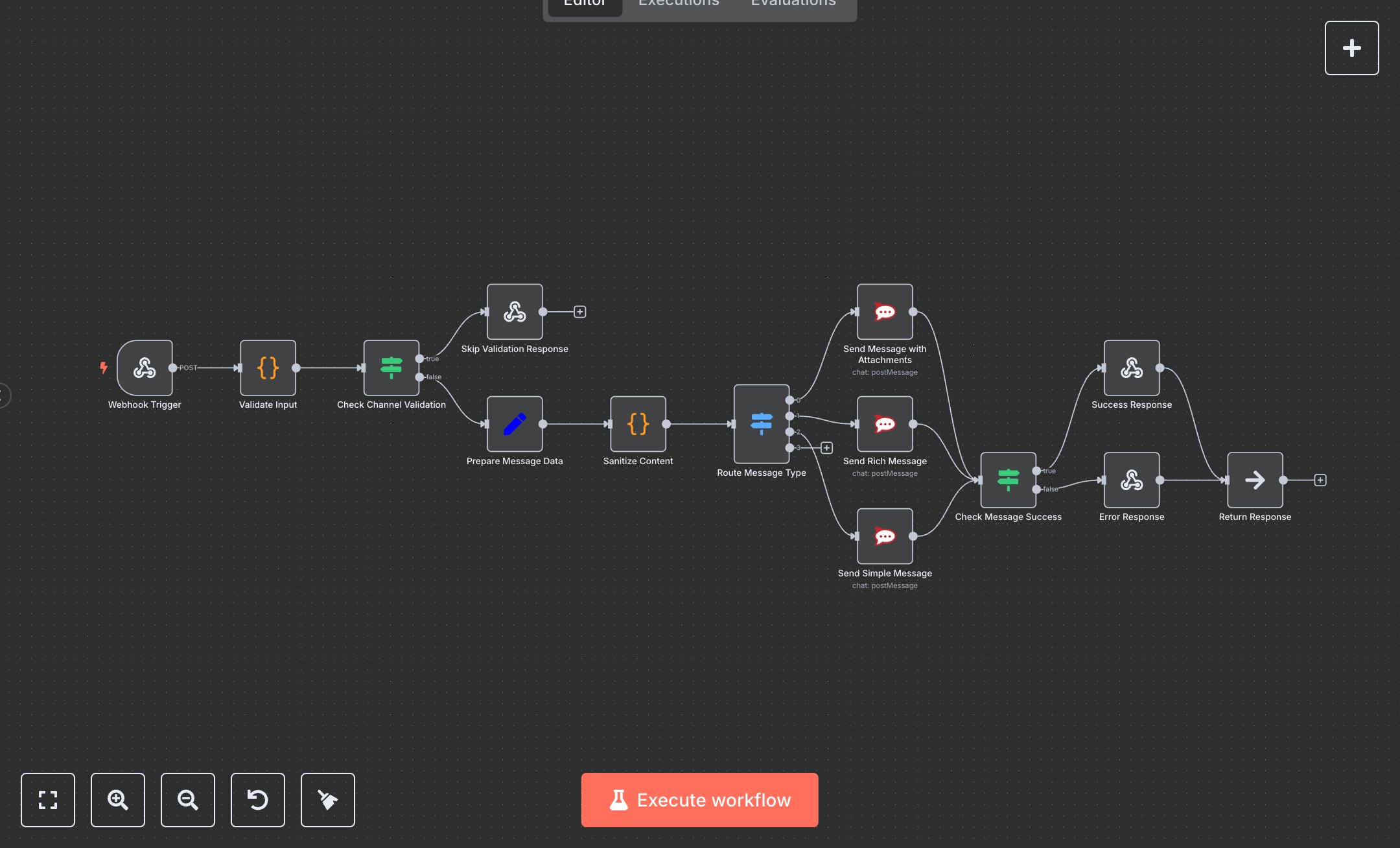
This workflow automates sending messages to RocketChat channels, supporting simple, rich, or attachment-based messages. Key nodes include Webhook Trigger (receives POST requests), Validate Input (checks required fields), Sanitize Content (cleans input), Route Message Type (directs message format), and RocketChat nodes for API delivery. Saves 3-5 hours weekly for teams handling 200+ notifications monthly. Ideal for DevOps, support, or internal comms teams automating alerts and announcements. Difficulty: Beginner. Setup Time: 20-30 minutes. Requires RocketChat (free, self-hosted) and n8n (free self-hosted or ~$20/month cloud). No paid APIs required. Scalable to 10,000+ messages/month. Setup: Install n8n at n8n.io or cloud.n8n.io. In RocketChat, go to Administration > Users, create a bot user, and copy the user ID and auth token from Personal Access Tokens. Import the JSON, configure the three RocketChat nodes with your server URL and credentials, and set the Webhook Trigger path to rocketchat-message. Testing: Send a POST request via Postman to the Webhook URL. Example: {'channel': 'general', 'text': 'Test message', 'messageType': 'simple'}. Success returns 200 with messageId. Missing fields return 400. API failures return 500. Common errors: invalid credentials, regenerate token in RocketChat; unknown channel, verify name format. Activate in n8n to deploy.
$5.49
Workflow steps: 14
Integrated apps: webhook, code, if