Wekan Board Management
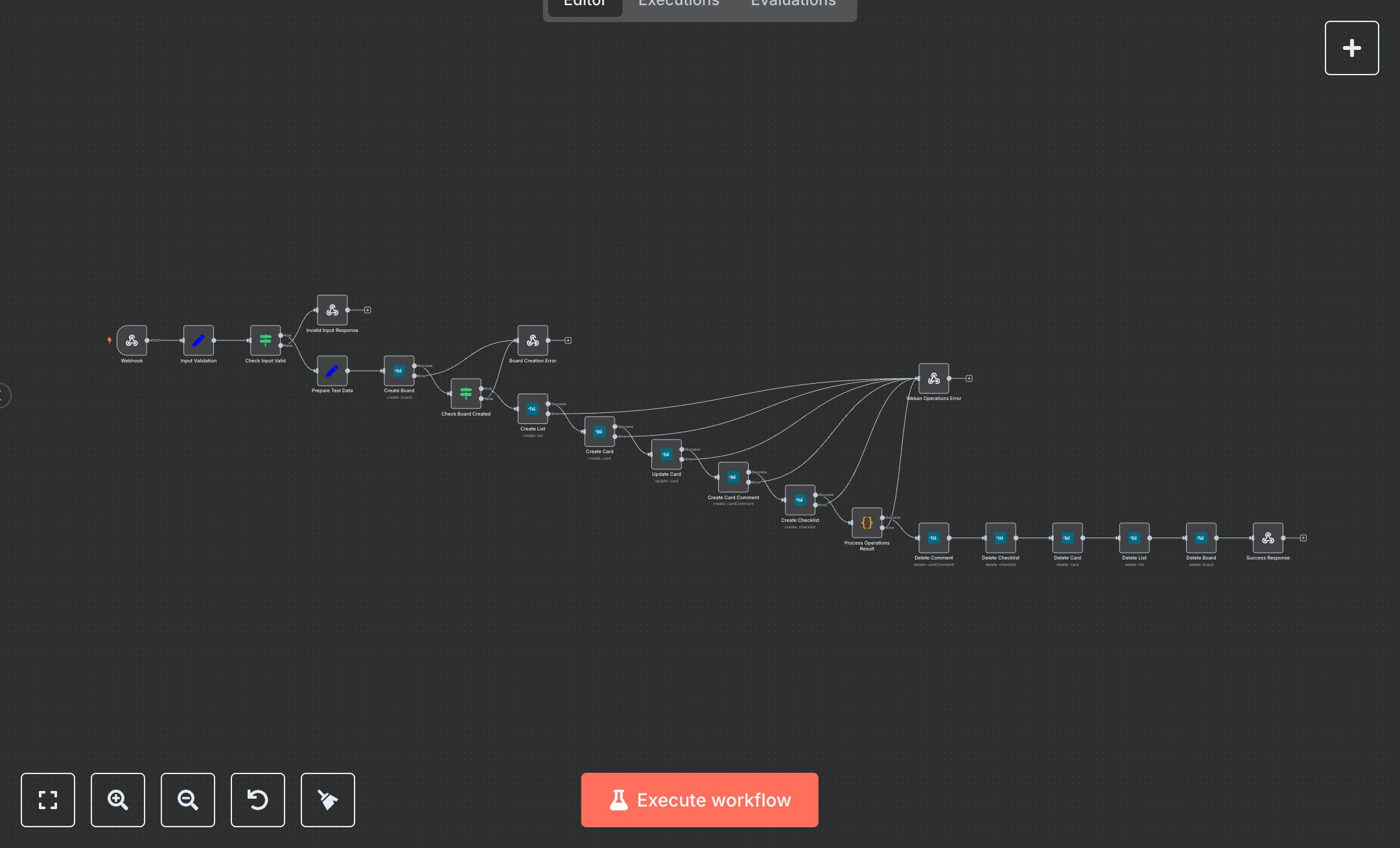
This workflow automates Wekan board management, including board, list, card, comment, and checklist creation, updates, and cleanup via a webhook. Key nodes include Webhook (receives POST requests), Input Validation (sanitizes inputs), Check Input Valid (verifies operation), Prepare Test Data (formats data), Create Board/List/Card/Comment/Checklist (interacts with Wekan API), Update Card (modifies cards), Process Operations Result (summarizes output), Delete Comment/Checklist/Card/List/Board (cleans up), Success Response (returns JSON), and error responses (Invalid Input, Board Creation Error, Wekan Operations Error). It uses the Wekan API. Setup Requirements Install n8n from n8n.io or sign up at cloud.n8n.io. Import the JSON into n8n’s workflow editor. Install Wekan locally or use a hosted instance. Obtain API credentials (username, password, or token) from Wekan’s admin panel or user settings. In n8n, configure wekanApi credentials under wekan-credentials with the Wekan base URL (e.g., https://your-wekan.com), username, and password or token. Configure the Webhook node by copying its URL (/wekan-operations). Set allowedOrigins (e.g., 'https://your-domain.com') for security. The workflow expects a JSON payload with 'operation' (e.g., test_board_management), 'boardTitle', 'listTitle', 'cardTitle', 'ownerId', 'authorId', 'swimlaneId', and 'comment'. Handle errors like invalid operation (400: Invalid operation) or authentication failure (401: Unauthorized). Secure credentials and webhook URL. Testing and Deployment Import the JSON into n8n and activate the workflow. Configure Wekan credentials. Test the Webhook with a POST request (e.g., curl -X POST [webhook-url] -d '{"operation": "test_board_management", "boardTitle": "MyBoard"}' -H 'Content-Type: application/json'). Verify board, list, card, comment, and checklist creation, updates, cleanup, and Success Response JSON with operation details (e.g., board_id, card_title). Test error cases: invalid operation (400: Invalid operation), invalid credentials (401: Unauthorized), or non-existent IDs (502: Wekan operations failed). Check n8n and Wekan logs for errors. Integrate the webhook URL into your application, ensure Wekan accessibility, activate the workflow, and deploy for automated board management. Monitor Wekan API response times and operation success.
$6.99
Workflow steps: 21
Integrated apps: webhook, set, if