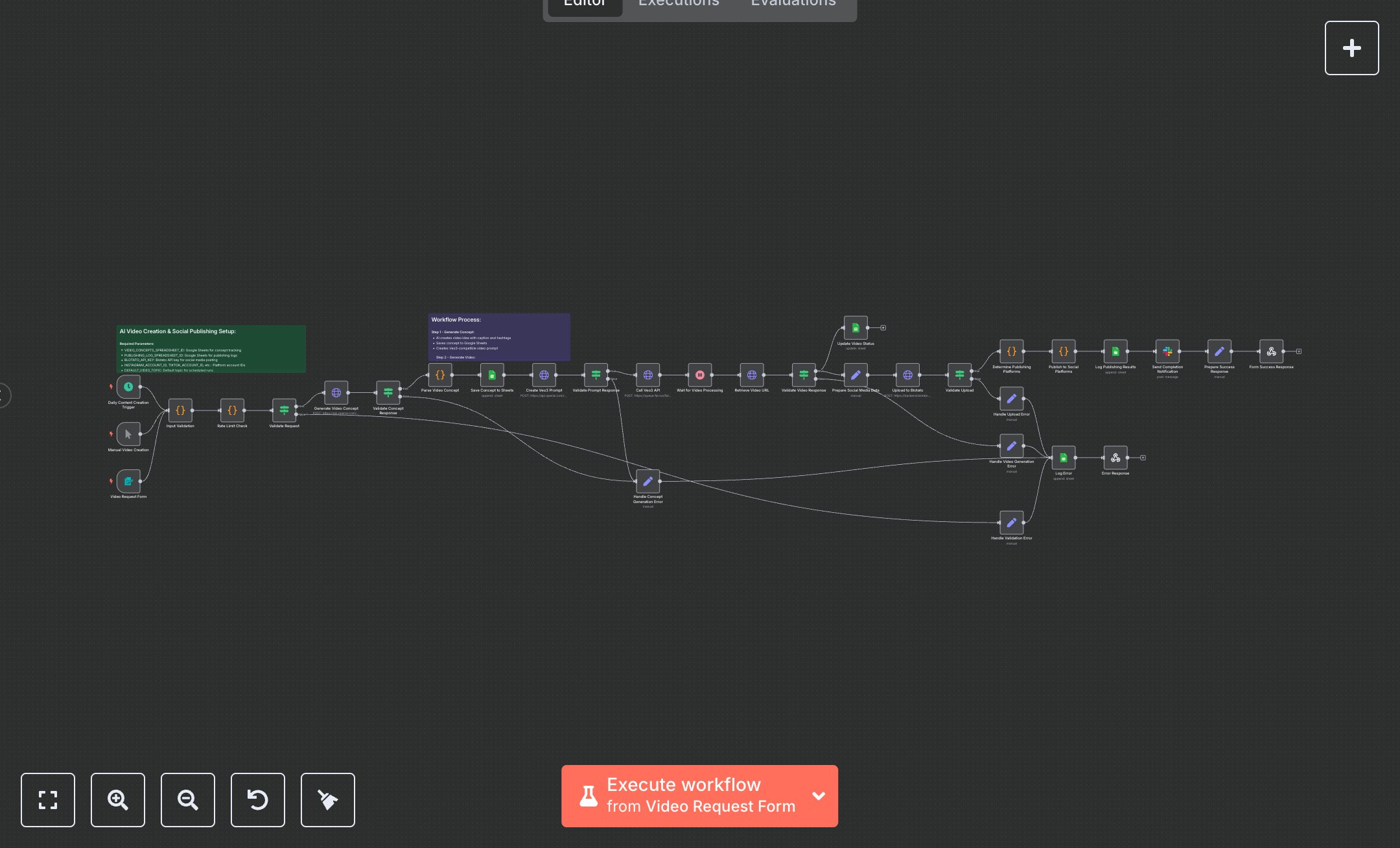
AI Video Creation & Social Media Publishing
This workflow generates AI videos using Veo3 and publishes them to social media platforms like Instagram, TikTok, and YouTube, triggered via form, schedule, or manual input. Key nodes include Video Request Form (form trigger), Daily Content Creation Trigger (cron trigger), Manual Video Creation (manual trigger), Input Validation (sanitizes data), Rate Limit Check (limits requests), Generate Video Concept (OpenAI API), Create Veo3 Prompt (OpenAI API), Call Veo3 API (video generation), Upload to Blotato (social media prep), Publish to Social Platforms (multi-platform posting), Log Publishing Results (Google Sheets), Send Completion Notification (Slack API), Form Success Response (returns JSON). It uses OpenAI, Veo3, Blotato, Google Sheets, and Slack APIs. Setup Requirements Install n8n from n8n.io or sign up at cloud.n8n.io. Import the JSON into n8n’s workflow editor. Get an OpenAI API key at platform.openai.com (Account > API Keys); configure httpBearerAuth credentials. Obtain a Veo3 API key from fal.ai (Dashboard > API Keys); set httpHeaderAuth credentials. Create a Google Sheets spreadsheet, note its ID (URL: /spreadsheets/d/SPREADSHEET_ID/), and set VIDEO_CONCEPTS_SPREADSHEET_ID and PUBLISHING_LOG_SPREADSHEET_ID. Configure GoogleSheetsOAuth2Api credentials via Google Cloud Console (APIs > Credentials > OAuth 2.0). Get a Blotato API key at blotato.com; set BLOTATO_API_KEY. Create a Slack app at api.slack.com for a Bot User OAuth Token; configure Slack API credentials. Set DEFAULT_VIDEO_TOPIC, SLACK_CHANNEL (default: #video-content), and platform account IDs (INSTAGRAM_ACCOUNT_ID, etc.). Copy the Video Request Form webhook URL. Handle errors like invalid topic (400: INVALID_INPUT) or missing Veo3 key (401: Unauthorized). Secure credentials. Testing and Deployment Import the JSON into n8n. Set all credentials and parameters. Test with Manual Video Creation using defaults. Verify Call Veo3 API generates a video, Upload to Blotato prepares it, Publish to Social Platforms posts it, Log Publishing Results saves to Sheets, and Form Success Response returns JSON. Test with an invalid topic (400: INVALID_INPUT) or rate limit (400: RATE_LIMIT_EXCEEDED). Monitor Veo3 rate limits (429: Too Many Requests). Embed the form webhook in a webpage, activate the workflow, and deploy for automated video publishing.
$6.99
Workflow steps: 34
Integrated apps: scheduleTrigger, manualTrigger, formTrigger