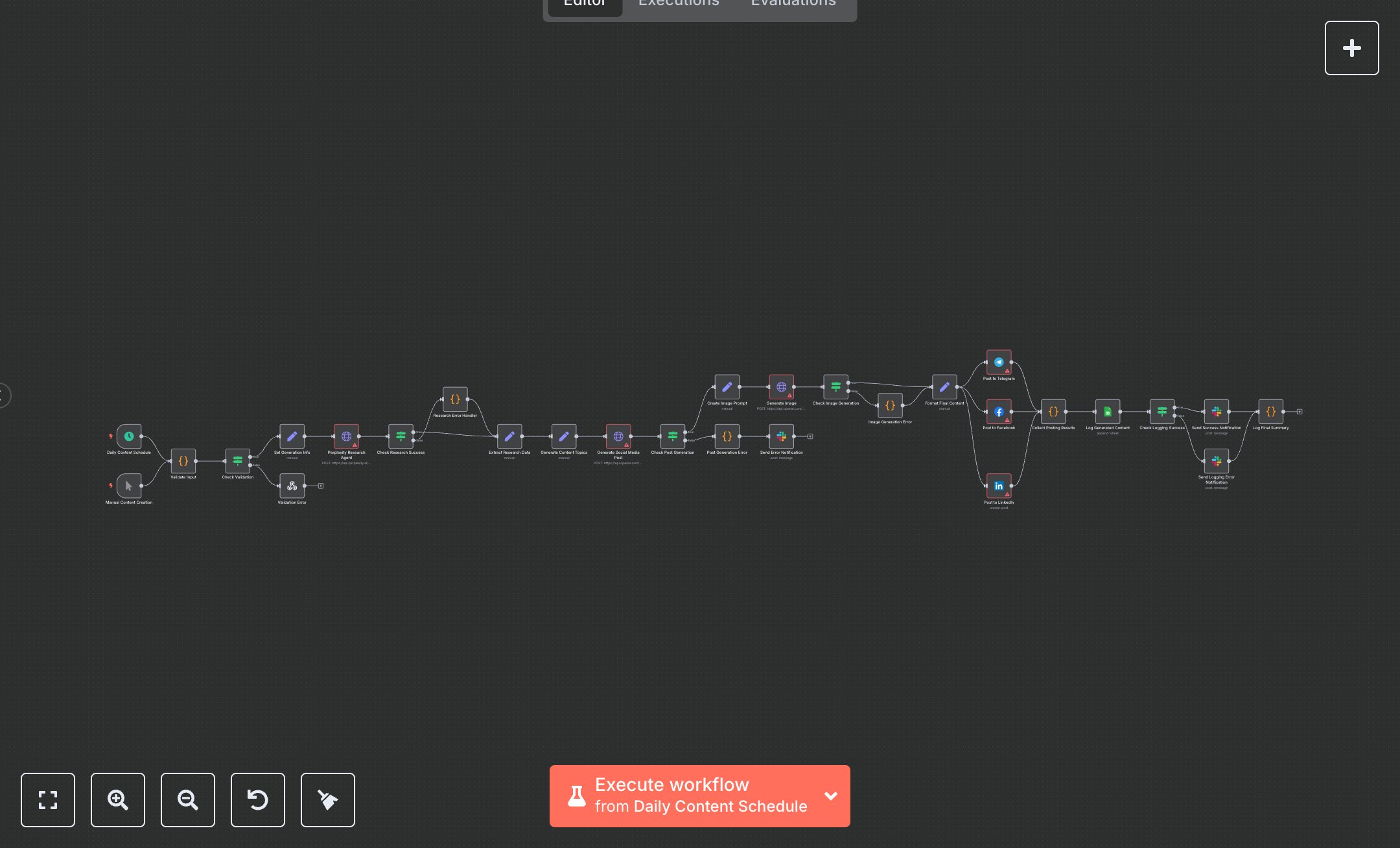
AI Social Media Content Generator For an Auto Service Business
This workflow generates daily social media posts for an auto service business, posting to Telegram, Facebook, and LinkedIn, logging to Google Sheets, and notifying via Slack. Key nodes include Daily Content Schedule (cron trigger), Manual Content Creation (manual trigger), Validate Input (checks data), Perplexity Research Agent (researches topics), Generate Social Media Post (OpenAI API), Generate Image (DALL-E API), Post to Telegram/Facebook/LinkedIn (platform APIs), Log Generated Content (saves to Sheets), Send Success Notification (Slack alert). It uses Perplexity, OpenAI, Telegram, Facebook Graph, LinkedIn, Google Sheets, and Slack APIs. Setup Requirements Install n8n from n8n.io or sign up at cloud.n8n.io. Import the JSON into n8n’s workflow editor. Get Perplexity API key at perplexity.ai (Account > API Keys); configure perplexityApi credentials. Obtain OpenAI API key at platform.openai.com (API Keys); set openAiApi credentials. Create a Telegram bot via BotFather, get the token, and configure Telegram API credentials with chat ID. Set up the Facebook app at developers.facebook.com, get an access token, and configure FacebookGraphApi credentials with the page ID. Create a LinkedIn app at linkedin.com/developers, get an access token, and set LinkedInOAuth2Api credentials with person ID. Create a Google Sheets spreadsheet, note its ID (URL: /spreadsheets/d/SPREADSHEET_ID/), and replace YOUR_CONTENT_LOG_SPREADSHEET_ID. Set GoogleSheetsOAuth2Api credentials via Google Cloud Console. Configure Slack API credentials at api.slack.com. Handle errors like invalid API keys (401: Unauthorized) or wrong chat/page IDs (403: Forbidden). Secure credentials. Testing and Deployment Import the JSON into n8n. Set all API credentials and update the spreadsheet, chat, page, and person IDs. Use Manual Content Creation to test. Verify that Generate Social Media Post creates a 200-280-character post, Generate Image produces an image, and posts appear on Telegram, Facebook, and LinkedIn. Check Log Generated Content appends to Sheets and Send Success Notification posts to #marketing. Test with an invalid OpenAI key (401: Unauthorized) or wrong spreadsheet ID (403: Forbidden). Monitor rate limits (429: Too Many Requests). Activate the workflow for daily 9 AM content generation.
$6.99
Workflow steps: 29
Integrated apps: scheduleTrigger, manualTrigger, code